Type text, add images, blackout confidential details, add comments, highlights and more.
02. Sign it in a few clicks
Draw your signature, type it, upload its image, or use your mobile device as a signature pad.
03. Share your form with others
Send it via email, link, or fax. You can also download it, export it or print it out.
How to use or fill out Commission List with our platform
Ease of Setup
DocHub User Ratings on G2
Ease of Use
DocHub User Ratings on G2
Click ‘Get Form’ to open the Commission List in the editor.
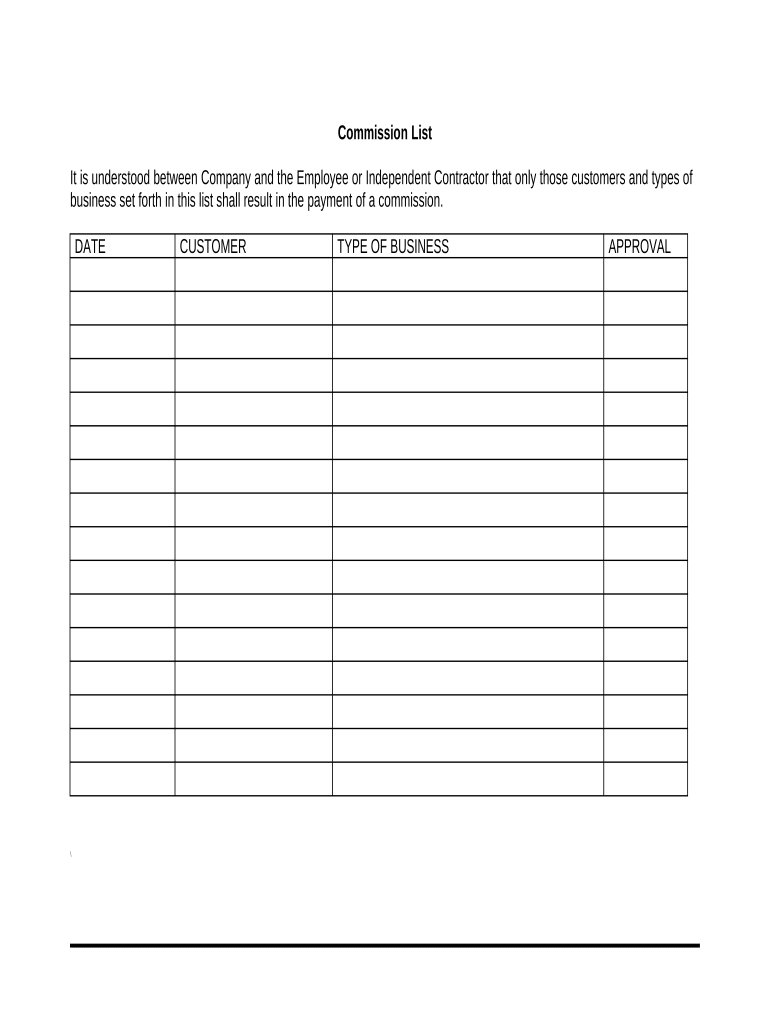
Begin by entering the 'DATE' in the designated field. This should reflect the date when the commission agreement is being established.
Next, fill in the 'CUSTOMER' section with the name of the client or customer associated with the commission. Ensure accuracy for proper tracking.
In the 'TYPE OF BUSINESS' field, specify the nature of business related to this commission. This helps clarify which transactions are eligible for commission payments.
Finally, obtain necessary 'APPROVAL' signatures from relevant parties to validate and finalize the document. Use our platform’s signature feature for convenience.
Start using our platform today to streamline your Commission List process for free!
Independent Ethics Commissions in the United States and
In eight jurisdictions, commission members are appointed from a list of candidates provided by the Legislature, judicial branch, or civic organizations (TableRead more
Cookie consent notice
This site uses cookies to enhance site navigation and personalize your experience.
By using this site you agree to our use of cookies as described in our Privacy Notice.
You can modify your selections by visiting our Cookie and Advertising Notice.