Receipts 2026

Get Form
spell receipt Preview on Page 1

Here's how it works

01. Edit your spell receipt online
Type text, add images, blackout confidential details, add comments, highlights and more.

02. Sign it in a few clicks
Draw your signature, type it, upload its image, or use your mobile device as a signature pad.

03. Share your form with others
Send spell receipts via email, link, or fax. You can also download it, export it or print it out.

How to Use or Fill Out Receipts with Our Platform

Form edit decoration
9.5
Ease of Setup
DocHub User Ratings on G2
9.0
Ease of Use
DocHub User Ratings on G2
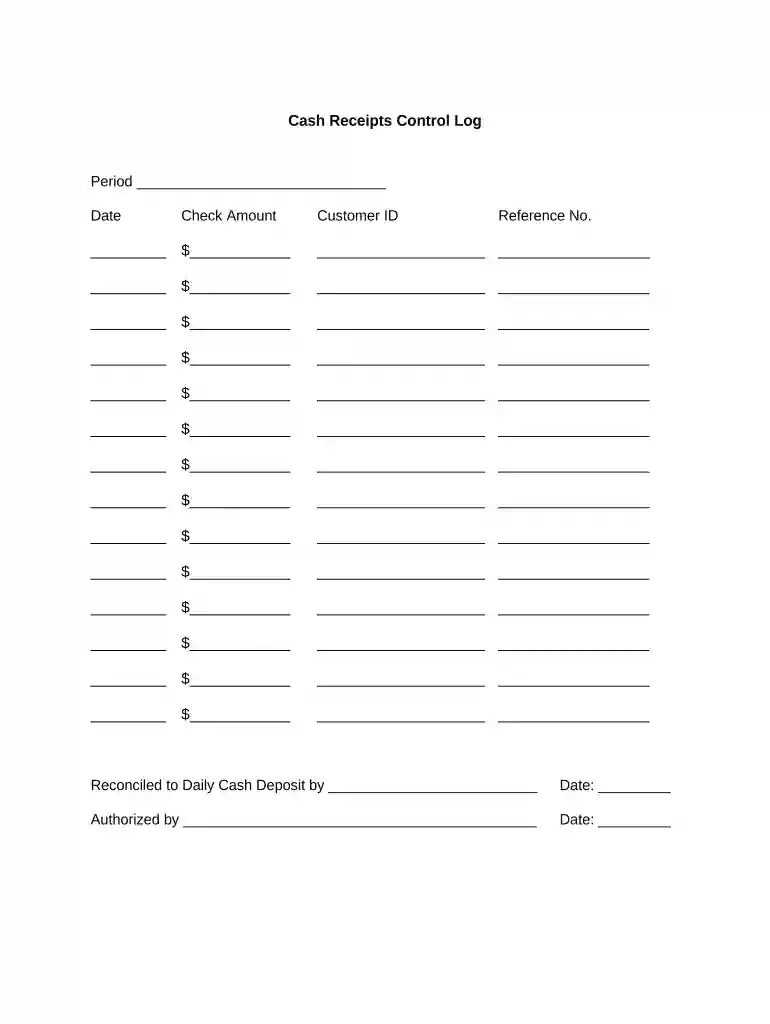
  1. Click ‘Get Form’ to open the Cash Receipts Control Log in the editor.
  2. Begin by entering the 'Period' at the top of the form. This helps in organizing your receipts chronologically.
  3. For each transaction, fill in the 'Date' field with the date of receipt issuance.
  4. In the 'Check Amount' section, input the amount received for each transaction. Ensure accuracy to maintain financial integrity.
  5. Next, enter the 'Customer ID' associated with each transaction. This is crucial for tracking customer payments.
  6. Fill in the 'Reference No.' for each entry, which can be a check number or invoice reference for easy identification.
  7. Once all entries are complete, ensure that you reconcile your total against your daily cash deposit by filling out that section at the bottom of the form.
  8. Finally, have an authorized person sign and date where indicated to validate the receipts log.

Start using our platform today to streamline your receipt management for free!

be ready to get more

Complete this form in 5 minutes or less

Get form

Got questions?

We have answers to the most popular questions from our customers. If you can't find an answer to your question, please contact us.
Contact us
In time, both words gained use in cookery, after which recipe slowly became the preferred word. Receipt later acquired its more familiar sense of a writing acknowledging the receiving of goods or money. Both words, receipt and recipe, ultimately derive from Latin recipere (to receive).
A receipt is a written or printed statement that shows proof of payment or purchase; receipts is the plural form of the noun receipt.
You can use read receipts to automatically let someone know when youve seen their text messages. When read receipts are turned on, the sender sees the word Read below messages theyve sent to you, indicating that youve read their message. If you havent read their message, the sender sees Delivered.
What does receipts mean? Receipts is slang for proof or evidence, often used to call out someone for lying or to show someone is being genuine.
For any lost receipts, the easiest way is to go to the original place of purchase. Most stores can look up your purchase and print you a new receipt if your method of payment was a credit or debit card.

Security and compliance

At DocHub, your data security is our priority. We follow HIPAA, SOC2, GDPR, and other standards, so you can work on your documents with confidence.
Learn more
ccpa2
pci-dss
gdpr-compliance
hipaa
soc-compliance

People also ask

proof of purchase sales check sales receipt sales slip. receipt (noun as in act of receiving) Strong matches. acceptance accession acquiring acquisition admission admitting arrival getting receiving reception taking.
a. : a writing acknowledging the receiving of goods or money. b. receipts plural, informal : proof, evidence.
Common examples of receipts include packing slips, cash register tape, invoices, credit card statements, petty cash slips, and invoices. Although the format for these forms may vary, they all serve the same purpose of documenting the time and value of a business transaction.

Related links