




Here's how it works

01. Edit your daily cash position report online
Type text, add images, blackout confidential details, add comments, highlights and more.

02. Sign it in a few clicks
Draw your signature, type it, upload its image, or use your mobile device as a signature pad.

03. Share your form with others
Send cash position report via email, link, or fax. You can also download it, export it or print it out.
How to use or fill out Daily Cash Report with our platform

- Click ‘Get Form’ to open the Daily Cash Report in the editor.
- Begin by entering the date at the top of the form. This helps in tracking daily transactions accurately.
- In the 'Cash Recorded From' section, list all sources of cash inflow. For each source, enter the corresponding amount in the adjacent field.
- Next, move to 'Cash Paid Out To'. Document all expenses and payments made during the day, ensuring you fill in each amount accurately.
- Calculate and enter 'Total Cash Received' by summing up all amounts from 'Cash Recorded From'.
- Similarly, calculate 'Total Cash Paid Out' from your entries under 'Cash Paid Out To'.
- In the 'Notes' section, feel free to add any additional comments or observations regarding your cash flow for that day.
- Finally, compute your balance by subtracting 'Total Cash Paid Out' from 'Total Receipts', and enter this figure in the designated field.
Start using our platform today to streamline your Daily Cash Report process for free!
Fill out Daily Cash Report online
It's free
It's free
Security and compliance
At DocHub, your data security is our priority. We follow HIPAA, SOC2, GDPR, and other standards, so you can work on your documents with confidence.
Learn more


Related forms
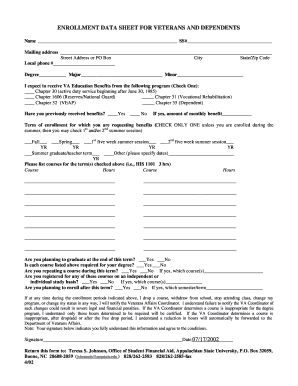
Enrollment data sheet
The document is an Enrollment Data Sheet for veterans and their dependents seeking VA Education Benefits. It collects pe ...

Form caribbean printable
The document is a Wetland Determination Data Form for the Caribbean Islands Region, used to assess wetland characteristi ...

Omb no 0938 0242 form
The document is a Fire Safety Survey Report for Intermediate Care Facilities for the Mentally Retarded, detailing compli ...

Ohio form
The document is an application form (MF 203) for obtaining a motor fuel dealer's license in Ohio, as required by the Ohi ...
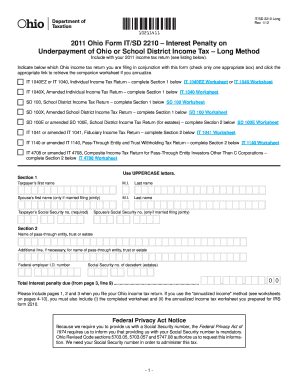
2011 2210 form
The document is the 2011 Ohio Form IT/SD 2210, which is used to calculate the interest penalty on underpayment of Ohio o ...

Tddd license application
The document outlines the application process for obtaining a Terminal Distributor of Dangerous Drugs (TDDD) license in ...

Canvass letter example
The document is an Eligible List Canvass Letter from the New York State Department of Civil Service, informing recipient ...

Capabilities form
The document is a medical evaluation form for assessing an employee's physical capabilities and restrictions, particular ...