Type text, add images, blackout confidential details, add comments, highlights and more.
02. Sign it in a few clicks
Draw your signature, type it, upload its image, or use your mobile device as a signature pad.
03. Share your form with others
Send it via email, link, or fax. You can also download it, export it or print it out.
How to Use or Fill Out the Employment Contract with Liquidated Damages
Ease of Setup
DocHub User Ratings on G2
Ease of Use
DocHub User Ratings on G2
Click ‘Get Form’ to open it in the editor.
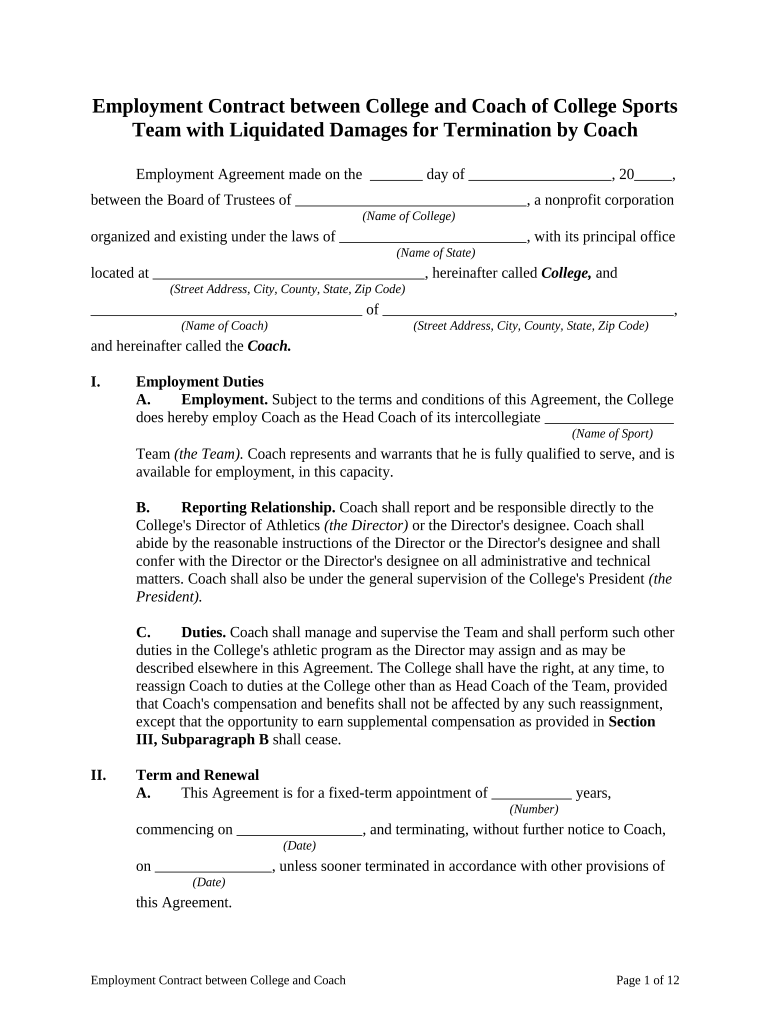
Begin by entering the date of the agreement at the top of the form. This is crucial for establishing the contract's timeline.
Fill in the name of the college and its address in the designated fields. Ensure accuracy as this identifies the parties involved.
Input your name and address as the coach in the respective sections. This personalizes the contract to your specific situation.
Complete Section I regarding Employment Duties, detailing your responsibilities and reporting relationships as outlined.
In Section II, specify the term of employment and renewal conditions. Be clear about start and end dates.
For Section III, enter compensation details including salary, benefits, and any supplemental compensation based on performance metrics.
Review Sections IV through VI carefully, ensuring all terms regarding termination, liquidated damages, and miscellaneous provisions are understood and filled out correctly.
Start editing your Employment Contract today for free on our platform!
Liquidate meaning in businessLiquidate meaning in accountingLiquidated damages clauseLiquidated meaning in lawLiquidated damages in contractLiquidate money meaningWhy is it called liquidated damagesLiquidate assets
Security and compliance
At DocHub, your data security is our priority. We follow HIPAA, SOC2, GDPR, and other standards, so you can work on your documents with confidence.
Liquidation or Crypto liquidation is the process of forced closing a traders positions in the cryptocurrency market. It occurs when a traders marginRead more
Liquidated damages are an exact amount of money, or a set formula to calculate the amount of money, a party will owe if it bDocHubes a contract.Read more
This subpart prescribes policies and procedures for using liquidated damages clauses in solicitations and contracts for supplies, services, research andRead more
Cookie consent notice
This site uses cookies to enhance site navigation and personalize your experience.
By using this site you agree to our use of cookies as described in our Privacy Notice.
You can modify your selections by visiting our Cookie and Advertising Notice.