01. Edit your california arbitration agreement template online
Type text, add images, blackout confidential details, add comments, highlights and more.
02. Sign it in a few clicks
Draw your signature, type it, upload its image, or use your mobile device as a signature pad.
03. Share your form with others
Send arbitration agreement california pdf via email, link, or fax. You can also download it, export it or print it out.
How to use or fill out agreement arbitrate with our platform
Ease of Setup
DocHub User Ratings on G2
Ease of Use
DocHub User Ratings on G2
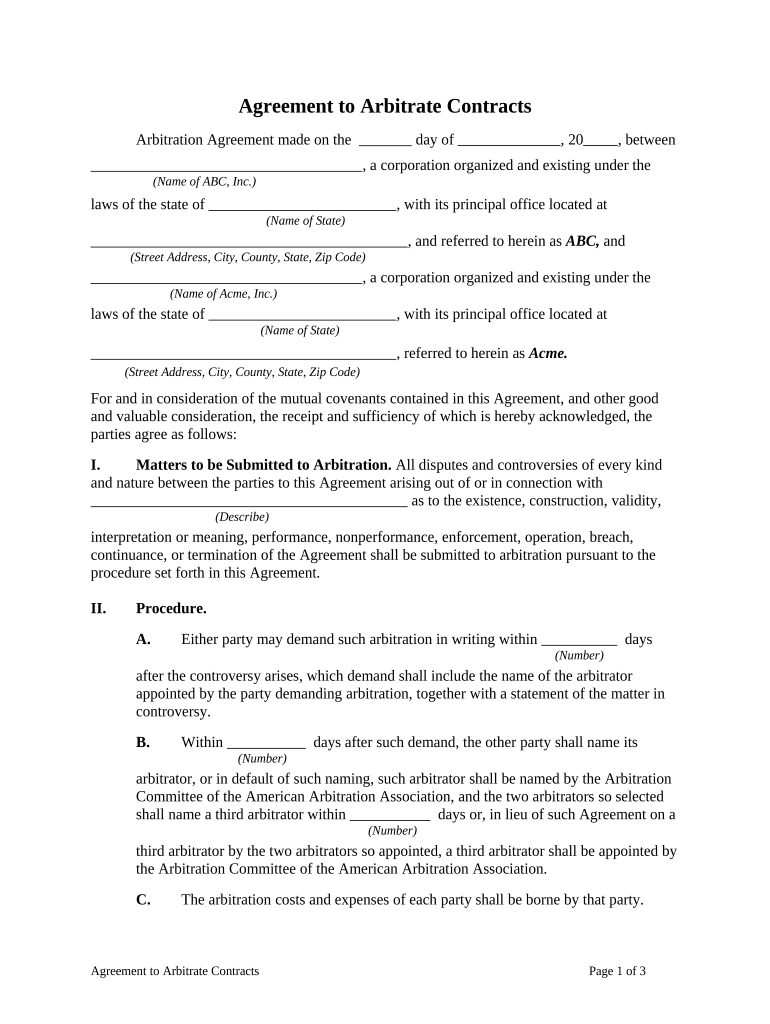
Click ‘Get Form’ to open the Agreement to Arbitrate in the editor.
Begin by filling in the date at the top of the document. Specify the day, month, and year when the agreement is made.
In the first section, enter the names of both corporations involved in the arbitration, along with their respective states and addresses.
Proceed to Section I and describe any matters that may need arbitration. This could include disputes regarding performance or enforcement of this agreement.
In Section II, specify time frames for arbitration demands and arbitrator appointments. Fill in the number of days as required.
Complete Sections III through IX by reviewing each clause carefully and ensuring all necessary information is filled out accurately.
Finally, have authorized representatives sign at the bottom of the document, including printed names and titles.
Start using our platform today to streamline your agreement arbitration process for free!
What is an arbitration agreement for employmentArbitration agreement exampleShould I sign an arbitration agreementCan I sue if I signed an arbitration agreementShould I sign an arbitration agreement with my employerSample arbitration agreement PDFIs an arbitration agreement badArbitration agreement Bank of America
Security and compliance
At DocHub, your data security is our priority. We follow HIPAA, SOC2, GDPR, and other standards, so you can work on your documents with confidence.
Apr 2, 2026 Its typically a clause in a broader contract in which you agree to settle out of court, through arbitration cases, any dispute that arises with yourRead more
Arbitration with non-signatories to agreement. A party may be bound to arbitrate a dispute even though the party did not physically sign a written contract toRead more
Cookie consent notice
This site uses cookies to enhance site navigation and personalize your experience.
By using this site you agree to our use of cookies as described in our Privacy Notice.
You can modify your selections by visiting our Cookie and Advertising Notice.