Type text, add images, blackout confidential details, add comments, highlights and more.
02. Sign it in a few clicks
Draw your signature, type it, upload its image, or use your mobile device as a signature pad.
03. Share your form with others
Send it via email, link, or fax. You can also download it, export it or print it out.
How to use or fill out release person with our platform
Ease of Setup
DocHub User Ratings on G2
Ease of Use
DocHub User Ratings on G2
Click ‘Get Form’ to open it in the editor.
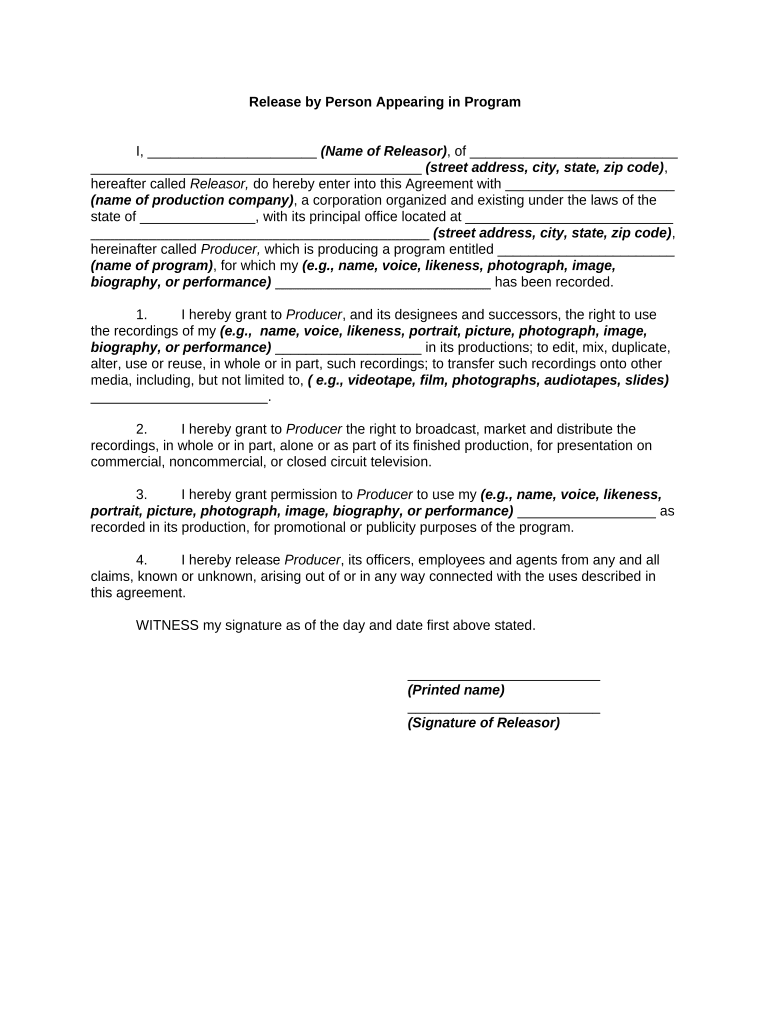
Begin by entering your name in the designated field for 'Name of Releasor'. This identifies you as the individual granting permission.
Next, fill in your complete address, including street, city, state, and zip code. This information is essential for legal identification.
In the section for 'name of production company', input the name of the entity producing the program. Ensure accuracy to avoid any disputes.
Specify the title of the program in the corresponding field. This helps clarify what content you are releasing rights for.
Review each clause carefully, particularly those granting rights to use your likeness or performance. Make sure you understand what you are agreeing to.
Finally, provide your printed name and signature at the bottom of the form to finalize your agreement.
Start using our platform today to easily complete your release form online for free!
18 U.S. Code 3624 - Release of a prisoner - Law.Cornell.Edu
A prisoner shall be released by the Bureau of Prisons on the date of the expiration of the prisoners term of imprisonment, less any time credited toward theRead more
If a person is being released on his/her own recognizance or a cite release, they will be typically released between the hours of 8:00 am and 8:00 pm.Read more
This game features ghosts in a haunted castle, it is an evil or negative game. On the contrary, I intend for this game to be positive, uplifting and life-Read more
Cookie consent notice
This site uses cookies to enhance site navigation and personalize your experience.
By using this site you agree to our use of cookies as described in our Privacy Notice.
You can modify your selections by visiting our Cookie and Advertising Notice.