Type text, add images, blackout confidential details, add comments, highlights and more.
02. Sign it in a few clicks
Draw your signature, type it, upload its image, or use your mobile device as a signature pad.
03. Share your form with others
Send it via email, link, or fax. You can also download it, export it or print it out.
How to Use or Fill Out a Warning Letter with Our Platform
Ease of Setup
DocHub User Ratings on G2
Ease of Use
DocHub User Ratings on G2
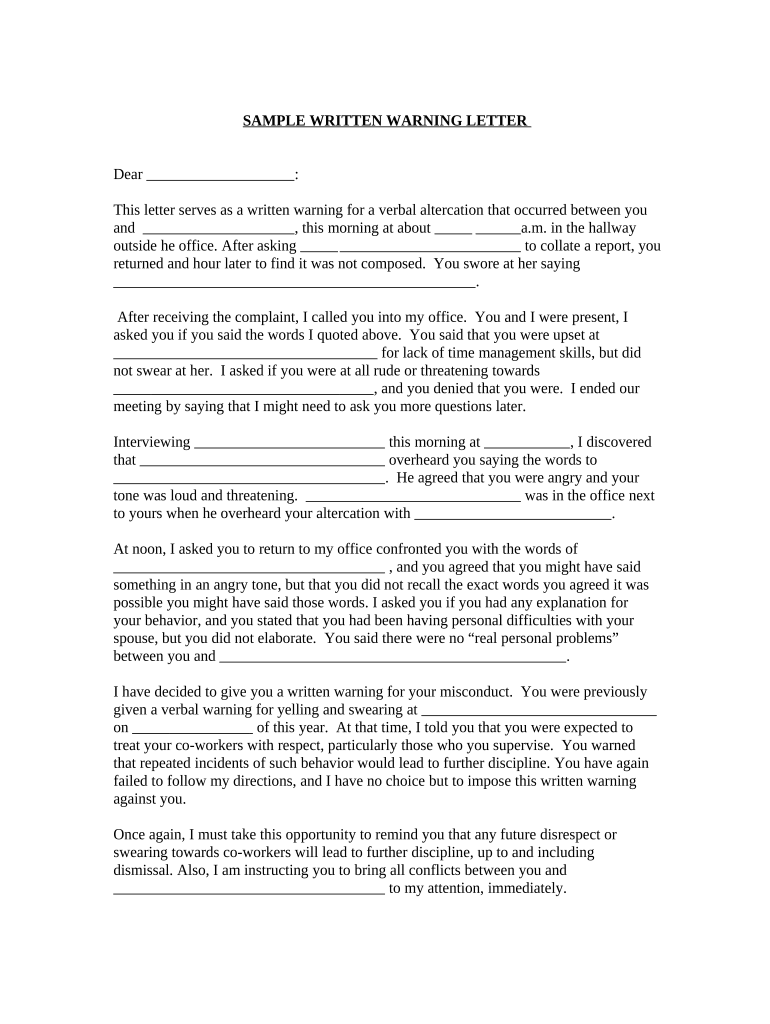
Click ‘Get Form’ to open the warning letter in the editor.
Begin by filling in the recipient's name at the top of the letter. This personalizes the document and ensures clarity regarding who is being addressed.
In the body of the letter, specify the details of the incident, including dates and times. Clearly outline what occurred, referencing any previous warnings if applicable.
Include statements from witnesses or other relevant parties to support your claims. This adds credibility to your warning and provides context.
Conclude with a reminder of expected behavior moving forward and any consequences for future incidents. This reinforces company policies and sets clear expectations.
Finally, sign off with your title and ensure all necessary parties receive a copy of this document for their records.
Start using our platform today to streamline your document editing process for free!
Warning letter template1st warning letter to employeeWarning letter FDAFDA Warning Letter listOPDP Warning LettersFDA 483 warning LettersRecent FDA warning lettersFDA Warning letter Database
Security and compliance
At DocHub, your data security is our priority. We follow HIPAA, SOC2, GDPR, and other standards, so you can work on your documents with confidence.
Please provide copies of policies and procedures with expected completion dates, that are being developed and implemented to ensure reporting of serious adverseRead more
Cookie consent notice
This site uses cookies to enhance site navigation and personalize your experience.
By using this site you agree to our use of cookies as described in our Privacy Notice.
You can modify your selections by visiting our Cookie and Advertising Notice.