Type text, add images, blackout confidential details, add comments, highlights and more.
02. Sign it in a few clicks
Draw your signature, type it, upload its image, or use your mobile device as a signature pad.
03. Share your form with others
Send it via email, link, or fax. You can also download it, export it or print it out.
How to use or fill out goals employment with our platform
Ease of Setup
DocHub User Ratings on G2
Ease of Use
DocHub User Ratings on G2
Click ‘Get Form’ to open the goals employment document in the editor.
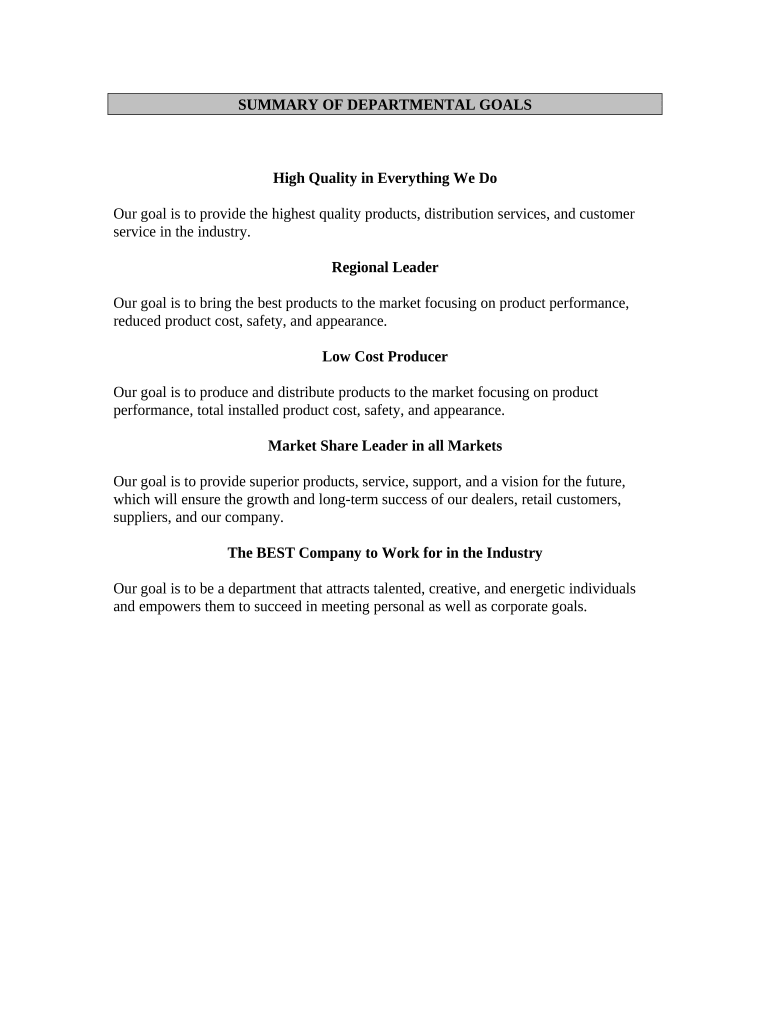
Begin by reviewing the first section titled 'High Quality in Everything We Do.' Here, you can input your personal commitment to quality and how it aligns with your professional goals.
Move on to the 'Regional Leader' section. Fill in your strategies for bringing high-quality products to market, focusing on performance and cost-effectiveness.
In the 'Low Cost Producer' area, detail your approach to maintaining product performance while managing costs. This is crucial for demonstrating your understanding of market dynamics.
Next, address the 'Market Share Leader in all Markets' section. Outline your vision for growth and how you plan to support dealers and customers effectively.
Finally, complete the 'The BEST Company to Work for in the Industry' section by sharing how you aim to contribute to a positive workplace culture that attracts talent.
Start using our platform today for free and streamline your document editing experience!
What is your career goals best answerGoals employment examplesPersonal goals employmentWork goals examples for evaluationCareer goals examples for studentsSmart goals employmentDevelopmental goals for work examplesWhat is your career goals best answer for experienced
Security and compliance
At DocHub, your data security is our priority. We follow HIPAA, SOC2, GDPR, and other standards, so you can work on your documents with confidence.
Cookie consent notice
This site uses cookies to enhance site navigation and personalize your experience.
By using this site you agree to our use of cookies as described in our Privacy Notice.
You can modify your selections by visiting our Cookie and Advertising Notice.