Type text, add images, blackout confidential details, add comments, highlights and more.
02. Sign it in a few clicks
Draw your signature, type it, upload its image, or use your mobile device as a signature pad.
03. Share your form with others
Send it via email, link, or fax. You can also download it, export it or print it out.
How to use or fill out employee suspension with our platform
Ease of Setup
DocHub User Ratings on G2
Ease of Use
DocHub User Ratings on G2
Click ‘Get Form’ to open the Employee Suspension Checklist in the editor.
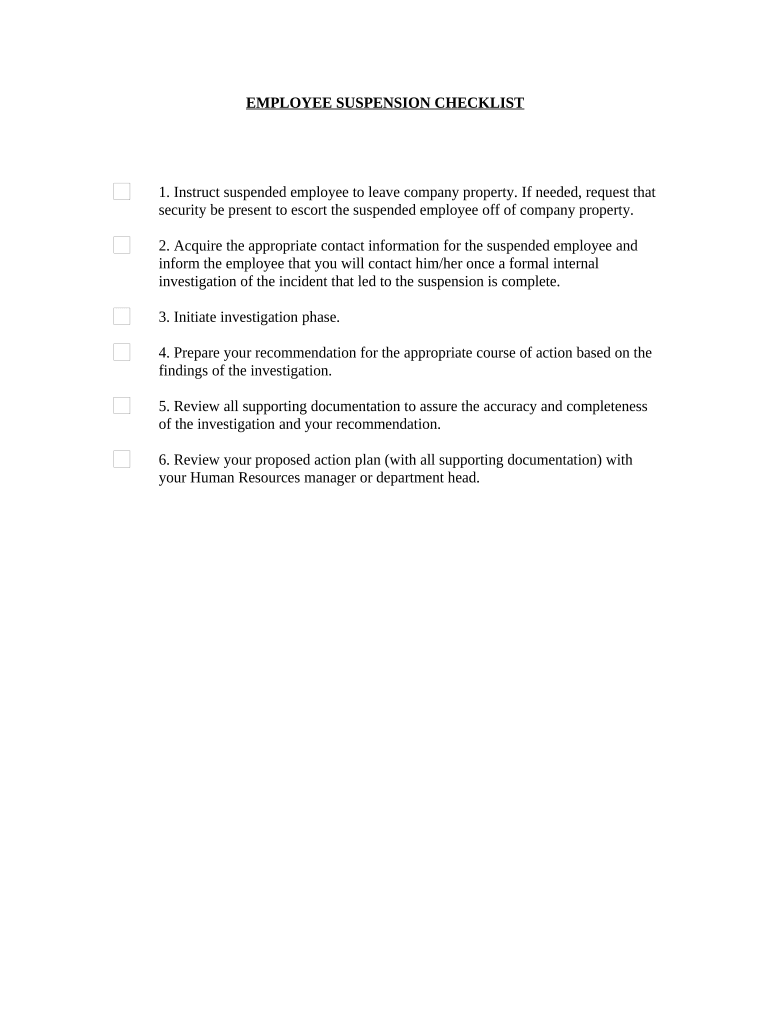
Begin by instructing the suspended employee to leave company property. If necessary, indicate in the form whether security will be present for assistance.
Fill in the contact information for the suspended employee. This ensures you can reach out once the internal investigation is complete.
Document the initiation of the investigation phase within the form, outlining any key details that need to be addressed.
Prepare your recommendation based on investigation findings. Use our platform's editing tools to clearly articulate your proposed course of action.
Review all supporting documentation attached to your recommendation for accuracy and completeness before finalizing it in the form.
Lastly, ensure that your proposed action plan is reviewed with your Human Resources manager or department head, making any necessary adjustments directly in the document.
Start using our platform today to streamline your employee suspension process for free!
Employee suspension redditEmployee suspension letterSuspended from work pending investigation what are my rightsEmployee suspension lawsSuspended at work, will I get firedFederal employee suspension without payHow long can you be suspended from work pending investigationHas anyone returned to work after suspension
Security and compliance
At DocHub, your data security is our priority. We follow HIPAA, SOC2, GDPR, and other standards, so you can work on your documents with confidence.
Disciplinary Decision of Suspension Without Pay Template
You have the right to appeal this disciplinary action under the Universitys SHRA Employee Grievance Policy (Policy). To be eligible, you must submit yourRead more
However, unpaid leave for exempt employees must be taken in half day increments, with the exception of FMLA leave and partial-day suspensions without pay due toRead more
Cookie consent notice
This site uses cookies to enhance site navigation and personalize your experience.
By using this site you agree to our use of cookies as described in our Privacy Notice.
You can modify your selections by visiting our Cookie and Advertising Notice.