Type text, add images, blackout confidential details, add comments, highlights and more.

02. Sign it in a few clicks
Draw your signature, type it, upload its image, or use your mobile device as a signature pad.

03. Share your form with others
Send it via email, link, or fax. You can also download it, export it or print it out.

How to use or fill out quitclaim deed with our platform
Ease of Setup
DocHub User Ratings on G2
Ease of Use
DocHub User Ratings on G2
Click ‘Get Form’ to open the quitclaim deed in the editor.
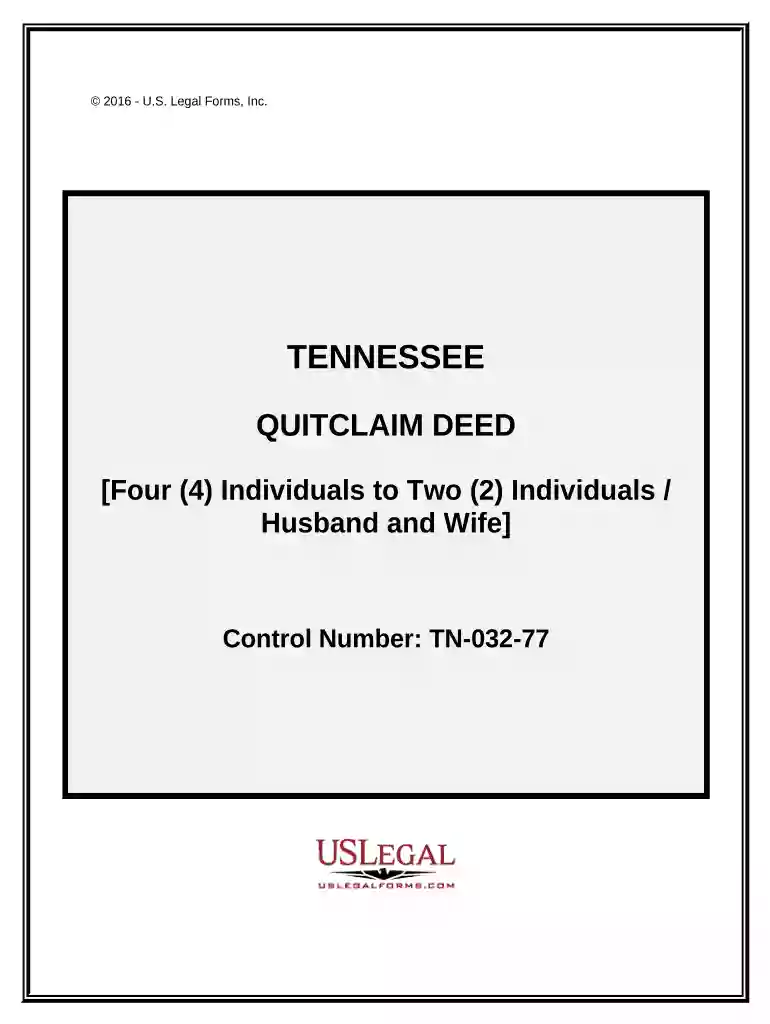
Begin by entering the names of the Grantors in the designated fields. Ensure that you accurately represent their marital status as this affects property ownership.
Next, specify the Grantees' names and how they will hold the property. Choose from options like Tenants in Common, Joint Tenants with Right of Survivorship, or Tenants by the Entirety based on your situation.
Fill in the legal description of the property as outlined in Exhibit A. This is crucial for identifying the specific real estate involved in the transaction.
Complete the Statement of Consideration section by stating the actual consideration for this transfer. This amount should reflect any payment made for the property.
Finally, ensure all Grantors sign and date the document. Notary acknowledgment is also required; follow prompts to add notary details.
Start using our platform today to easily complete your quitclaim deed online for free!
A quitclaim deed is a simple tool for transferring interest in a property without guaranteeing that the grantor has valid ownership. Its most commonly used in non-sale situations, such as transfers between family members, or to update or clarify ownership titles.
What is the meaning of quit claim?
A quitclaim allows a person to transfer property to another person with a simple deed. The basic idea is that all the rights and claims of being a property owner are relinquished and legally turned over to someone else. Definitions of quitclaim. noun. act of transferring a title or right or claim to another.
What are the disadvantages of a quit claim?
Quitclaim deeds are typically used in low-risk transactions and non-sale situations where the parties to the deed know and trust each other. Here are a few common scenarios: Transferring property between family members. Parents, for example, might use a quitclaim deed to transfer property to their children.
What are the risks of a quitclaim?
However, this approach has certain risks, so its not always the best option. Using a quitclaim deed might create tax issues or result in a loss of control of the property after the transfer. Additionally, the property could still require probate if you dont handle the transfer correctly.
Why do they call it a quit claim deed?
The process through which owners quit the claim on their properties is called a quitclaim deed. A quitclaim deed is named as such because it means that the owner is leaving behind their claim on the property. Unlike warranty deeds, quitclaim deeds offer zero buyer protection.
Related Searches
Does a quitclaim deed give you ownershipQuitclaim deed templateQuitclaim deed with mortgageQuitclaim deed exampleQuitclaim deed costQuitclaim deed Washington StateQuitclaim deed divorceRepercussions of a quit claim deed
Security and compliance
At DocHub, your data security is our priority. We follow HIPAA, SOC2, GDPR, and other standards, so you can work on your documents with confidence.
What is the usual reason for using a quitclaim deed?
You should never use a quitclaim deed when buying property from someone you dont know well or in a regular home sale. Since there are no guarantees with a quitclaim deed, you could end up with a property that has liens, unpaid taxes, or other ownership problems that become your responsibility to solve.
When can a quit claim deed not be used?
A quitclaim deed is considered a permanent transfer of ownership between the grantor and grantee, so theres no limit to the term of ownership.
Related links
quitclaim deed | Wex | US Law | LII / Legal Information Institute
A document by which a grantor conveys his or her present interest, if any, in a given parcel of [wex:real property] to a grantee without representing,
Understanding Real Estate Documents: Quitclaim Deed
Quitclaims to shows a purposeful reason to transfer interest in the property. It differs from a Grant Deed because the quitclaim transfers any interest,
Cookie consent notice
This site uses cookies to enhance site navigation and personalize your experience.
By using this site you agree to our use of cookies as described in our Privacy Notice.
You can modify your selections by visiting our Cookie and Advertising Notice.