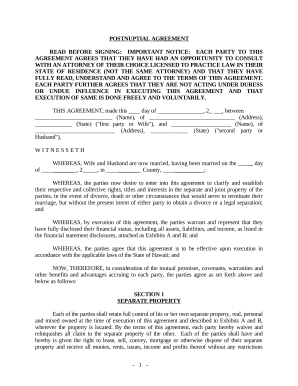
South dakota corporation 2026

Get Form
south dakota corporation Preview on Page 1

Here's how it works

01. Edit your form online
Type text, add images, blackout confidential details, add comments, highlights and more.
02. Sign it in a few clicks
Draw your signature, type it, upload its image, or use your mobile device as a signature pad.
03. Share your form with others
Send it via email, link, or fax. You can also download it, export it or print it out.

How to use or fill out South Dakota Corporation with our platform

Form edit decoration
9.5
Ease of Setup
DocHub User Ratings on G2
9.0
Ease of Use
DocHub User Ratings on G2
  1. Click ‘Get Form’ to open the South Dakota Corporation document in the editor.
  2. Begin by entering the name of the trust in the designated field. Ensure that it matches exactly as per your trust documents.
  3. Next, input the date of the trust instrument. This is crucial for establishing the timeline of your trust.
  4. List each grantor's name in the provided space. If there are multiple grantors, separate their names clearly.
  5. Fill in the names of each original trustee. This section may require multiple entries, so ensure accuracy.
  6. Provide the name and address of each trustee authorized to act under the trust instrument at execution time.
  7. Indicate any limitations on trustees' powers regarding property transactions, if applicable.
  8. Include any additional provisions that may be relevant to your trust, or indicate if there are none.
  9. Confirm that the trust instrument has not been terminated or revoked by checking the appropriate box.
  10. Finally, complete the witness and notary sections to validate your document before submission.

Start using our platform today for free to streamline your South Dakota Corporation form completion!

be ready to get more

Complete this form in 5 minutes or less

Get form

Got questions?

We have answers to the most popular questions from our customers. If you can't find an answer to your question, please contact us.
Contact us

You should use only reliable software solutions with strong security compliance to approve your paperwork electronically. DocHub is just the type of software you need! It stores data on Amazon Web Servers and complies with all essential security criteria and eSignature regulations, so it’s a reliable way to eSign your south dakota corporation or other forms with this tool.

With DocHub, you have several convenient ways to edit your south dakota corporation online. You can drag and drop the form and modify it straight at the DocHub site or use our browser extension to fill out your form immediately. On top of that, you can modify your PDF on your phone, as DocHub is compatible with all the available mobile platforms.

Business Entity Registration Both non-profit and for-profit businesses must be registered with the Secretary of States office. Out-of-state businesses must be registered before doing business in this state.
Mail filings: In total, mail filing approvals for South Dakota LLCs take 3 weeks. This accounts for the 3-5 business day processing time, plus the time your documents are in the mail. Online filings: Online filings for South Dakota LLCs are approved immediately.
To start a corporation in South Dakota, youll need to do three things: appoint a registered agent, choose a name for your business, and file Articles of Incorporation with the Secretary of State. You can file this document online or by mail. The articles cost $150 to file online ($165 with a paper form).

Security and compliance

At DocHub, your data security is our priority. We follow HIPAA, SOC2, GDPR, and other standards, so you can work on your documents with confidence.

Learn more
ccpa2
pci-dss
gdpr-compliance
hipaa
soc-compliance

People also ask

Why incorporate in South Dakota? Incorporating in South Dakota offers a number of benefits like limited liability, perpetual existence, ease of ownership transfer, and easy accessibility to investment.
Business Corporations - Domestic Foreign ServiceFeeLimited Liability Company (LLC) - Domestic ForeignDomestic Articles of OrganizationFiled Electronically online$150Filed via Paper (includes paper filing fee)$165114 more rows
To start a corporation in South Dakota, youll need to do three things: appoint a registered agent, choose a name for your business, and file Articles of Incorporation with the Secretary of State. You can file this document online or by mail. The articles cost $150 to file online ($165 with a paper form).
Business Entity Registration Both non-profit and for-profit businesses must be registered with the Secretary of States office. Out-of-state businesses must be registered before doing business in this state.

Related links