Type text, add images, blackout confidential details, add comments, highlights and more.
02. Sign it in a few clicks
Draw your signature, type it, upload its image, or use your mobile device as a signature pad.
03. Share your form with others
Send it via email, link, or fax. You can also download it, export it or print it out.
How to use or fill out HVAC Contract for Contractor - South Dakota
Ease of Setup
DocHub User Ratings on G2
Ease of Use
DocHub User Ratings on G2
Click ‘Get Form’ to open it in the editor.
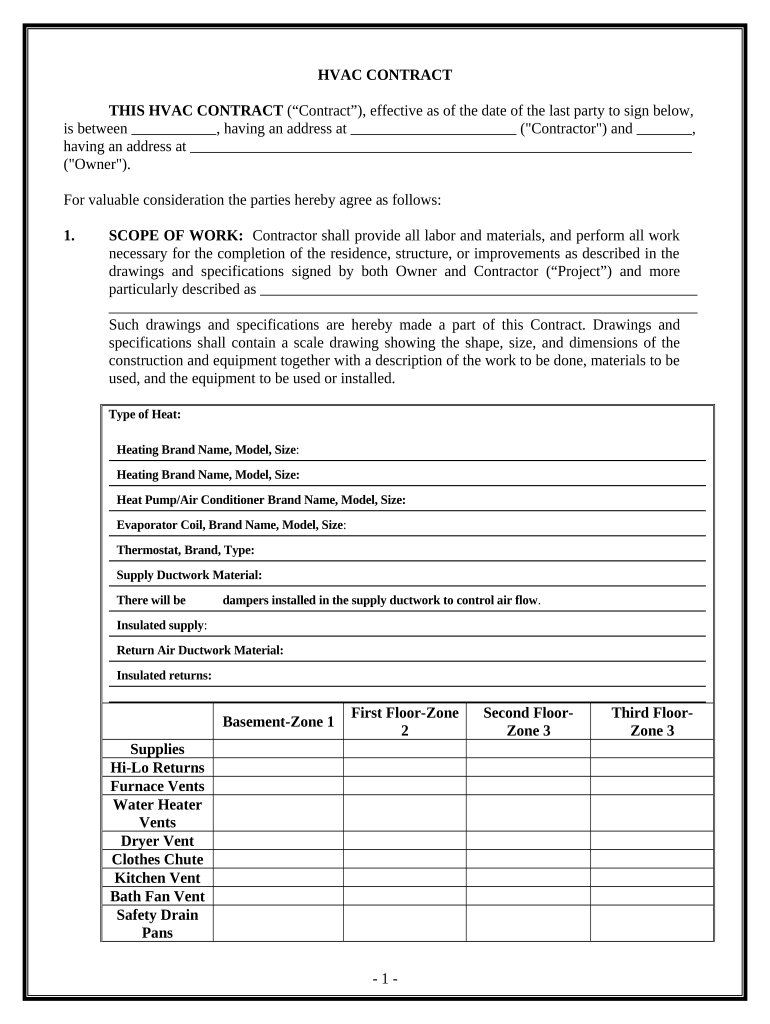
Begin by entering the Contractor's name and address in the designated fields at the top of the contract.
Next, specify the Owner's name and address. This information is crucial for identifying both parties involved.
In the 'SCOPE OF WORK' section, detail all labor and materials required for the project. Be specific about heating and cooling systems, including brand names and models.
Fill in the 'WORK SITE' section with the property address where the project will take place.
Indicate the 'TIME OF COMPLETION' by specifying start and completion dates.
Complete sections on permits, insurance, changes to scope of work, contract price, and any other relevant details as outlined in the document.
Finally, ensure both parties sign and date at the end of the contract to finalize it.
Start using our platform today to streamline your HVAC contract process for free!
Fill out HVAC Contract for Contractor - South Dakota online It's free
To meet this mission, the Rosebud Indian Health is requesting a Base Plus Four (4) Option Year, firm-fixed price, non-personal service contract to provide HVAC
Evaluation Of Empirical Data To Support Soil Vapor
Jan 4, 2013 James B. Cowart, David J. Folkes, and Dr. Jeffrey P. Kurtz (EnviroGroup Limited); Todd A. McAlary (Geosyntec Consultants) and Dr. Mark A.Read more
contractor. 605-367-8672 licensing@siouxfalls.org. South Dakota does not require HVAC technicians to obtain licensure but HVAC contractors are required toRead more
Cookie consent notice
This site uses cookies to enhance site navigation and personalize your experience.
By using this site you agree to our use of cookies as described in our Privacy Notice.
You can modify your selections by visiting our Cookie and Advertising Notice.