Sc landlord 2026

Get Form
sc landlord Preview on Page 1

Here's how it works

01. Edit your form online
Type text, add images, blackout confidential details, add comments, highlights and more.
02. Sign it in a few clicks
Draw your signature, type it, upload its image, or use your mobile device as a signature pad.
03. Share your form with others
Send it via email, link, or fax. You can also download it, export it or print it out.

How to use or fill out sc landlord with our platform

Form edit decoration
9.5
Ease of Setup
DocHub User Ratings on G2
9.0
Ease of Use
DocHub User Ratings on G2
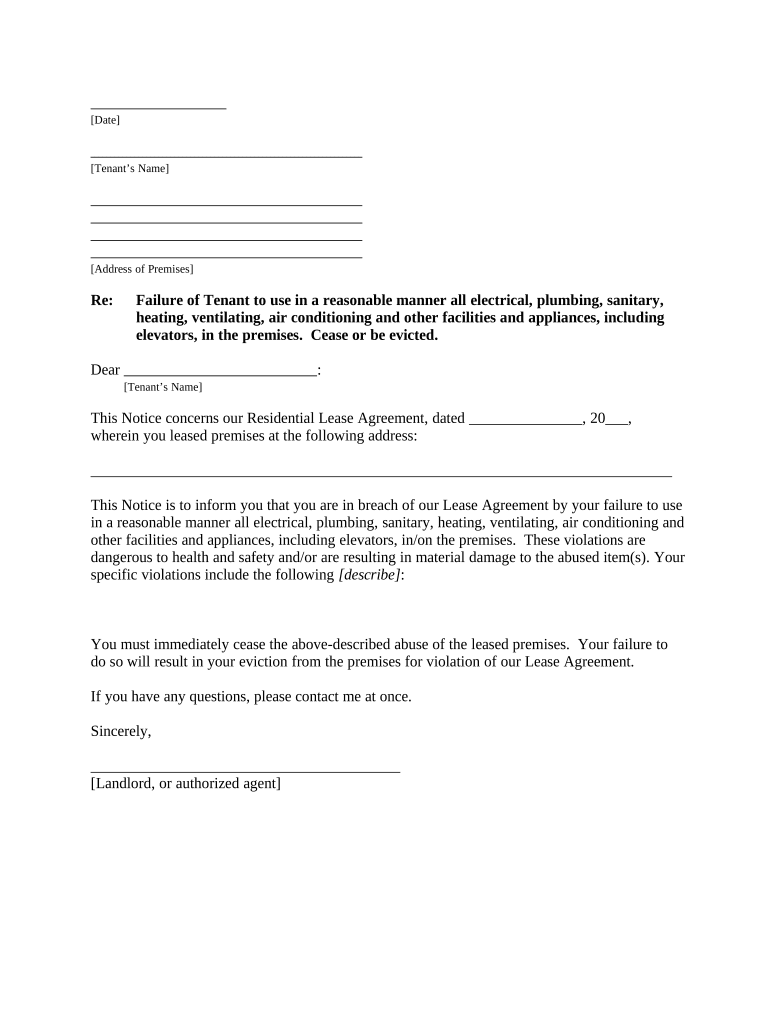
  1. Click ‘Get Form’ to open the sc landlord document in the editor.
  2. Begin by entering the date at the top of the form. This is essential for record-keeping and legal purposes.
  3. Fill in the Tenant’s Name and Address of Premises in the designated fields. Ensure accuracy to avoid any confusion.
  4. In the section regarding violations, clearly describe any specific issues related to electrical, plumbing, or other facilities that are being misused. This should be detailed to support your case.
  5. Complete the signature line at the bottom of the form with your name as the Landlord or authorized agent, along with the date of signing.
  6. Finally, select how you will deliver this notice to the tenant by checking one of the options provided under 'Proof of Delivery'.

Start using our platform today for free to streamline your document editing and ensure effective communication with tenants!

be ready to get more

Complete this form in 5 minutes or less

Get form

Got questions?

We have answers to the most popular questions from our customers. If you can't find an answer to your question, please contact us.
Contact us
South Carolina eviction laws require landlords to provide tenants with a written notice before starting the eviction process. The notice period varies depending on the reason for eviction. For non-payment of rent, a 5-day notice is required. For lease violations, a 14-day notice is generally required.
Except in cases under item (b) above, the landlord shall give the tenant at least twenty-four hours notice of his intent to enter and may enter only at reasonable times. (4) unless the tenant has abandoned or surrendered the premises.
Limits on Rent Increases in South Carolina The maximum allowable rent increase in South Carolina is 7% plus the 12-month Consumer Price Index (CPI) for all urban consumers in the South, as published by the Bureau of Labor Statistics. For example, if the CPI is 3%, landlords could raise rents by 10% (7% + 3% CPI).
Tenants in South Carolina have the right to privacy in their rental units, with restrictions placed on landlords regarding property access. Landlords can enter for inspections, repairs, or showing the property only with prior notice and consent, except in emergencies.
Landlords in South Carolina cannot fail to provide habitable living conditions, enter a rental property without tenant consent outside of emergencies, evict tenants without proper legal procedures, engage in discriminatory practices, make arbitrary changes to lease terms during the lease period, or manage security

Security and compliance

At DocHub, your data security is our priority. We follow HIPAA, SOC2, GDPR, and other standards, so you can work on your documents with confidence.

Learn more
ccpa2
pci-dss
gdpr-compliance
hipaa
soc-compliance

People also ask

South Carolina House Bill 3264 Amend The South Carolina Code Of Laws By Adding Section 59-1-444 So As To Provide That The State Department Of Education Shall Establish A Pilot Program On Media Literacy And Critical Thinking Instruction In Public Schools.
You can calculate your future rent in four steps: Determine your current rent. Compute the average rent change per year as a percentage and divide by 100. Determine the number of years you want to estimate. Apply the future rent formula: future rent = current rent (1 + average rent change) ^ number of years.

Related links