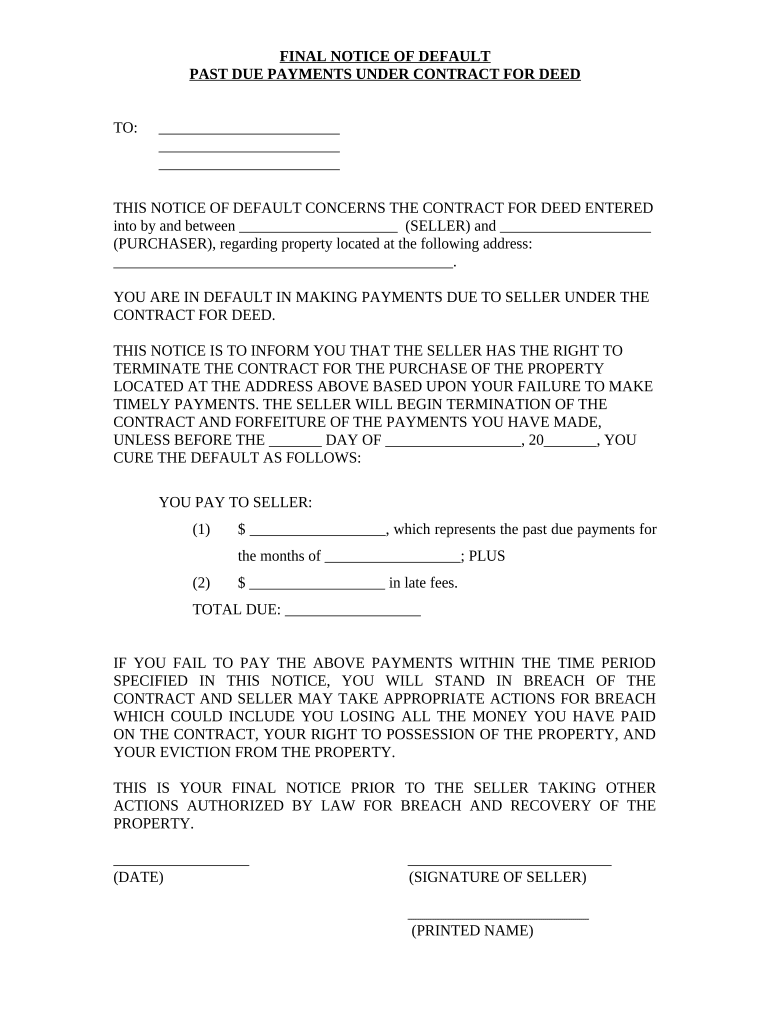
Final Notice of Default for Past Due Payments in connection with Contract for Deed - South Carolina 2026

Get Form
colleton county delinquent tax sale Preview on Page 1

Here's how it works

01. Edit your colleton county delinquent tax sale online
Type text, add images, blackout confidential details, add comments, highlights and more.
02. Sign it in a few clicks
Draw your signature, type it, upload its image, or use your mobile device as a signature pad.
03. Share your form with others
Send colleton county delinquent tax sale 2023 via email, link, or fax. You can also download it, export it or print it out.

How to use or fill out Final Notice of Default for Past Due Payments in connection with Contract for Deed - South Carolina

Form edit decoration
9.5
Ease of Setup
DocHub User Ratings on G2
9.0
Ease of Use
DocHub User Ratings on G2
  1. Click ‘Get Form’ to open it in the editor.
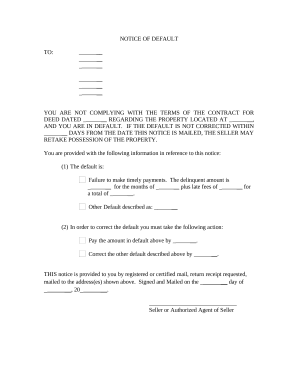
  2. Begin by filling in the recipient's name and address at the top of the form. This ensures that the notice is directed to the correct individual.
  3. In the section regarding the seller and purchaser, enter the names of both parties involved in the contract for deed. This identifies who is responsible for payments.
  4. Specify the property address clearly, as this is crucial for legal identification of the property in question.
  5. Detail the past due payments by entering the amount owed and specifying which months these payments cover. Include any applicable late fees to calculate a total due.
  6. Set a deadline for payment by filling in the date by which payment must be made to avoid further action.
  7. Finally, have the seller sign and print their name at the bottom of the form to validate this notice.

Start using our platform today to easily complete your Final Notice of Default form online, for free!

be ready to get more

Complete this form in 5 minutes or less

Get form

Got questions?

We have answers to the most popular questions from our customers. If you can't find an answer to your question, please contact us.
Contact us

With DocHub, it’s pretty simple. The platform offers users an add-on called DocHub for Gmail, which you can find in the Google Workspace Marketplace without being charged. Set it up and grant it access to your Google account. Open your email with your colleton county tax sale attached and click on the add-on button in the right-side panel. Sign in to your DocHub account, and upload the form to our editor, where you can complete it and sign.

With DocHub, you have several convenient methods to edit your Final Notice of Default for Past Due Payments in connection with Contract for Deed - South Carolina online. You can drag and drop the form and edit it directly at the DocHub website or use our browser extension to fill out your form right away. Additionally, you can edit your PDF on your phone, as DocHub is compatible with all the accessible mobile platforms.

Security and compliance

At DocHub, your data security is our priority. We follow HIPAA, SOC2, GDPR, and other standards, so you can work on your documents with confidence.

Learn more
ccpa2
pci-dss
gdpr-compliance
hipaa
soc-compliance
be ready to get more

Complete this form in 5 minutes or less

Get form