Name Affidavit of Seller - Connecticut 2026

Get Form
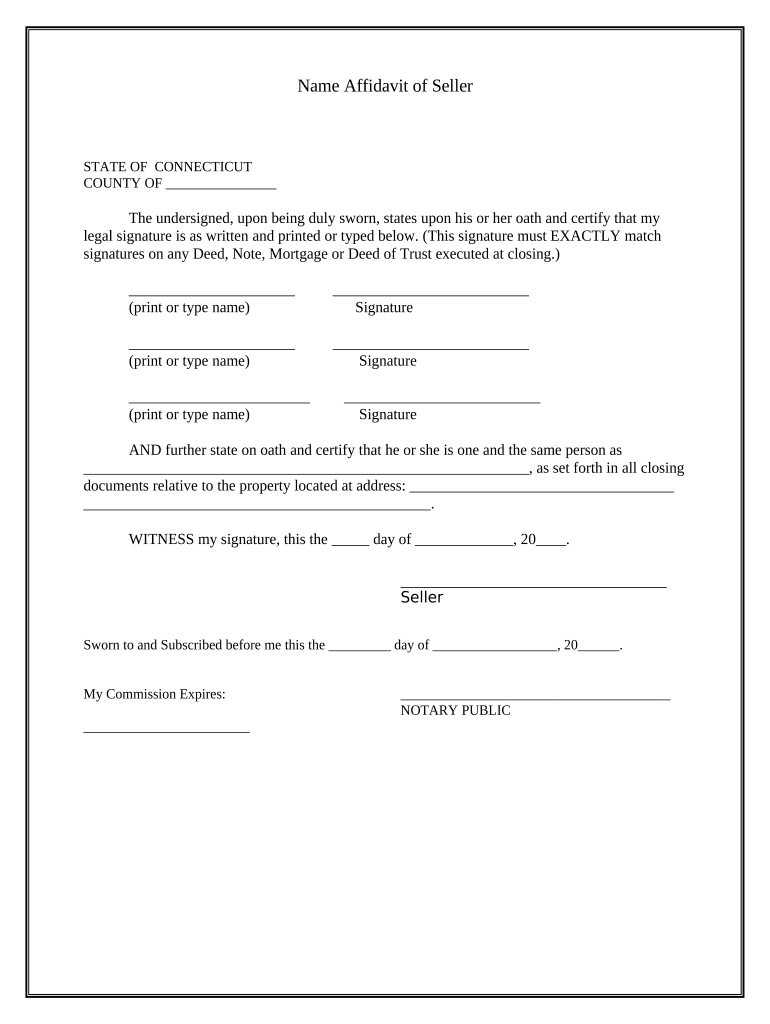
Name Affidavit of Seller - Connecticut Preview on Page 1

Here's how it works

01. Edit your form online
Type text, add images, blackout confidential details, add comments, highlights and more.
02. Sign it in a few clicks
Draw your signature, type it, upload its image, or use your mobile device as a signature pad.
03. Share your form with others
Send it via email, link, or fax. You can also download it, export it or print it out.

How to use or fill out Name Affidavit of Seller - Connecticut with our platform

Form edit decoration
9.5
Ease of Setup
DocHub User Ratings on G2
9.0
Ease of Use
DocHub User Ratings on G2
  1. Click ‘Get Form’ to open the Name Affidavit of Seller in the editor.
  2. Begin by entering the county name in the designated field at the top of the form.
  3. In the first section, print or type your full legal name exactly as it appears on any related documents. This is crucial for consistency.
  4. Next, provide your signature in the space provided. Ensure that this signature matches those on any Deed, Note, Mortgage, or Deed of Trust executed at closing.
  5. Repeat steps 3 and 4 for any additional sellers listed on the affidavit.
  6. In the following section, state your full name again as it relates to all closing documents regarding the property. Fill in the property address accurately.
  7. Finally, date and sign where indicated, and ensure a notary public completes their section to finalize the document.

Start using our platform today to easily complete your Name Affidavit of Seller - Connecticut for free!

be ready to get more

Complete this form in 5 minutes or less

Get form

Got questions?

We have answers to the most popular questions from our customers. If you can't find an answer to your question, please contact us.
Contact us

With DocHub, it’s quite simple. The platform offers users an add-on called DocHub for Gmail, which you can find in the Google Workspace Marketplace without being charged. Set it up and grant it access to your Google account. Open your email with your Name Affidavit of Seller - Connecticut attached and click on the add-on button in the right-side panel. Sign in to your DocHub account, and upload the form to our editor, where you can fill it out and sign.

You may complete and eSign your Name Affidavit of Seller - Connecticut online, even on a tight deadline. All you need to access high quality editing instruments on any device is a DocHub profile, which you can register within a few moments. Once you sign up, add your document or find what you are looking for in our catalog, complete it using the editing instruments you want, and put your electronic signature on it at the end.

Security and compliance

At DocHub, your data security is our priority. We follow HIPAA, SOC2, GDPR, and other standards, so you can work on your documents with confidence.

Learn more
ccpa2
pci-dss
gdpr-compliance
hipaa
soc-compliance
be ready to get more

Complete this form in 5 minutes or less

Get form