Hearing respondent 2026

Get Form
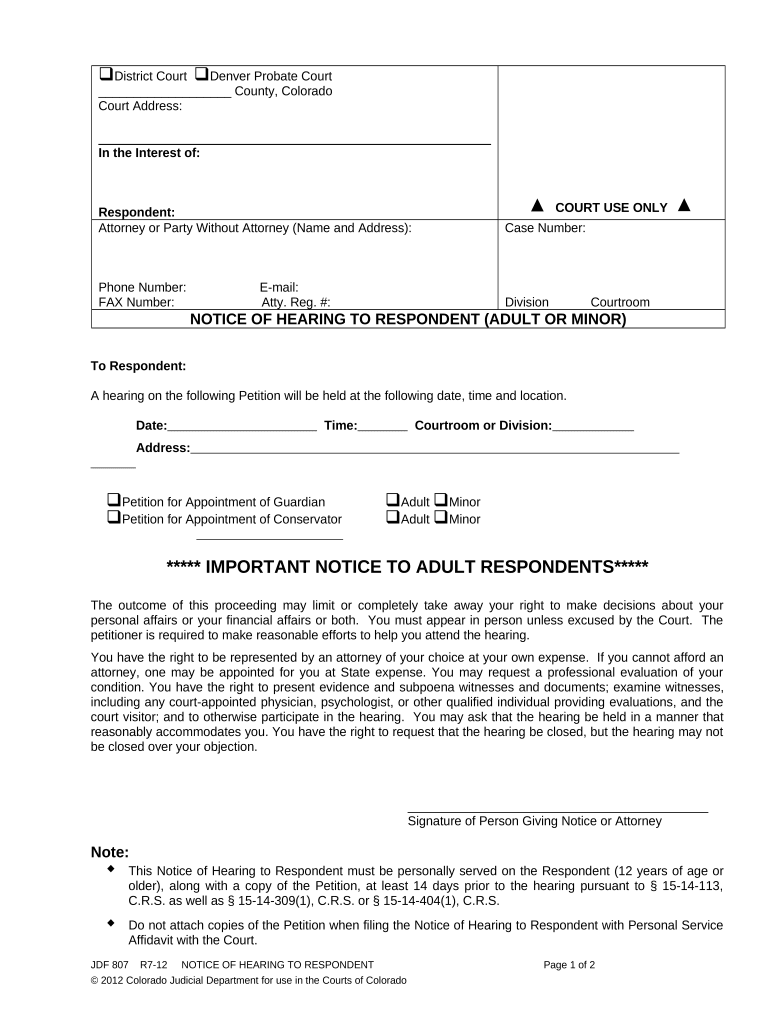
hearing respondent Preview on Page 1

Here's how it works

01. Edit your form online
Type text, add images, blackout confidential details, add comments, highlights and more.
02. Sign it in a few clicks
Draw your signature, type it, upload its image, or use your mobile device as a signature pad.
03. Share your form with others
Send it via email, link, or fax. You can also download it, export it or print it out.

How to use or fill out hearing respondent with our platform

Form edit decoration
9.5
Ease of Setup
DocHub User Ratings on G2
9.0
Ease of Use
DocHub User Ratings on G2
  1. Click ‘Get Form’ to open the hearing respondent document in the editor.
  2. Begin by filling in the 'Respondent' section with the name of the individual involved. Ensure accuracy as this is crucial for court records.
  3. In the 'Attorney or Party Without Attorney' field, enter the name and address of your legal representative if applicable. If you are representing yourself, leave this blank.
  4. Fill in the 'Case Number', which is essential for identifying your case within the court system.
  5. Provide your contact information, including phone number, fax number, and email address. This ensures that all parties can communicate effectively regarding the hearing.
  6. Indicate whether you are an adult or minor by checking the appropriate box under 'Petition for Appointment of Guardian' or 'Conservator'.
  7. Complete the notice section by entering the date, time, and location of the hearing. Make sure these details are correct to avoid any confusion.
  8. Finally, review all entries for accuracy before saving or printing your completed form. This step is vital to ensure compliance with court requirements.

Start using our platform today to streamline your document editing and ensure a smooth process!

be ready to get more

Complete this form in 5 minutes or less

Get form

Got questions?

We have answers to the most popular questions from our customers. If you can't find an answer to your question, please contact us.
Contact us
The respondents role is to provide a defense, answer the allegations, or respond to the request made by the petitioner or claimant. This term is often used in various legal contexts, such as lawsuits, family law cases, administrative hearings, or arbitration proceedings.
A respondent is a person who is called upon to issue a response to a communication made by another. The term is used in legal contexts, in survey methodology, and in psychological conditioning.

Security and compliance

At DocHub, your data security is our priority. We follow HIPAA, SOC2, GDPR, and other standards, so you can work on your documents with confidence.

Learn more
ccpa2
pci-dss
gdpr-compliance
hipaa
soc-compliance