Type text, add images, blackout confidential details, add comments, highlights and more.
02. Sign it in a few clicks
Draw your signature, type it, upload its image, or use your mobile device as a signature pad.
03. Share your form with others
Send it via email, link, or fax. You can also download it, export it or print it out.
How to use or fill out Colorado Seller with our platform
Ease of Setup
DocHub User Ratings on G2
Ease of Use
DocHub User Ratings on G2
Click ‘Get Form’ to open the Colorado Seller document in the editor.
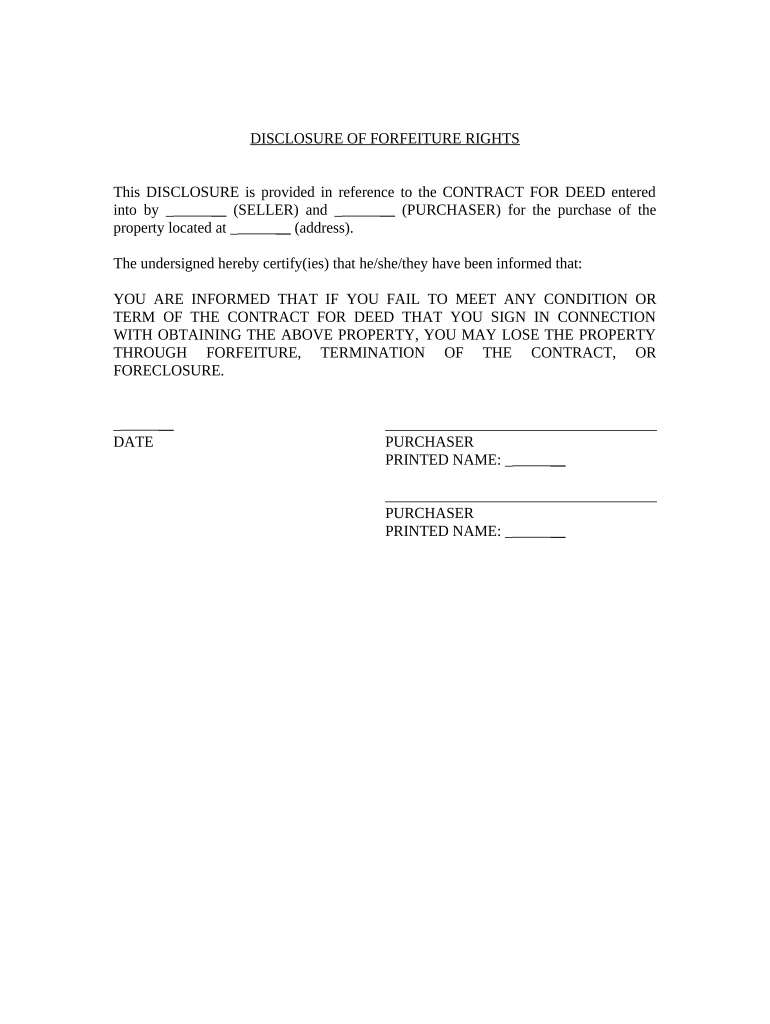
Begin by entering the names of the seller and purchaser in the designated fields. Ensure that both parties' names are spelled correctly to avoid any legal issues.
Next, input the property address where indicated. This is crucial for identifying the specific property involved in the contract.
Review the disclosure statement carefully. It outlines important information regarding forfeiture rights, so make sure you understand its implications.
Finally, both purchasers should print their names and sign where required. This confirms their acknowledgment of the terms outlined in the document.
Start using our platform today to fill out your Colorado Seller form easily and for free!
Technical Protocol for Implementing Intrinsic Remediation
by TH Wiedemeier Cited by 365 This report is a work prepared for the United States Air Force Center for Environmental Excellence. (AFCEE) - Technology Transfer DivisionRead more
Concerning Mandatory Disclosures of Third-Party Sellers
by CG Assembly 2022 Colorado General Assembly, Concerning Mandatory Disclosures of Third-Party Sellers Selling Through ACTIVITY OF THE SELLER UNLESS THE SELLER CONSENTSRead more
Cookie consent notice
This site uses cookies to enhance site navigation and personalize your experience.
By using this site you agree to our use of cookies as described in our Privacy Notice.
You can modify your selections by visiting our Cookie and Advertising Notice.