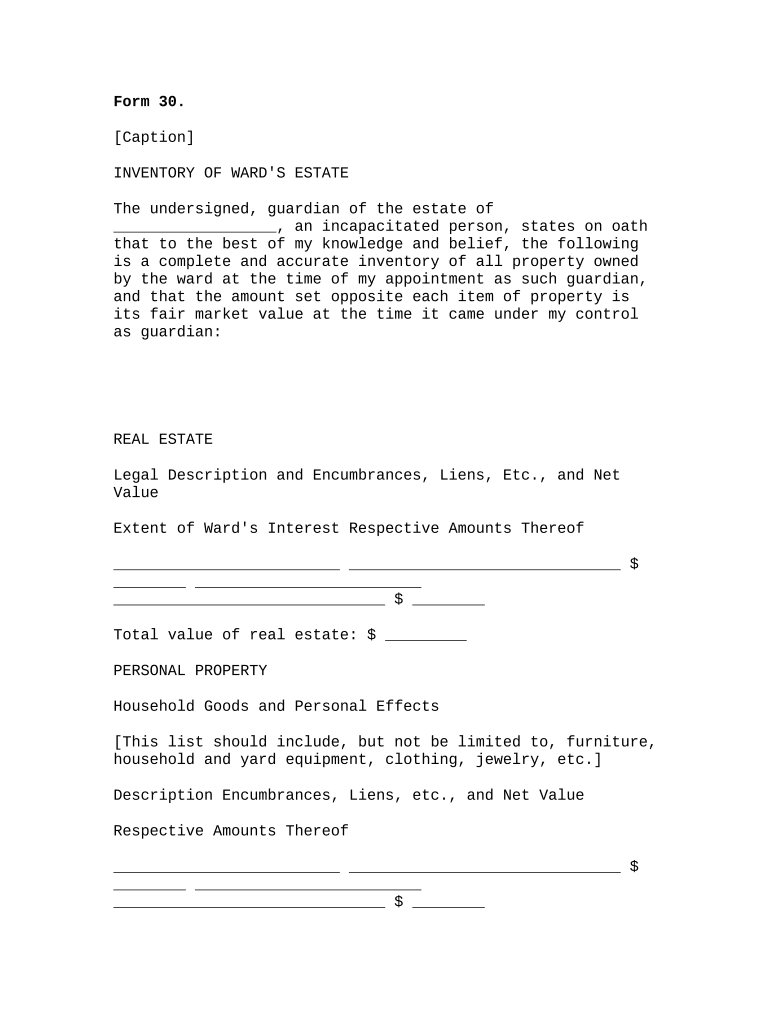
Inventory of Ward's Estate - Arkansas 2026

Get Form
Inventory of Ward's Estate - Arkansas Preview on Page 1

Here's how it works

01. Edit your form online
Type text, add images, blackout confidential details, add comments, highlights and more.
02. Sign it in a few clicks
Draw your signature, type it, upload its image, or use your mobile device as a signature pad.
03. Share your form with others
Send it via email, link, or fax. You can also download it, export it or print it out.

How to use or fill out Inventory of Ward's Estate - Arkansas with our platform

Form edit decoration
9.5
Ease of Setup
DocHub User Ratings on G2
9.0
Ease of Use
DocHub User Ratings on G2
  1. Click ‘Get Form’ to open the Inventory of Ward's Estate in the editor.
  2. Begin by entering the name of the ward in the designated field, ensuring accuracy as this is crucial for legal documentation.
  3. In the 'Real Estate' section, provide a detailed legal description of each property owned by the ward, including any encumbrances or liens. Enter the net value next to each item.
  4. Proceed to list personal property under 'Household Goods and Personal Effects.' Include items such as furniture and jewelry, detailing their respective values and any encumbrances.
  5. For 'Other Tangible Personal Property,' document vehicles and equipment similarly, ensuring all descriptions are clear and values are accurate.
  6. In the 'Intangible Personal Property' section, list assets like cash and stocks with detailed descriptions as required. This ensures comprehensive reporting.
  7. Finally, summarize total values for real and personal property at the end of the form. Review all entries for completeness before signing.

Start using our platform today to easily complete your Inventory of Ward's Estate - Arkansas for free!

be ready to get more

Complete this form in 5 minutes or less

Get form

Got questions?

We have answers to the most popular questions from our customers. If you can't find an answer to your question, please contact us.
Contact us

Electronic document signing requires a software solution that works in compliance with data security and eSignature standards. DocHub is a perfect tool for that, since it meets all the aforementioned requirements. Whatever method you like to sign your Inventory of Ward's Estate - Arkansas in DocHub, your electronic signature will be legally binding and court-admissible.

Document editing with DocHub is equally convenient on desktop and mobile devices. You only need an internet browser to edit your Inventory of Ward's Estate - Arkansas on Android. Open our website and sign in to access the instruments you need. Add your document and introduce your intended changes. Next, you can keep your form in your document storage or send it out instantly.

Security and compliance

At DocHub, your data security is our priority. We follow HIPAA, SOC2, GDPR, and other standards, so you can work on your documents with confidence.

Learn more
ccpa2
pci-dss
gdpr-compliance
hipaa
soc-compliance