Ar notice 2026

Get Form
ar notice Preview on Page 1

Here's how it works

01. Edit your form online
Type text, add images, blackout confidential details, add comments, highlights and more.
02. Sign it in a few clicks
Draw your signature, type it, upload its image, or use your mobile device as a signature pad.
03. Share your form with others
Send it via email, link, or fax. You can also download it, export it or print it out.

How to use or fill out ar notice with our platform

Form edit decoration
9.5
Ease of Setup
DocHub User Ratings on G2
9.0
Ease of Use
DocHub User Ratings on G2
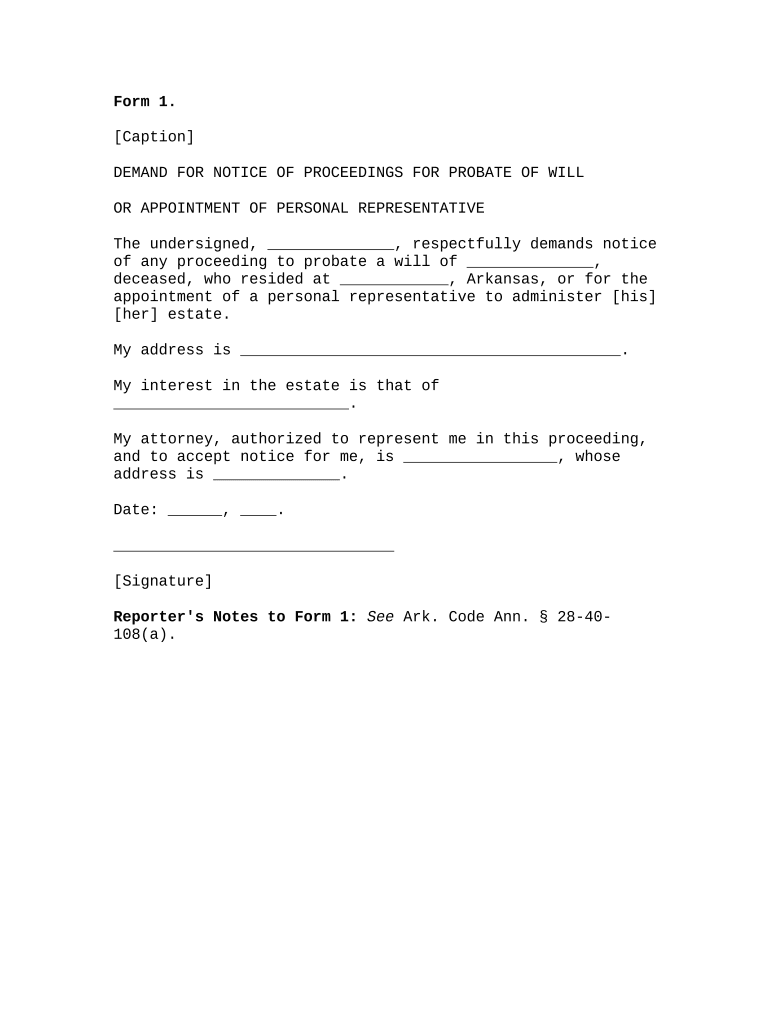
  1. Click ‘Get Form’ to open the ar notice in the editor.
  2. Begin by filling in your name in the space provided for 'The undersigned'. This identifies you as the requester of the notice.
  3. Next, enter the name of the deceased individual whose will you are requesting to probate. This is crucial for clarity in your demand.
  4. Fill in the address where the deceased resided, ensuring it is accurate to avoid any issues with notification.
  5. Provide your own address in the designated field. This is where notices will be sent.
  6. Indicate your interest in the estate by specifying your relationship or claim, such as heir or creditor.
  7. If applicable, enter your attorney's name and their address if they are authorized to represent you and accept notices on your behalf.
  8. Finally, date the form and add your signature at the bottom to validate your request.

Start using our platform today for free to streamline your document editing and completion process!

be ready to get more

Complete this form in 5 minutes or less

Get form

Got questions?

We have answers to the most popular questions from our customers. If you can't find an answer to your question, please contact us.
Contact us
Notice Period Rule: जेव्हा तुम्ही नोकरी बदलण्यासाठी राजीनामा देता तेव्हा तुम्हाला सध्याच्या कंपनीमध्ये नोटीस कालावधी पूर्ण करावा लागतो. जवळपास सर्वच कंपन्यांमध्ये ही तरतूद आहे. नोटीस पिरियडचा कालावधी पूर्ण करणे आवश्यक आहे.
Authorized Representative (AR means an individual designated by the employer/member or the members legal guardian, if applicable, who has the judgment and ability to direct CDASS on an employer/members behalf and meets the qualifications contained in 8.510. 6 and 8.510.
The Alberta climate leadership adjustment rebate (ACLAR) is a tax-free amount paid to low and middle income individuals and families. It is intended to help households adjust to the new provincial carbon price.
Differences between notices and news articles: Notices are placed in a single text area - You delete your last notice when youre ready to send a new one, whereas News Articles are archived forever.

Security and compliance

At DocHub, your data security is our priority. We follow HIPAA, SOC2, GDPR, and other standards, so you can work on your documents with confidence.

Learn more
ccpa2
pci-dss
gdpr-compliance
hipaa
soc-compliance