Type text, add images, blackout confidential details, add comments, highlights and more.

02. Sign it in a few clicks
Draw your signature, type it, upload its image, or use your mobile device as a signature pad.

03. Share your form with others
Send it via email, link, or fax. You can also download it, export it or print it out.

How to use or fill out T2 Income 2011 with our platform
Ease of Setup
DocHub User Ratings on G2
Ease of Use
DocHub User Ratings on G2
Click ‘Get Form’ to open the T2 Income 2011 in the editor.
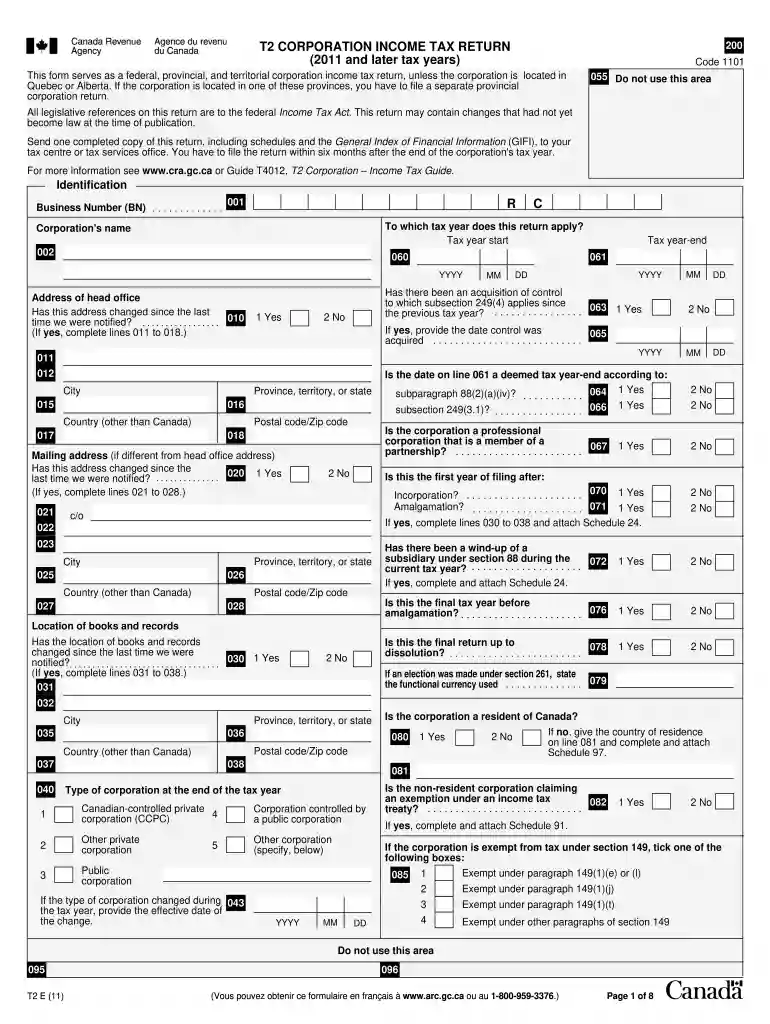
Begin by entering your Business Number (BN) and the tax year start date. Ensure accuracy as this information is crucial for identification.
Fill in the corporation's name and address of the head office. If there have been any changes since your last notification, indicate this accordingly.
Complete sections regarding acquisitions of control and whether this is a final return or if there has been an amalgamation. These details are essential for proper tax processing.
Proceed to fill out financial statement information using GIFI schedules as required. Attach any necessary schedules based on your responses to related questions.
Review all entries for accuracy before submitting. Utilize our platform’s features to save and share your completed form easily.
Start filling out your T2 Income 2011 form online for free today!
T2 income 2011 pdfWhere to find T2 on CRACRA T2 forms and schedulesT2 Schedule 1T2 Corporation Income tax return 2024T2 corporation income tax return software FREET2 CRAHow to download T2 from CRA online
Security and compliance
At DocHub, your data security is our priority. We follow HIPAA, SOC2, GDPR, and other standards, so you can work on your documents with confidence.
Jul 28, 2011 2011 withholding tables. This publication includes the. 2011 Percentage Method Tables and Wage Bracket Ta- bles for Income Tax WithholdingRead more
Cookie consent notice
This site uses cookies to enhance site navigation and personalize your experience.
By using this site you agree to our use of cookies as described in our Privacy Notice.
You can modify your selections by visiting our Cookie and Advertising Notice.