Type text, add images, blackout confidential details, add comments, highlights and more.
02. Sign it in a few clicks
Draw your signature, type it, upload its image, or use your mobile device as a signature pad.
03. Share your form with others
Send it via email, link, or fax. You can also download it, export it or print it out.
How to use or fill out Alabama Tenant In with our platform
Ease of Setup
DocHub User Ratings on G2
Ease of Use
DocHub User Ratings on G2
Click ‘Get Form’ to open the Alabama Tenant In document in the editor.
Begin by entering the date at the top of the form. This is crucial for record-keeping.
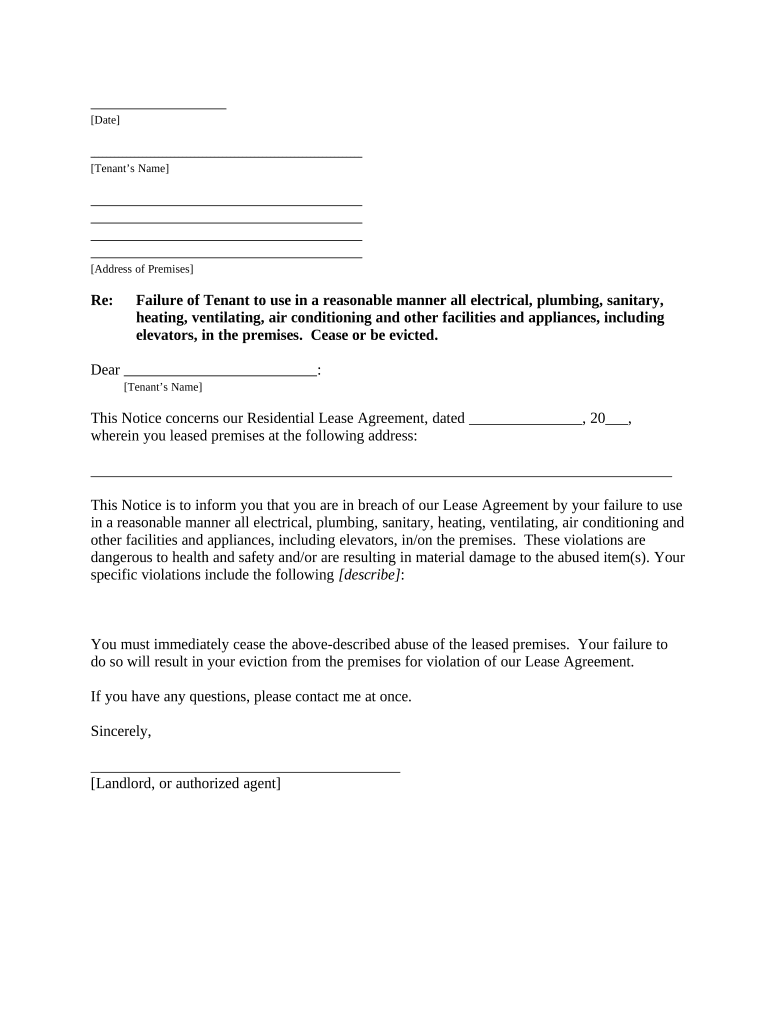
Fill in the tenant’s name and address of the premises where the lease agreement applies.
In the section regarding breaches, clearly describe any specific violations that have occurred, ensuring to detail how they relate to the use of facilities and appliances.
Complete the notice by signing it as either the landlord or authorized agent, and include your contact information for any questions.
Finally, select how you will deliver this notice to the tenant by checking one of the options provided in the Proof of Delivery section.
Start using our platform today to easily fill out your Alabama Tenant In form for free!
Alabama landlord-tenant law repairsAlabama landlord-tenant law PDFAlabama tenant lawsAlabama tenant rights air conditioningAlabama housing codes affecting health and safetyTenant lawyer AlabamaAlabama Uniform Residential Landlord and Tenant ActAlabama code 35 9a 303
Security and compliance
At DocHub, your data security is our priority. We follow HIPAA, SOC2, GDPR, and other standards, so you can work on your documents with confidence.
Terms and Conditions of Rental Agreement. 24. (a) A landlord and a tenant may include in a rental agreement terms and. 25 conditions not prohibited byRead more
Cookie consent notice
This site uses cookies to enhance site navigation and personalize your experience.
By using this site you agree to our use of cookies as described in our Privacy Notice.
You can modify your selections by visiting our Cookie and Advertising Notice.