Type text, add images, blackout confidential details, add comments, highlights and more.
02. Sign it in a few clicks
Draw your signature, type it, upload its image, or use your mobile device as a signature pad.
03. Share your form with others
Send it via email, link, or fax. You can also download it, export it or print it out.
How to use or fill out fl claim with our platform
Ease of Setup
DocHub User Ratings on G2
Ease of Use
DocHub User Ratings on G2
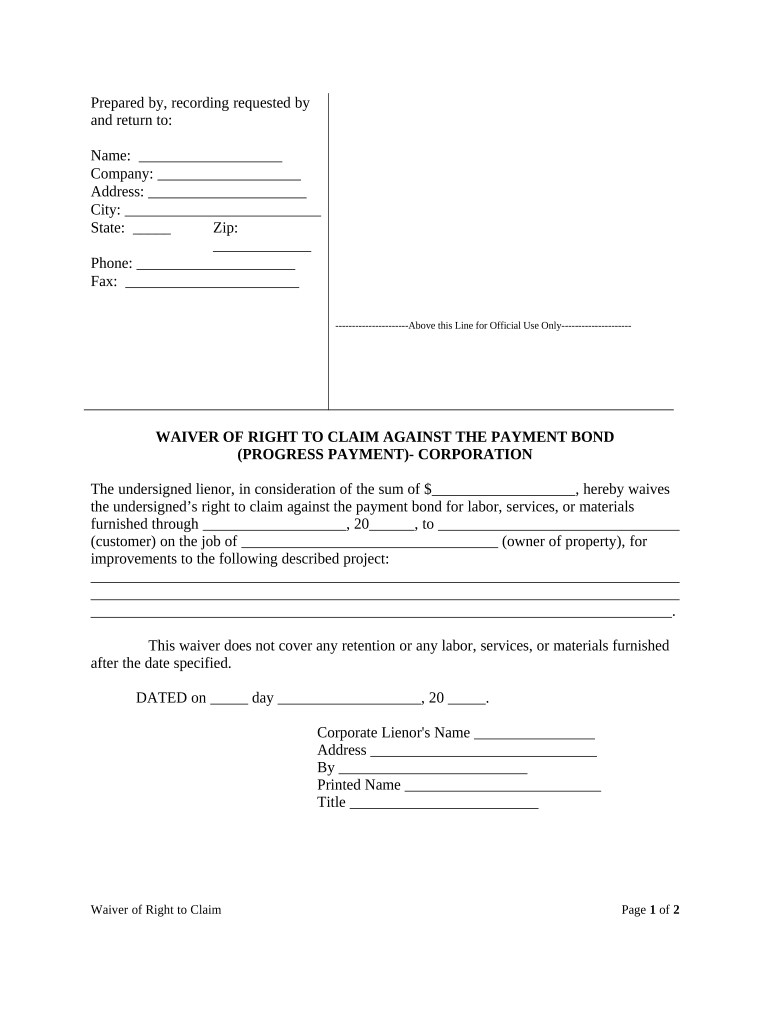
Click ‘Get Form’ to open the fl claim in the editor.
Begin by filling in your name, company, and address details at the top of the form. Ensure accuracy as this information is crucial for identification.
In the section labeled 'WAIVER OF RIGHT TO CLAIM AGAINST THE PAYMENT BOND', enter the amount you are waiving rights for. This should reflect the total sum agreed upon.
Specify the date range for which labor, services, or materials were provided. Fill in both the start date and customer details accurately.
Complete the project description section with clear and concise information about the improvements made.
Sign and date the form at the bottom, ensuring that all required fields are filled out completely before submission.
Start using our platform today to fill out your fl claim easily and for free!
The Division of Consumer Services will assist you with your insurance questions and concerns, as well as open a formal complaint. Request AssistanceRead more
Fla. Admin. Code Ann. R. 69I-20.0021 | State Regulations
Florida Administrative Code Department 69 - DEPARTMENT OF FINANCIAL 69I-20.0021 - Procedures for Filing Claim (Transferred). State RegulationsRead more
Cookie consent notice
This site uses cookies to enhance site navigation and personalize your experience.
By using this site you agree to our use of cookies as described in our Privacy Notice.
You can modify your selections by visiting our Cookie and Advertising Notice.