Trustee 2026

Get Form
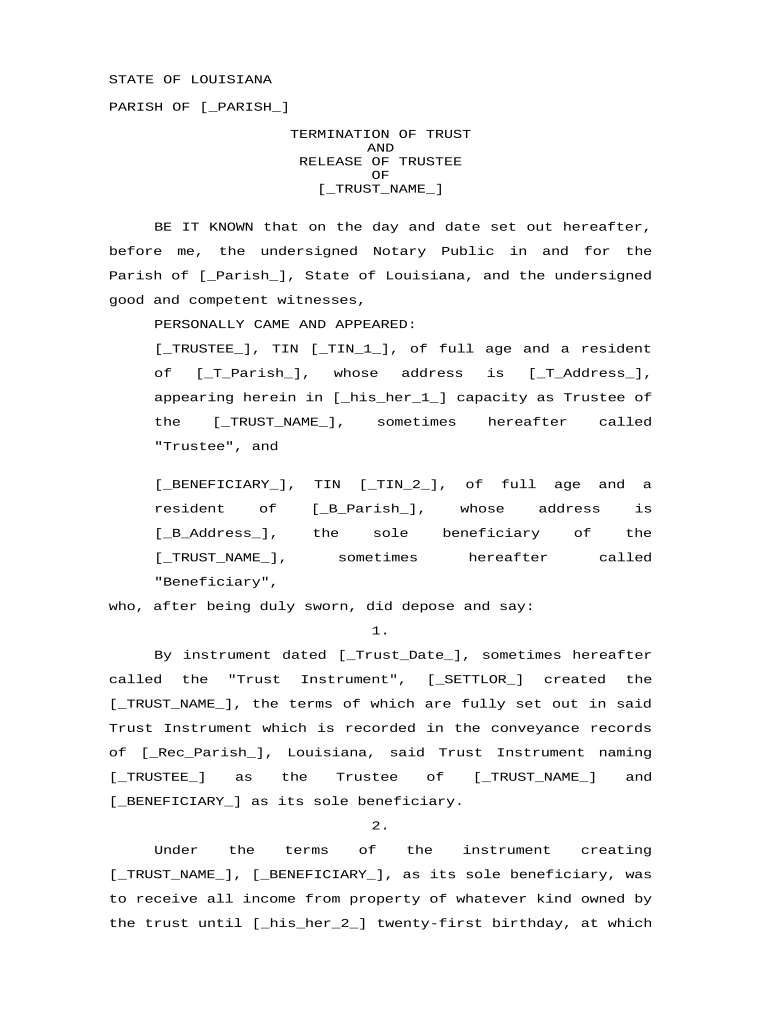
trustee Preview on Page 1

Here's how it works

01. Edit your form online
Type text, add images, blackout confidential details, add comments, highlights and more.
02. Sign it in a few clicks
Draw your signature, type it, upload its image, or use your mobile device as a signature pad.
03. Share your form with others
Send it via email, link, or fax. You can also download it, export it or print it out.

How to use or fill out trustee with our platform

Form edit decoration
9.5
Ease of Setup
DocHub User Ratings on G2
9.0
Ease of Use
DocHub User Ratings on G2
  1. Click ‘Get Form’ to open the Termination of Trust and Release of Trustee document in the editor.
  2. Begin by filling in the [_PARISH_] field with the relevant parish name where the document is being executed.
  3. Next, enter the name of the trust in the [_TRUST_NAME_] field, ensuring it matches what is stated in the trust instrument.
  4. Complete the Trustee's information by filling in their name, tax identification number ([_TIN_1_]), and address details in the respective fields.
  5. Proceed to input the Beneficiary's details, including their name, tax identification number ([_TIN_2_]), and address.
  6. Fill in the date of creation for the trust in [_Trust_Date_] and provide details about the Settlor in [_SETTLOR_].
  7. List all items being transferred to the Beneficiary under section 5 by describing each item in [_Item_1_], [_Item_2_], and [_Item_3_].
  8. Finally, ensure all parties sign and date at the bottom of the document before a Notary Public.

Start using our platform today for free to streamline your trustee documentation process!

be ready to get more

Complete this form in 5 minutes or less

Get form

Got questions?

We have answers to the most popular questions from our customers. If you can't find an answer to your question, please contact us.
Contact us
Can a Trustee Also Be a Beneficiary of a Trust? Yes, a trustee can be one of the beneficiaries of a trust. For example, an individual could set up a trust, appoint themselves as trustee and distribute income to their family. However, a trustee cannot be the sole beneficiary of a trust.
The trustee has the power to manage and administer the trust but must act in the best interest of the beneficiaries as stated in the trust document and under the law.
Many people assume that if someone is the trustee, they own the property. But the answer is a bit more nuanced. Legal Ownership The trustee has legal title to the property. This means they have the authority to manage it according to the trusts terms.
Yes, a trustee can be a beneficiary of an irrevocable trust, but they must be careful to not allow potential conflicts of interest from compromising their ability to fairly and impartially manage the trust. Its worth noting that most trusts become irrevocable by default upon the settlors incapacity or death.
A trustee is a person who takes responsibility for managing money or assets that have been set aside in a trust for the benefit of someone else. As a trustee, you must use the money or assets in the trust only for the beneficiarys benefit.

Security and compliance

At DocHub, your data security is our priority. We follow HIPAA, SOC2, GDPR, and other standards, so you can work on your documents with confidence.

Learn more
ccpa2
pci-dss
gdpr-compliance
hipaa
soc-compliance

People also ask

All charity trustees should, therefore, decide together what activities the charity will undertake, and think about the resources it will need. Trustees of larger charities should take responsibility for setting the charitys strategic aims and direction, and agreeing appropriate future plans.

Related links