Type text, add images, blackout confidential details, add comments, highlights and more.
02. Sign it in a few clicks
Draw your signature, type it, upload its image, or use your mobile device as a signature pad.
03. Share your form with others
Send it via email, link, or fax. You can also download it, export it or print it out.
How to use or fill out la restraining with our platform
Ease of Setup
DocHub User Ratings on G2
Ease of Use
DocHub User Ratings on G2
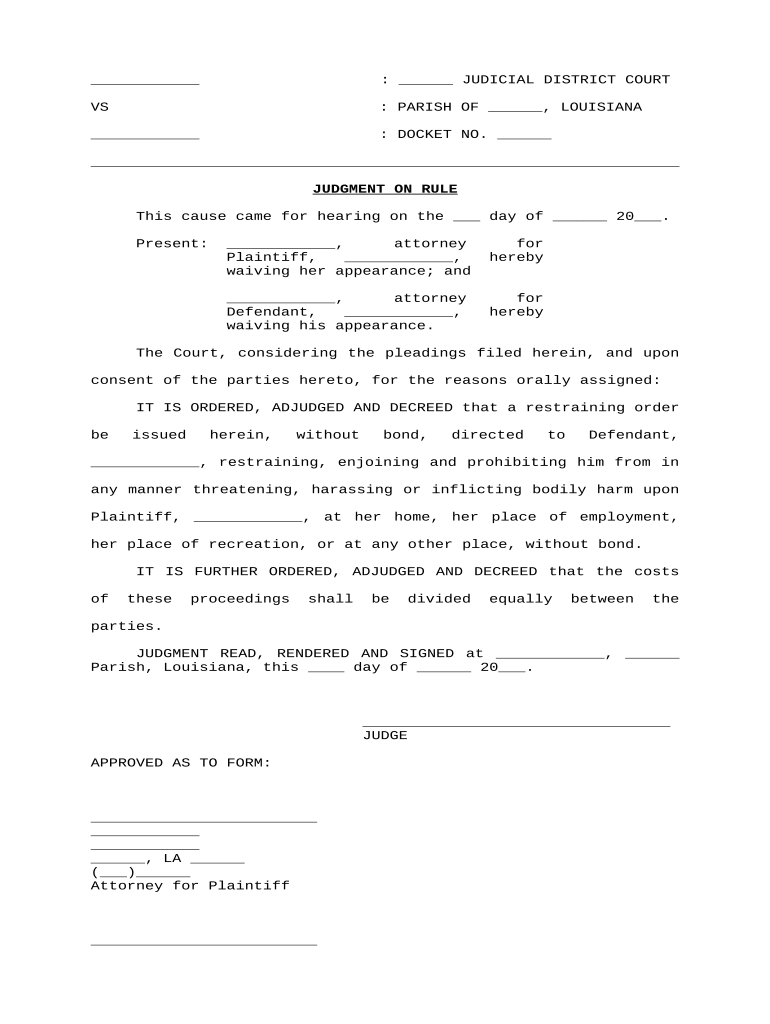
Click ‘Get Form’ to open the la restraining document in the editor.
Begin by filling in the judicial district and parish at the top of the form. This information is crucial for identifying the court handling your case.
Enter the docket number assigned to your case. This unique identifier helps track your proceedings efficiently.
In the section for parties involved, clearly state the names of both the plaintiff and defendant. Ensure that all names are spelled correctly to avoid any legal complications.
Fill in the date of hearing where indicated, as this establishes a timeline for your case.
Review and complete any additional fields regarding attorney representation, ensuring that all necessary signatures are included before submission.
Start using our platform today to fill out your la restraining form easily and for free!
Domestic violence restraining orderLos Angeles restraining orderCivil harassment restraining orderLos Angeles County restraining order lookupHow to win a restraining order hearingRestraining order onlineSelf-help restraining orderDomestic violence restraining order (DVRO)
Security and compliance
At DocHub, your data security is our priority. We follow HIPAA, SOC2, GDPR, and other standards, so you can work on your documents with confidence.
If the judge believes there has been abuse, stalking, or harassment then the judge will likely issue a permanent restraining order for 1 to 5 years depending on.Read more
A. Upon good cause shown in an ex parte proceeding, the court may enter a temporary restraining order, without bond, as the court deems necessary to protectRead more
Cookie consent notice
This site uses cookies to enhance site navigation and personalize your experience.
By using this site you agree to our use of cookies as described in our Privacy Notice.
You can modify your selections by visiting our Cookie and Advertising Notice.