Type text, add images, blackout confidential details, add comments, highlights and more.
02. Sign it in a few clicks
Draw your signature, type it, upload its image, or use your mobile device as a signature pad.
03. Share your form with others
Send it via email, link, or fax. You can also download it, export it or print it out.
How to use or fill out jury instructions with our platform
Ease of Setup
DocHub User Ratings on G2
Ease of Use
DocHub User Ratings on G2
Click ‘Get Form’ to open the jury instructions document in the editor.
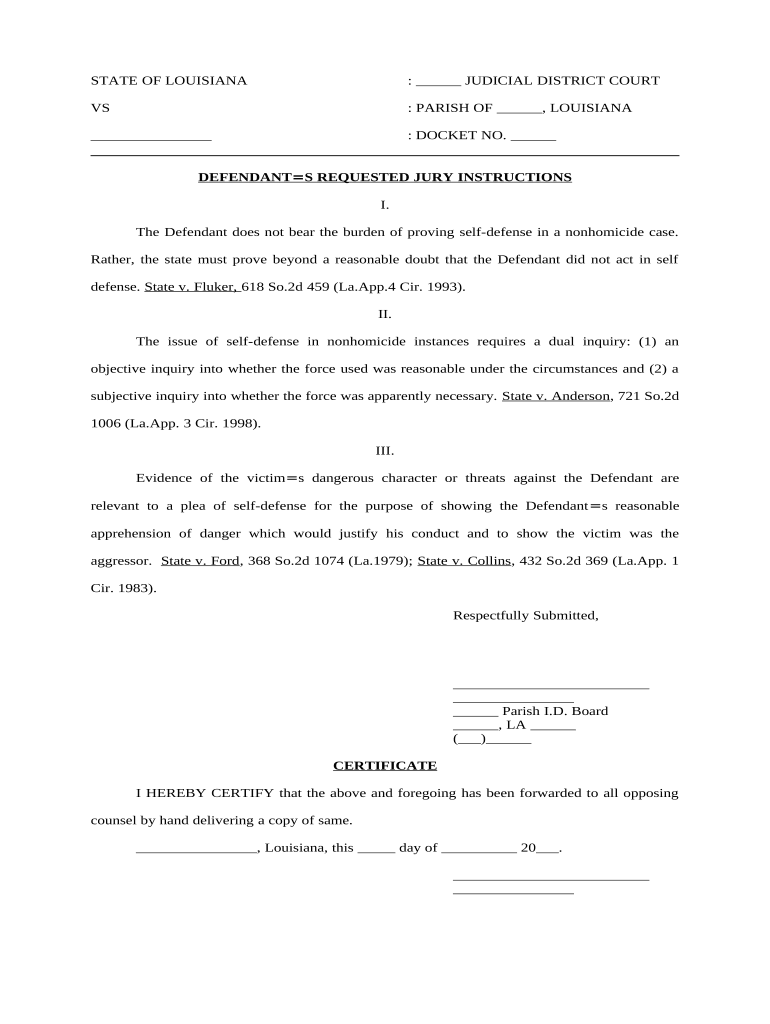
Begin by filling in the blank fields at the top of the form, including the Judicial District Court and Parish information, as well as the Docket Number.
Review each section of the jury instructions carefully. For instance, Section I clarifies that the Defendant does not need to prove self-defense; ensure this is clearly stated.
In Section II, assess whether you can provide evidence for both objective and subjective inquiries regarding self-defense. Use our platform’s text tools to add any necessary notes or comments.
For Section III, include relevant evidence about the victim's character or threats made against the Defendant. This can be done by typing directly into the designated area.
Finally, complete the certification section at the bottom by signing and dating it appropriately before submitting your document.
Start using our platform today for free to streamline your jury instructions process!
Pattern Jury Instructions | United States Court of Appeals
The Pattern Jury Instructions Builder, found at the following link, allows users to generate customized pattern jury instructions for a particular case.Read more
Cookie consent notice
This site uses cookies to enhance site navigation and personalize your experience.
By using this site you agree to our use of cookies as described in our Privacy Notice.
You can modify your selections by visiting our Cookie and Advertising Notice.