Type text, add images, blackout confidential details, add comments, highlights and more.
02. Sign it in a few clicks
Draw your signature, type it, upload its image, or use your mobile device as a signature pad.
03. Share your form with others
Send it via email, link, or fax. You can also download it, export it or print it out.
How to use or fill out ky will with our platform
Ease of Setup
DocHub User Ratings on G2
Ease of Use
DocHub User Ratings on G2
Click 'Get Form' to open the ky will in the editor.
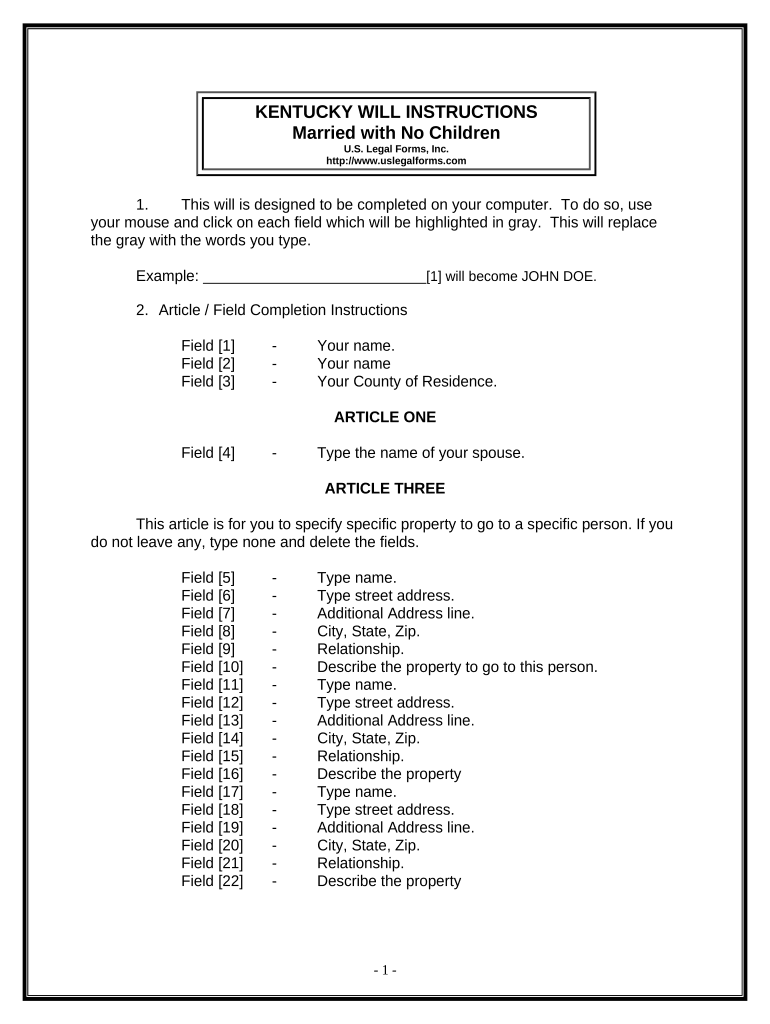
Begin by entering your name in Field [1] and your county of residence in Field [3]. This establishes your identity and jurisdiction.
In Article One, specify your spouse's name in Field [4]. This is crucial for determining inheritance.
For Article Three, list any specific property you wish to bequeath. If none, simply type 'none' and delete the fields.
Continue filling out Articles Four through Eleven, ensuring all fields are completed accurately. Pay special attention to naming your personal representative in Article Seven.
Once all sections are filled, review your entries for accuracy before printing. Remember to sign in front of two witnesses.
Start using our platform today to easily complete your ky will online for free!
FCS5-425: Estate Planning: Wills and Probate in Kentucky
A will is a legal document that provides instructions to be carried out after your death. Why Should You Have a Will? Unless you have made other provisions,Read more
Cookie consent notice
This site uses cookies to enhance site navigation and personalize your experience.
By using this site you agree to our use of cookies as described in our Privacy Notice.
You can modify your selections by visiting our Cookie and Advertising Notice.