Amendment to Living Trust - Kentucky 2026

Get Form
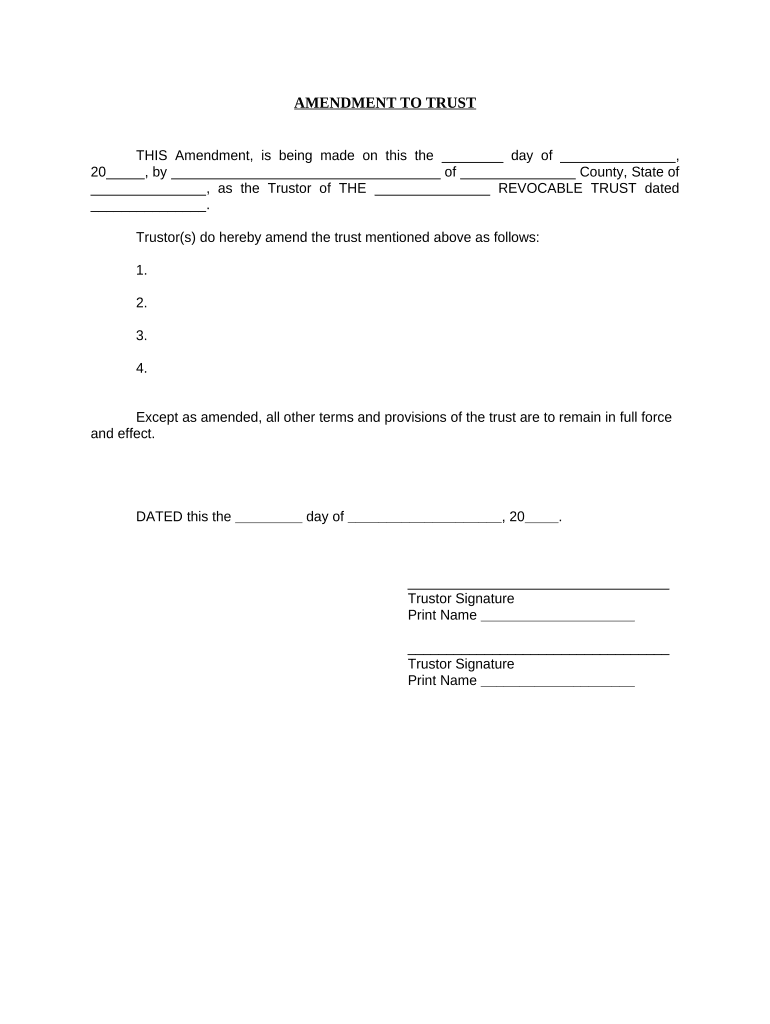
Amendment to Living Trust - Kentucky Preview on Page 1

Here's how it works

01. Edit your form online
Type text, add images, blackout confidential details, add comments, highlights and more.
02. Sign it in a few clicks
Draw your signature, type it, upload its image, or use your mobile device as a signature pad.
03. Share your form with others
Send it via email, link, or fax. You can also download it, export it or print it out.

How to use or fill out Amendment to Living Trust - Kentucky with our platform

Form edit decoration
9.5
Ease of Setup
DocHub User Ratings on G2
9.0
Ease of Use
DocHub User Ratings on G2
  1. Click ‘Get Form’ to open the Amendment to Living Trust - Kentucky in the editor.
  2. Begin by entering the date of the amendment in the first blank field. This should reflect the day you are completing the document.
  3. Fill in your name as the Trustor, along with your county and state in the designated fields. Ensure accuracy for legal purposes.
  4. In the section where amendments are listed, specify each change you wish to make to the trust. Number these changes for clarity.
  5. Complete the final date line at the bottom of the document, ensuring it matches your initial entry.
  6. Sign and print your name in the provided signature fields. If there are multiple Trustors, ensure all signatures are included.
  7. Lastly, have a notary public acknowledge your signatures by filling out their information and affixing their seal if required.

Start editing your Amendment to Living Trust - Kentucky online for free today!

be ready to get more

Complete this form in 5 minutes or less

Get form

Got questions?

We have answers to the most popular questions from our customers. If you can't find an answer to your question, please contact us.
Contact us
A revocable trust can be modified while the Grantor is alive. Revising the terms of a trust is known as amending the trust. An amendment is generally appropriate when there are only a few minor changes to make, like rewording a certain paragraph, changing the successor trustee, or modifying beneficiaries.
Potential for errors: There is a more docHub potential for errors when using a codicil than when creating a new will. A codicil might introduce conflicting terms with the original will, creating ambiguity and a lack of clarity. Limited scope: Codicils can only be used to make minor changes to your will.
A codicil is a legal document that allows you to make changes or amendments to an existing will without revoking the entire document. Think of it as an addendum that serves to address specific alterations while keeping the original terms of the will intact.
Simple amendments, like changing a beneficiary or trustee, can range between $300 to $500. More substantial changes, such as a complete restatement of the trust to reflect docHub alterations, could exceed $2,000.
While its possible to amend a revocable living trust on your own, its advisable to consult with an experienced estate planning attorney in California. They can provide legal guidance and ensure that your amendments comply with state laws.

Security and compliance

At DocHub, your data security is our priority. We follow HIPAA, SOC2, GDPR, and other standards, so you can work on your documents with confidence.

Learn more
ccpa2
pci-dss
gdpr-compliance
hipaa
soc-compliance
be ready to get more

Complete this form in 5 minutes or less

Get form

People also ask

A trust is a distinct legal entity, and changes to it must follow specific procedures. Codicils, in the traditional sense, apply only to wills. However, amending a trust follows a similar process, even though it is not called a codicil.
An amendment is a formal document making a change to one or multiple parts of a Revocable Living Trust. A codicil is a formal document making a change to one or multiple parts of a Last Will and Testament.

Related links