Type text, add images, blackout confidential details, add comments, highlights and more.
02. Sign it in a few clicks
Draw your signature, type it, upload its image, or use your mobile device as a signature pad.
03. Share your form with others
Send it via email, link, or fax. You can also download it, export it or print it out.
How to use or fill out kansas cancellation with our platform
Ease of Setup
DocHub User Ratings on G2
Ease of Use
DocHub User Ratings on G2
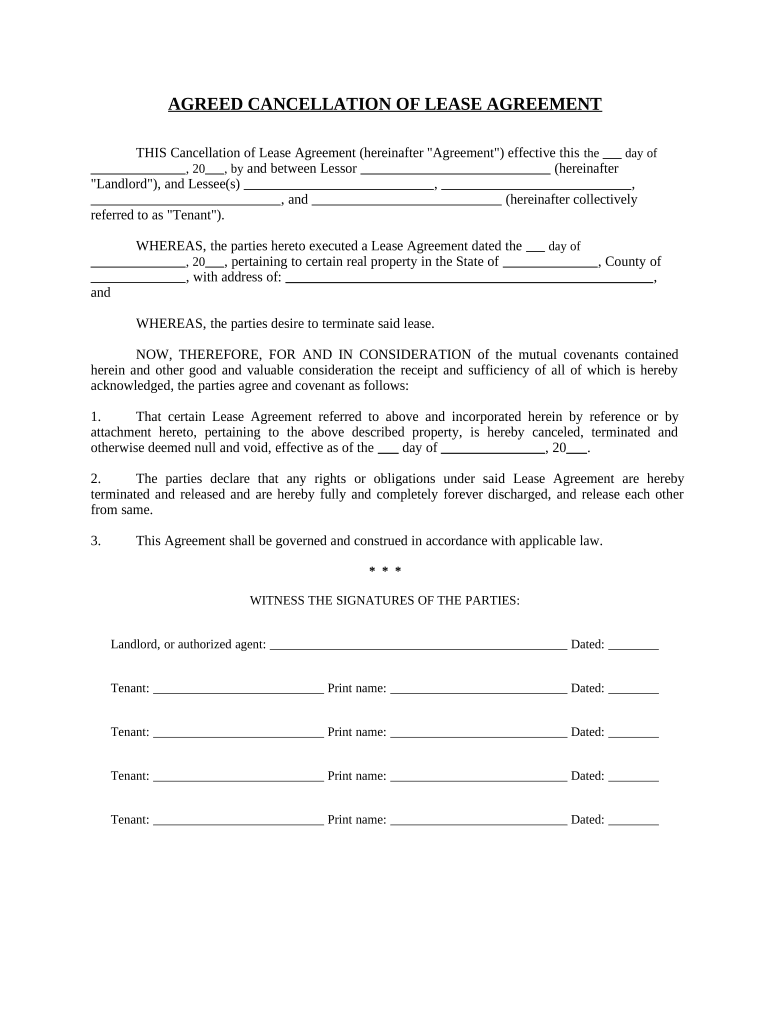
Click ‘Get Form’ to open the kansas cancellation document in the editor.
Begin by entering the effective date of the agreement in the designated field. This is crucial as it marks when the cancellation takes effect.
Fill in the names of all parties involved. In the 'Landlord' section, input the name of the lessor, and in the 'Tenant' section, list all lessees clearly.
Specify the original lease agreement date and property details. Ensure accuracy to avoid any legal complications.
In the cancellation clause, confirm that both parties agree to terminate all rights and obligations under the lease. This section is vital for legal clarity.
Finally, have all parties sign and date at the bottom of the form. This finalizes your cancellation process.
Start using our platform today for free to streamline your kansas cancellation process!
Kansas cancellation todayKansas cancellation formKansas Secretary of State Business SearchSos KS gov loginKansas notary loginCertificate of CancellationHow to get a certificate of Good Standing in KansasKansas Reinstatement
Security and compliance
At DocHub, your data security is our priority. We follow HIPAA, SOC2, GDPR, and other standards, so you can work on your documents with confidence.
Submit a certificate of cancellation, dissolution, or withdrawal. Other documents may be required with other state or federal agencies to completely closeRead more
Oct 30, 2024 This page contains the full Housing Residence Life contract for the 20252026 academic year, along with cancellation dates and fees.Read more
On March 21, 2008, Governor Sebelius vetoed a bill that would have permitted the power plants and stripped the Department of Health of the power to deny suchRead more
Cookie consent notice
This site uses cookies to enhance site navigation and personalize your experience.
By using this site you agree to our use of cookies as described in our Privacy Notice.
You can modify your selections by visiting our Cookie and Advertising Notice.