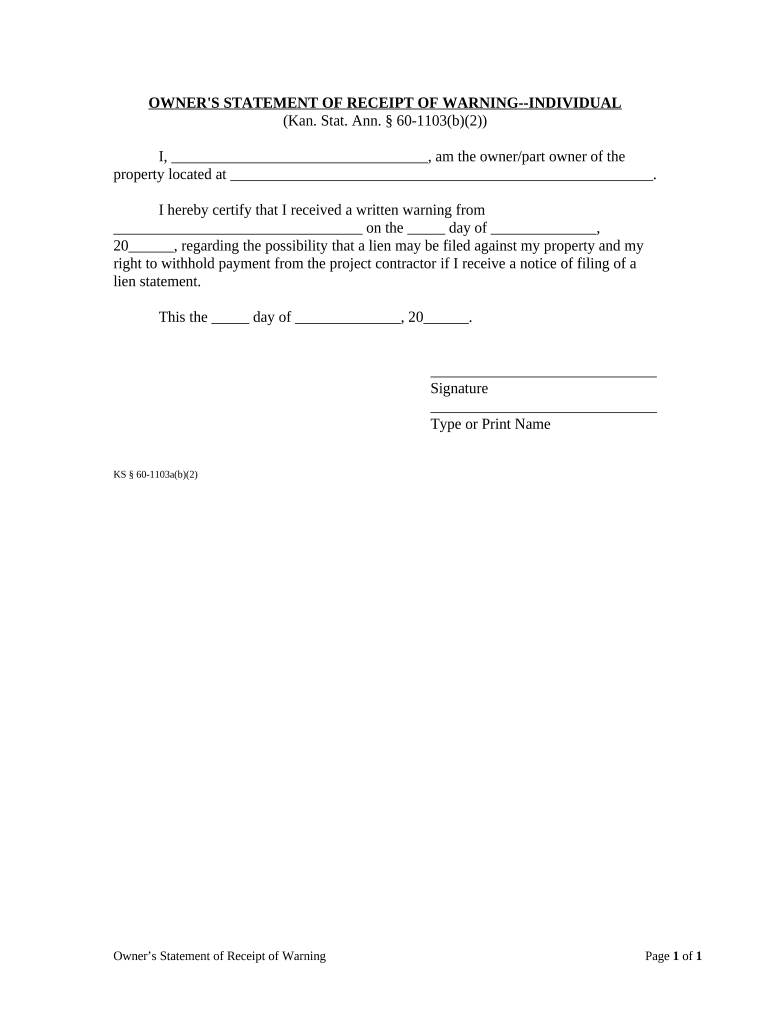
Owner's Statement of Receipt of Warning - Individual - Kansas 2026

Get Form
Owner's Statement of Receipt of Warning - Individual - Kansas Preview on Page 1

Here's how it works

01. Edit your form online
Type text, add images, blackout confidential details, add comments, highlights and more.
02. Sign it in a few clicks
Draw your signature, type it, upload its image, or use your mobile device as a signature pad.
03. Share your form with others
Send it via email, link, or fax. You can also download it, export it or print it out.

How to use or fill out Owner's Statement of Receipt of Warning - Individual - Kansas with our platform

Form edit decoration
9.5
Ease of Setup
DocHub User Ratings on G2
9.0
Ease of Use
DocHub User Ratings on G2
  1. Click ‘Get Form’ to open it in the editor.
  2. In the first field, enter your name as the owner or part owner of the property.
  3. Next, provide the address of the property in the designated space.
  4. Indicate who issued the written warning by filling in their name in the appropriate section.
  5. Fill in the date you received the warning, ensuring to include both day and month.
  6. Sign and date at the bottom of the form to certify your acknowledgment.
  7. Finally, type or print your name below your signature for clarity.

Start using our platform today to complete your Owner's Statement of Receipt of Warning quickly and for free!

be ready to get more

Complete this form in 5 minutes or less

Get form

Got questions?

We have answers to the most popular questions from our customers. If you can't find an answer to your question, please contact us.
Contact us

Yes, a typed name is accepted as a legitimate electronic signature when you add it to your paperwork using a compliant solution like DocHub. Simply upload your Owner's Statement of Receipt of Warning - Individual - Kansas to our editor, click Sign in the top tool pane → Create your signature → Type your name in the proper tab, and decide how it will look on your document.

If you use Chrome, there are two straightforward methods to modify your Owner's Statement of Receipt of Warning - Individual - Kansas online. First, visit the DocHub site, add your document, and modify it utilizing our toolbar. You may also set up our Chrome extension and modify any document by dragging and dropping it in your web browser window.

To evict you, the landlord must provide a notice to you that you have 14 days to correct the problem, otherwise you will have to vacate 30 days after you get the notice. In other words, the lease will terminate 30 days after the notice date, unless you can correct the problem in 14 days.
The Information Report is submitted every two years by any business on file with the Kansas Secretary of State.
Notice. Before beginning legal eviction proceedings, your landlord must provide you 3 days notice to leave the residence. This means your landlord must wait at least 72 hours after providing you this notice before filing papers to start the eviction lawsuit.

Security and compliance

At DocHub, your data security is our priority. We follow HIPAA, SOC2, GDPR, and other standards, so you can work on your documents with confidence.

Learn more
ccpa2
pci-dss
gdpr-compliance
hipaa
soc-compliance

People also ask

30-Day Notice to Quit (2nd Non-Compliance) A tenant is given this notice if they have violated their lease in the same manner for the 2nd time in the last 6 months. There is no option for the tenant to remediate and they shall be forced to move within one (1) month.
If the landlord does not fix the problem within 14 days of your notice, your right to occupy the unit will end 30 days after your notice (or on the later date you put in the notice). This means you have to move out.
The process can move faster or slower depending on court schedules and tenant actions. For example, after the initial notice is served, Kansas law gives tenants between 3 and 14 days to comply or vacate based on the violation type. After court judgment, the sheriff has up to 14 calendar days to carry out the eviction.

Related links