Ar satisfaction mortgage 2026

Get Form
ar satisfaction mortgage Preview on Page 1

Here's how it works

01. Edit your form online
Type text, add images, blackout confidential details, add comments, highlights and more.
02. Sign it in a few clicks
Draw your signature, type it, upload its image, or use your mobile device as a signature pad.
03. Share your form with others
Send it via email, link, or fax. You can also download it, export it or print it out.

How to use or fill out ar satisfaction mortgage with our platform

Form edit decoration
9.5
Ease of Setup
DocHub User Ratings on G2
9.0
Ease of Use
DocHub User Ratings on G2
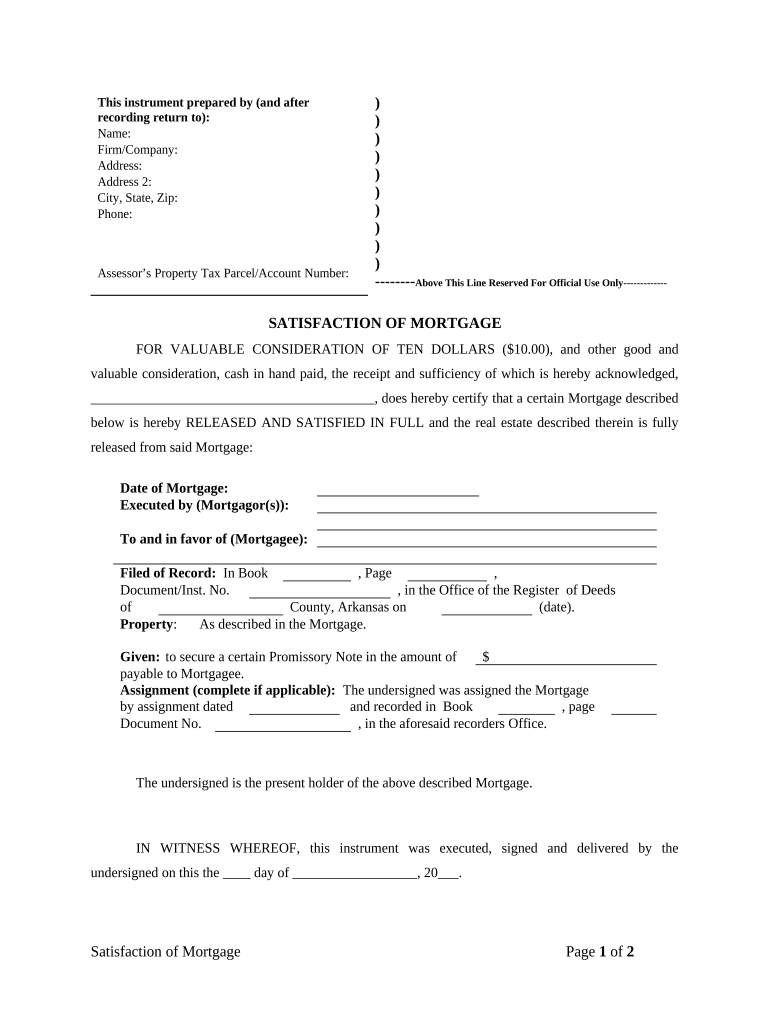
  1. Click ‘Get Form’ to open the ar satisfaction mortgage in the editor.
  2. Begin by filling in your name, firm/company, and address details in the designated fields at the top of the form.
  3. Enter the Assessor’s Property Tax Parcel/Account Number to identify the property associated with the mortgage.
  4. In the main body of the form, specify the date of the original mortgage and provide details about both the mortgagor(s) and mortgagee.
  5. Fill in where the mortgage was filed, including Book, Page, and Document/Inst. No., ensuring accuracy for official records.
  6. Complete any applicable assignment information if you were assigned the mortgage, including dates and recording details.
  7. Sign and print your name as Grantor at the bottom of page one. Ensure all signatures are completed before moving to notarization.
  8. On page two, provide notary details including printed name and commission expiration date after signing in front of a notary public.

Start using our platform today to easily complete your ar satisfaction mortgage for free!

be ready to get more

Complete this form in 5 minutes or less

Get form

Got questions?

We have answers to the most popular questions from our customers. If you can't find an answer to your question, please contact us.
Contact us
The first step requires a written acknowledgment. Your lender will need to document that you made your final payment, completing your repayment period. This document, sometimes called a release or satisfaction, must be docHubd and entered into your countys official records.
This firm is an Appointed Representative (AR). This means it can carry out certain regulated business on behalf of a principal firm. A principal firm is a firm that is authorised for certain regulated activities in the UK and delegates the whole or part of its business to an AR.
A satisfaction fee is a fee charged by the County Recorders of Deeds office to record the lien release on the property. The Satisfaction fee is included in the loan Payoff Statement. Fees vary by County.

Security and compliance

At DocHub, your data security is our priority. We follow HIPAA, SOC2, GDPR, and other standards, so you can work on your documents with confidence.

Learn more
ccpa2
pci-dss
gdpr-compliance
hipaa
soc-compliance