Type text, add images, blackout confidential details, add comments, highlights and more.
02. Sign it in a few clicks
Draw your signature, type it, upload its image, or use your mobile device as a signature pad.
03. Share your form with others
Send idaho quit claim deed via email, link, or fax. You can also download it, export it or print it out.
How to use or fill out Idaho Quitclaim Deed with DocHub
Ease of Setup
DocHub User Ratings on G2
Ease of Use
DocHub User Ratings on G2
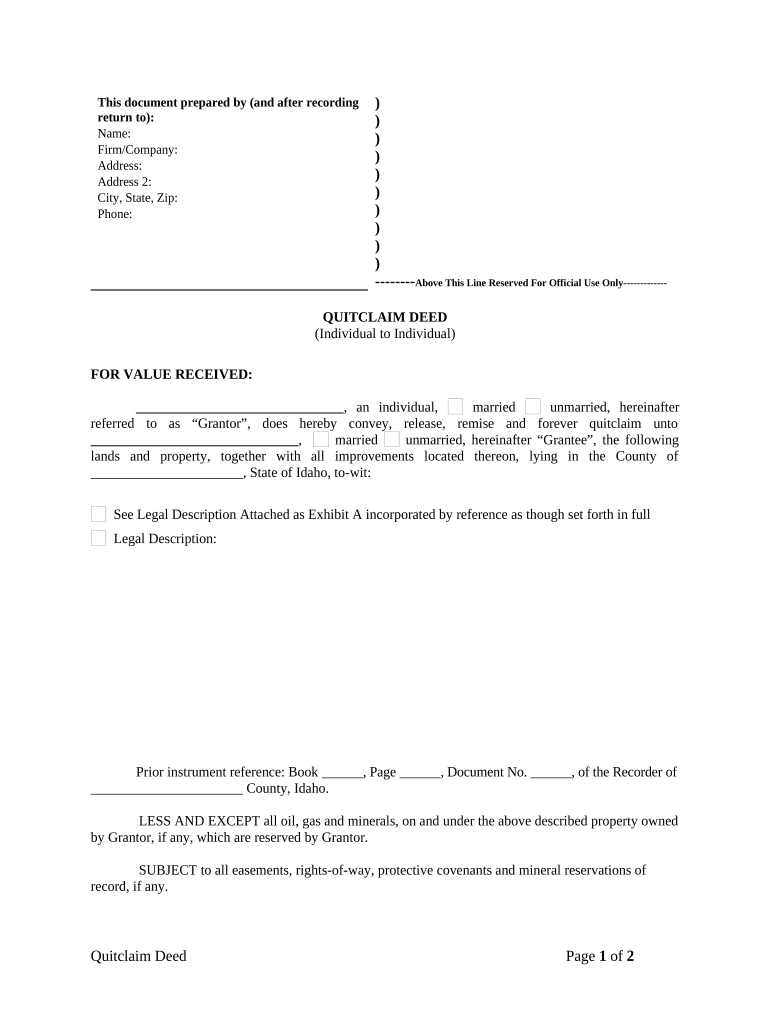
Click ‘Get Form’ to open the Idaho Quitclaim Deed in our platform's editor.
Begin by filling in the 'Prepared by' section at the top. Enter your name, firm/company, address, city, state, zip code, and phone number.
In the 'FOR VALUE RECEIVED' section, specify the Grantor's name and marital status (married/unmarried). Then enter the Grantee's name and marital status.
Next, provide a detailed legal description of the property being conveyed. This may be attached as Exhibit A; ensure it is referenced correctly.
Fill in any prior instrument references if applicable. This includes Book, Page, and Document Number from previous records.
Complete the signature section for the Grantor(s) and include the date of signing.
Lastly, ensure that a Notary Public completes their section to validate the document.
Start using our platform today to easily complete your Idaho Quitclaim Deed for free!
This deed is intended to convey to the Grantee all right, title, and interest of the Grantor in and to said property, now owned or hereafter acquired.Read more
Cookie consent notice
This site uses cookies to enhance site navigation and personalize your experience.
By using this site you agree to our use of cookies as described in our Privacy Notice.
You can modify your selections by visiting our Cookie and Advertising Notice.