Type text, add images, blackout confidential details, add comments, highlights and more.
02. Sign it in a few clicks
Draw your signature, type it, upload its image, or use your mobile device as a signature pad.
03. Share your form with others
Send it via email, link, or fax. You can also download it, export it or print it out.
How to use or fill out Quitclaim Deed from Husband and Wife to Corporation - Wyoming
Ease of Setup
DocHub User Ratings on G2
Ease of Use
DocHub User Ratings on G2
Click ‘Get Form’ to open it in the editor.
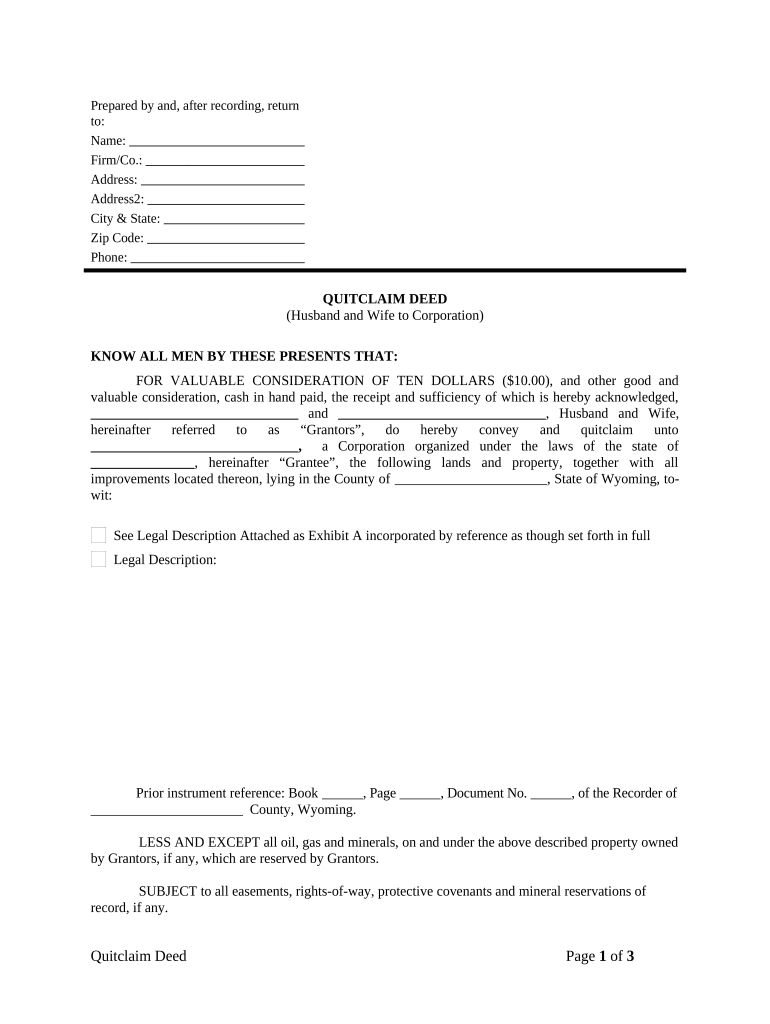
Begin by filling in the 'Prepared by' section with the name, firm/company, address, city & state, zip code, and phone number of the individual or entity preparing the deed.
In the main body of the deed, enter the names of both Grantors (Husband and Wife) who are conveying their property. Ensure that you accurately reflect their legal names.
Next, specify the Grantee's name (the Corporation) and its state of incorporation. This is crucial for legal identification.
Provide a detailed legal description of the property being conveyed. If there is an attached Exhibit A, ensure it is referenced correctly.
Fill in any prior instrument references if applicable, including book, page, and document numbers from county records.
Both Grantors must sign and print their names on the designated lines. Ensure that signatures are dated appropriately.
Complete the acknowledgment section for notarization. This includes entering details about the notarial officer and their commission expiration date.
Start using our platform today to easily complete your Quitclaim Deed for free!
Fill out Quitclaim Deed from Husband and Wife to Corporation - Wyoming online It's free
Quitclaim deed from husband and wife to corporation wyoming sampleQuitclaim deed from husband and wife to corporation wyoming formFree quitclaim deed from husband and wife to corporation wyomingWyoming quit claim deed form
Security and compliance
At DocHub, your data security is our priority. We follow HIPAA, SOC2, GDPR, and other standards, so you can work on your documents with confidence.
Title 34 Property, Conveyances and Security Transactions
A married woman may, by her deed or mortgage, convey her real estate in like manner as she might, if she were an unmarried woman. 34-1-109. Married women; rightRead more
JurisdictionIndirectly Affecting Land in Another State by
by PL Shipley 1960 Wyoming court granted a decree of divorce to the wife. The decree ordered the husband to deliver to the wife a quit claim deed to property in Nebraska. The
Cookie consent notice
This site uses cookies to enhance site navigation and personalize your experience.
By using this site you agree to our use of cookies as described in our Privacy Notice.
You can modify your selections by visiting our Cookie and Advertising Notice.