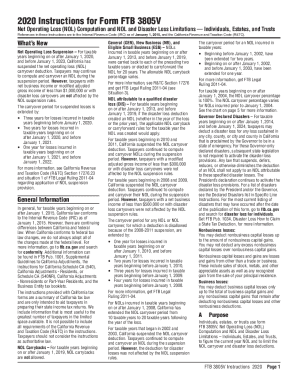
Correction Statement and Agreement - West Virginia 2026

Get Form
Correction Statement and Agreement - West Virginia Preview on Page 1

Here's how it works

01. Edit your form online
Type text, add images, blackout confidential details, add comments, highlights and more.
02. Sign it in a few clicks
Draw your signature, type it, upload its image, or use your mobile device as a signature pad.
03. Share your form with others
Send it via email, link, or fax. You can also download it, export it or print it out.

How to use or fill out Correction Statement and Agreement - West Virginia with our platform

Form edit decoration
9.5
Ease of Setup
DocHub User Ratings on G2
9.0
Ease of Use
DocHub User Ratings on G2
  1. Click ‘Get Form’ to open the Correction Statement and Agreement in the editor.
  2. Begin by filling in the COUNTY field at the top of the form, ensuring it reflects the correct jurisdiction.
  3. In Section 1, provide details about the sales transaction, including the date and attach any relevant documents as indicated.
  4. Section 2 requires you to acknowledge any errors in closing documents. Clearly state any inaccuracies that need correction.
  5. For Section 4, ensure you understand what 'Correct or Replace' entails. List any necessary documentation that may need to be executed or acknowledged.
  6. Complete Sections 6 through 10 by providing all required signatures, dates, and addresses for both Seller(s) and Buyer(s).
  7. Finally, have a Notary Public witness your signatures in the designated area at the bottom of the form.

Start using our platform today to streamline your document editing and signing process for free!

be ready to get more

Complete this form in 5 minutes or less

Get form

Got questions?

We have answers to the most popular questions from our customers. If you can't find an answer to your question, please contact us.
Contact us

As outlined by eSignature laws, forms signed digitally have the same validity as traditionally approved ones. You can electronically sign almost any business and private paperwork. Four types of documents still require handwritten signatures only - wills and testamentary trusts, court orders and other court papers, state statutes regulating divorce, adoption, or other family law, and notice of cancellation of utility services. If you adhere to the rules and use a safe and compliant software solution, like DocHub, you can eSign your Correction Statement and Agreement - West Virginia without printing it.

Document editing with DocHub is equally convenient on desktop and mobile devices. You only need an internet browser to revise your Correction Statement and Agreement - West Virginia on Android. Open our site and sign in to access the instruments you need. Add your document and introduce your intended modifications. After that, you can keep your form in your document storage or send it out instantly.

Transferring a Used Car Title In West Virginia Seller and buyer meet in person. The buyer pays the seller. Both seller and buyer fill out the physical certificate of title, and sign.
Both the seller and the buyer must sign the back of the West Virginia title. If its an out-of-state title the previous owner must sign the title and the name and address of the new owner should appear on the title.
Does the new owner of a vehicle have to be there to transfer over the ownership? Present? No. However, the named title holder is the one and only person who can legally sign over title.

Security and compliance

At DocHub, your data security is our priority. We follow HIPAA, SOC2, GDPR, and other standards, so you can work on your documents with confidence.

Learn more
ccpa2
pci-dss
gdpr-compliance
hipaa
soc-compliance

People also ask

Transferring a Used Car Title In West Virginia Seller and buyer meet in person. The buyer pays the seller. Both seller and buyer fill out the physical certificate of title, and sign. The buyer is now the legal owner of the vehicle.
What Do You Need To Transfer A Car Title In WV? The completed signed original title. If the car is less than 10 years old, the odometer reading must be noted and both parties must sign. Your drivers license. Completed Application for Certificate of Title. Payment for title transfer fees and taxes.
You not need both parties to be physically present at the time of notarization, but you can only docHub for the person who is appearing before you. The other person can have their signature docHubd at another time. Confronted with a tricky notarization?
Yes. The seller and buyer need to complete and sign the West Virginias official bill of sale, form DMV-7-TR, in front of a notary.
You can change your West Virginia registered agent any time by filing an Application to Appoint or Change Process, Officers and/or Addresses with the West Virginia Secretary of State, Business Division (SOS). You can submit your documents by fax, mail, or in person.

Related links