Type text, add images, blackout confidential details, add comments, highlights and more.
02. Sign it in a few clicks
Draw your signature, type it, upload its image, or use your mobile device as a signature pad.
03. Share your form with others
Send it via email, link, or fax. You can also download it, export it or print it out.
How to use or fill out West Virginia Lease with Our Platform
Ease of Setup
DocHub User Ratings on G2
Ease of Use
DocHub User Ratings on G2
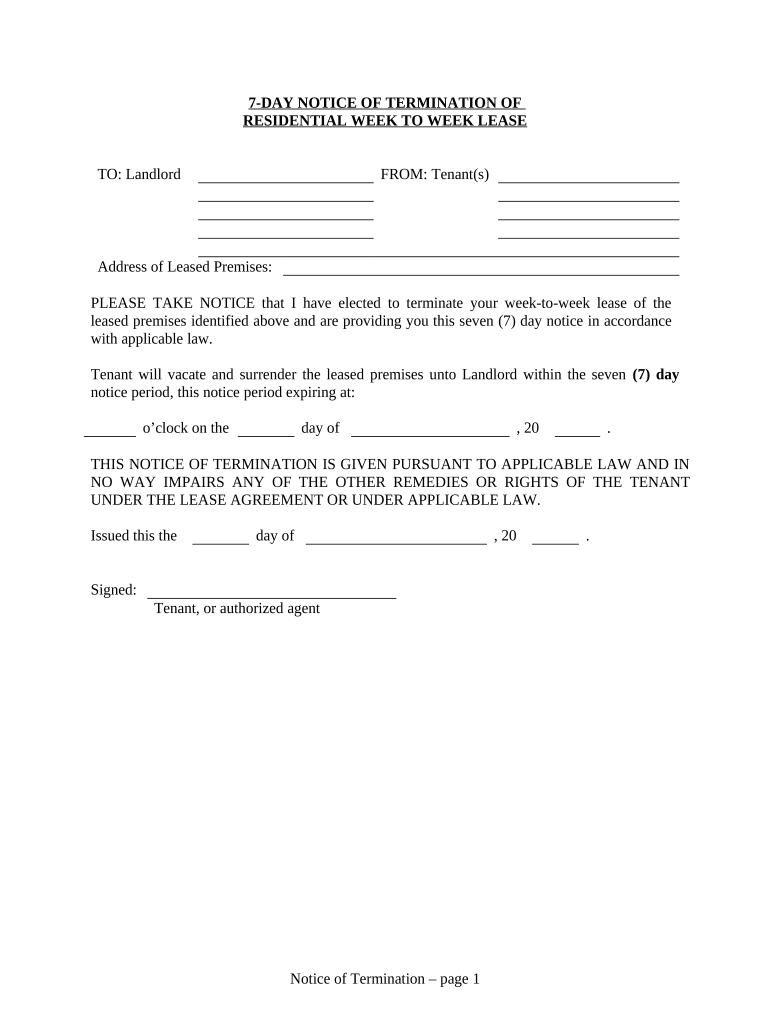
Click ‘Get Form’ to open the West Virginia lease in the editor.
Begin by filling in the 'Address of Leased Premises' section with the complete address where the lease is applicable.
In the notice section, specify the date and time when you intend to vacate the premises. This should be filled in clearly to avoid any confusion.
Sign your name as the Tenant or authorized agent at the designated area, ensuring that your signature is legible.
For proof of delivery, select how you delivered this notice to the Landlord (by hand, registered/certified mail, or posting). Fill in any required details based on your chosen method.
Finally, ensure you print your name and include the date of delivery at the bottom of this section.
Start using our platform today for free to streamline your West Virginia lease process!
West virginia lease agreement pdfWest virginia lease agreement templateWv eviction laws without leaseRenters rights in WVRental agreement formGrounds for immediate eviction in WVWv eviction laws with leaseFree lease agreement template
Security and compliance
At DocHub, your data security is our priority. We follow HIPAA, SOC2, GDPR, and other standards, so you can work on your documents with confidence.
West Virginia and fracking - Global Energy Monitor
Apr 30, 2021 Although Chesapeake Appalachia maintains a lease for the oil and gas underlying the plaintiffs property, plaintiffs lease does not authorizeRead more
W. Va. Code R. 148-19-5 - Lease Terms and Execution
General. A lease shall be prepared by the Executive Director. The term of the lease shall not exceed forty years. Leases for a term of more than six months,Read more
Cookie consent notice
This site uses cookies to enhance site navigation and personalize your experience.
By using this site you agree to our use of cookies as described in our Privacy Notice.
You can modify your selections by visiting our Cookie and Advertising Notice.