Type text, add images, blackout confidential details, add comments, highlights and more.
02. Sign it in a few clicks
Draw your signature, type it, upload its image, or use your mobile device as a signature pad.
03. Share your form with others
Send it via email, link, or fax. You can also download it, export it or print it out.
How to use or fill out Commercial Contract for Contractor - West Virginia
Ease of Setup
DocHub User Ratings on G2
Ease of Use
DocHub User Ratings on G2
Click ‘Get Form’ to open it in the editor.
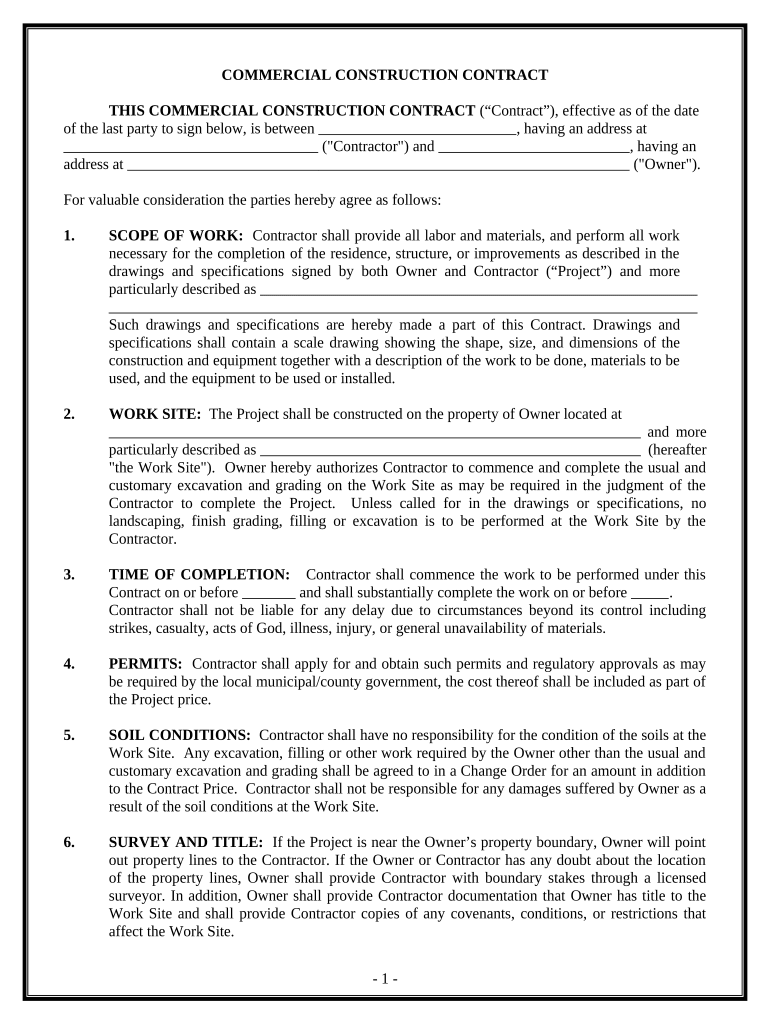
Begin by entering the names and addresses of both the Contractor and Owner in the designated fields at the top of the form.
In the 'SCOPE OF WORK' section, clearly describe the project details, including labor and materials required. Ensure that all specifications are included.
Fill in the 'WORK SITE' section with the exact location of the project. This is crucial for clarity on where work will be performed.
Specify dates in the 'TIME OF COMPLETION' section, indicating when work will commence and when substantial completion is expected.
Complete sections regarding permits, soil conditions, and any changes to scope as necessary. Each section should be filled out accurately to avoid future disputes.
Finally, review all entries for accuracy before signing. Use our platform's features to save your progress or share it with stakeholders for feedback.
Start using our platform today to streamline your contract editing process for free!
Fill out Commercial Contract for Contractor - West Virginia online It's free
Printable commercial contract for contractor west virginiaFree printable commercial contract for contractor west virginiaSimple commercial contract for contractor west virginiaCommercial contract for contractor west virginia templateFree commercial contract for contractor west virginiaCommercial contract for contractor west virginia template freeCommercial contract for contractor west virginia pdfWest virginia contractor law
Security and compliance
At DocHub, your data security is our priority. We follow HIPAA, SOC2, GDPR, and other standards, so you can work on your documents with confidence.
West Virginia is the second-biggest coal-producing state in the country (after Montana), with 152.4 million tons of coal mined in 2006 (13.1% of the US total).Read more
W. Va. Code R. 110-15-107 - Contracting: General Rules
Application. - This regulation prescribes the rules which persons engaged in the business of contracting must follow to comply with this States consumersRead more
Cookie consent notice
This site uses cookies to enhance site navigation and personalize your experience.
By using this site you agree to our use of cookies as described in our Privacy Notice.
You can modify your selections by visiting our Cookie and Advertising Notice.