Wi last will 2026

Get Form
wi last will Preview on Page 1

Here's how it works

01. Edit your form online
Type text, add images, blackout confidential details, add comments, highlights and more.
02. Sign it in a few clicks
Draw your signature, type it, upload its image, or use your mobile device as a signature pad.
03. Share your form with others
Send it via email, link, or fax. You can also download it, export it or print it out.

How to use or fill out wi last will with our platform

Form edit decoration
9.5
Ease of Setup
DocHub User Ratings on G2
9.0
Ease of Use
DocHub User Ratings on G2
  1. Click ‘Get Form’ to open the wi last will in the editor.
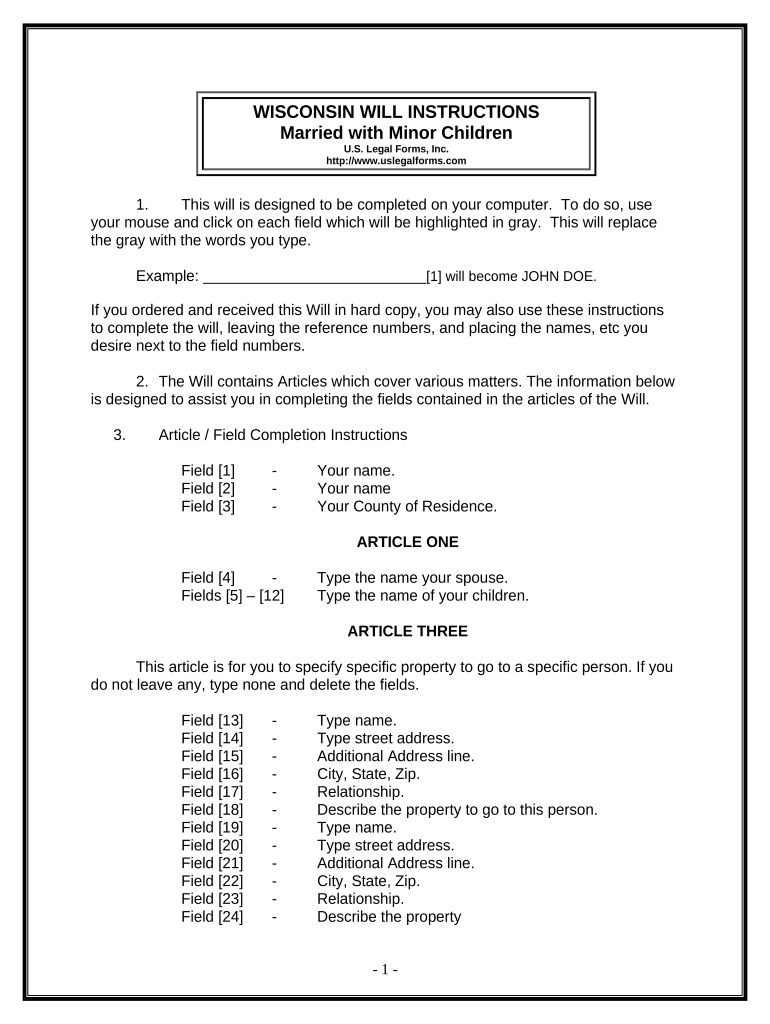
  2. Begin by entering your name and county of residence in the designated fields. This information is crucial as it identifies you as the testator.
  3. In Article One, input your spouse's name and the names and birthdates of your children. This establishes your immediate family structure.
  4. Proceed to Article Three to specify any particular property you wish to bequeath. Fill in the names, addresses, relationships, and descriptions of the property for each beneficiary.
  5. Continue through Articles Four to Eleven, filling in details about your homestead, remaining property, trustees, guardians for minor children, and personal representatives as applicable.
  6. Review all entries for accuracy. Once completed, print the document and sign it in front of two witnesses who are not related to you.

Start using our platform today for free to create your wi last will effortlessly!

be ready to get more

Complete this form in 5 minutes or less

Get form

Got questions?

We have answers to the most popular questions from our customers. If you can't find an answer to your question, please contact us.
Contact us
If your language is ambiguous or your intentions are not clear it could lead to instructions not being followed properly or the will being ruled invalid. Ensure you seek professional advice when writing a will, and that all of the proper steps are taken, including having the will witnessed.
Wisconsin-specific Will Requirements In Wisconsin, a will must be written. In Wisconsin, a will must be signed and dated in the presence of two disinterested witnesses. In Wisconsin, your will must be proven after your death in order to be deemed valid by the court.
Yes. You can make your own will in Wisconsin. Wisconsin has a basic will template in its statutes that you can use. This basic will is good for people with simple assets and family dynamics, but it isnt very flexible.
Steps to Create a Will in Wisconsin Decide what property to include in your will. Decide who will inherit your property. Choose a personal representative to handle your estate. Choose a guardian for your children. Choose someone to manage childrens property. Make your will. Sign your will in front of witnesses.
Do I Need a Lawyer in Wisconsin to Make a Will? No, not technically. In many cases, however, you may want to seek legal advice. If you think your will may be challenged or if you wish to disinherit your spouse, for example, you should consult an attorney.
be ready to get more

Complete this form in 5 minutes or less

Get form

People also ask

For records created between 1985 and June 1, 2003, you can view them in-person or online at Wisconsin Circuit Court Access. For records created after June 1, 2003, the only way to access them is online at Wisconsin Circuit Court Access.

Related links