Type text, add images, blackout confidential details, add comments, highlights and more.
02. Sign it in a few clicks
Draw your signature, type it, upload its image, or use your mobile device as a signature pad.
03. Share your form with others
Send it via email, link, or fax. You can also download it, export it or print it out.
How to use or fill out release adult with our platform
Ease of Setup
DocHub User Ratings on G2
Ease of Use
DocHub User Ratings on G2
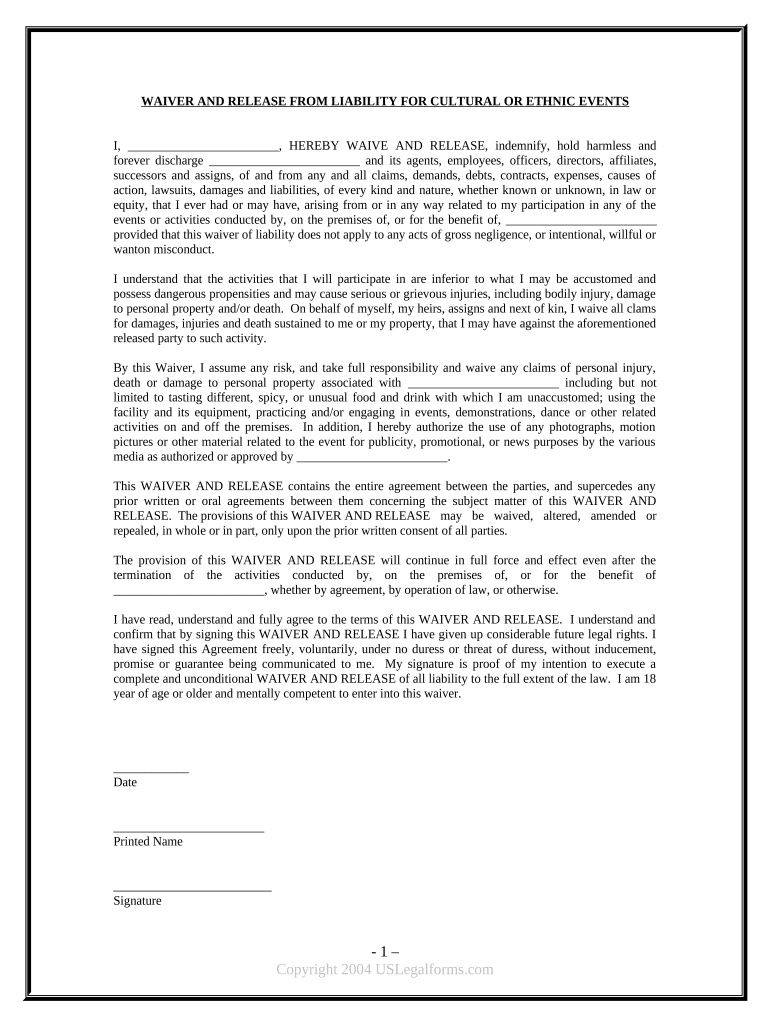
Click ‘Get Form’ to open the release adult document in the editor.
Begin by entering your name in the designated field where it states 'I, ______'. This identifies you as the participant waiving liability.
In the next blank, specify the organization or entity you are releasing from liability. This is crucial for clarity regarding who is covered under this waiver.
Review the sections outlining risks and responsibilities. Ensure you understand what activities may pose risks, such as tasting unfamiliar foods or participating in physical activities.
Sign and date the form at the bottom. Your signature confirms that you have read and agree to all terms outlined in the waiver.
Finally, save your completed document. You can easily export it or share it directly from our platform for free.
Start using our platform today to streamline your document editing and signing process!
Tongue tie release adult recoveryAdult lip tie releaseTongue tie release adults RedditTongue-tie release adults near meAdult tongue tie release before and afterHow long to do exercises after frenectomyCan you talk after tongue tie surgeryTongue tie release before and after face
Security and compliance
At DocHub, your data security is our priority. We follow HIPAA, SOC2, GDPR, and other standards, so you can work on your documents with confidence.
This is a legally-binding Release, Waiver, Discharge and Covenant Not to Sue made by me,. , [print full name] to the University of Pittsburgh - Of the.Read more
In addition to establishing and maintaining gainful employment, individuals are eligible for community correctional center leaves and independent release time.Read more
May 10, 2026 Adult Swim Games is the publisher of video games based on Adult Swim shows, founded in 2005. 1st Logo (November 1, 2007-January 8, 2008).Read more
Cookie consent notice
This site uses cookies to enhance site navigation and personalize your experience.
By using this site you agree to our use of cookies as described in our Privacy Notice.
You can modify your selections by visiting our Cookie and Advertising Notice.