Type text, add images, blackout confidential details, add comments, highlights and more.
02. Sign it in a few clicks
Draw your signature, type it, upload its image, or use your mobile device as a signature pad.
03. Share your form with others
Send it via email, link, or fax. You can also download it, export it or print it out.
How to use or fill out wa easement with our platform
Ease of Setup
DocHub User Ratings on G2
Ease of Use
DocHub User Ratings on G2
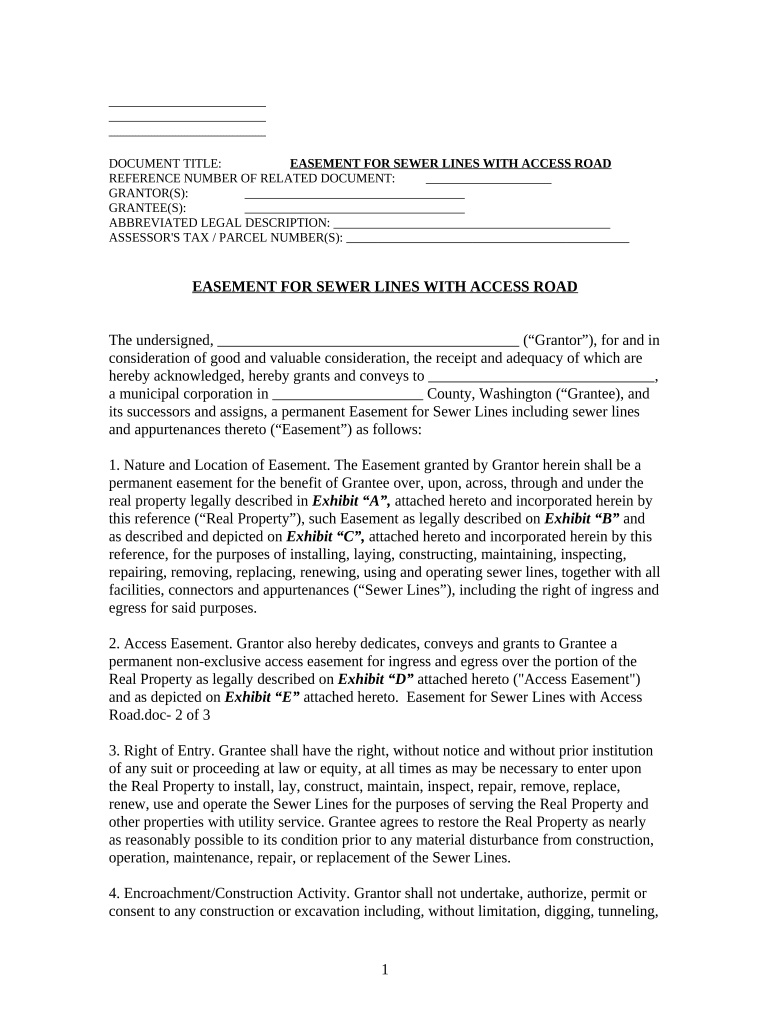
Click ‘Get Form’ to open the wa easement document in the editor.
Begin by filling in the 'Grantor(s)' and 'Grantee(s)' sections with the appropriate names. Ensure that you accurately represent the parties involved.
Complete the 'Abbreviated Legal Description' and 'Assessor's Tax/Parcel Number(s)' fields, which are essential for identifying the property involved in the easement.
In the main body of the document, review and confirm the nature and location of the easement as described. Make any necessary modifications to reflect your specific agreement.
Fill out any additional details regarding access rights, construction activities, and binding effects as outlined in each section. This ensures clarity on responsibilities and rights.
Finally, sign and date where indicated. If required, add notary information to validate your document before recording it with local authorities.
Start using our platform today for free to streamline your wa easement process!
Landgate easement searchEasement LandgateHow to check for easements on propertyEasement on propertyRCW easementsWhat are the 3 types of easementsEasement by necessityDriveway easement rights Washington state
Security and compliance
At DocHub, your data security is our priority. We follow HIPAA, SOC2, GDPR, and other standards, so you can work on your documents with confidence.
The Implied Easement and Way of Necessity in Washington
by HJ Hunsaker 1951 Cited by 2 The implied easement arises by inference of law when certain facts concerning the conveyance of land are found by the court. There are.Read more
Cookie consent notice
This site uses cookies to enhance site navigation and personalize your experience.
By using this site you agree to our use of cookies as described in our Privacy Notice.
You can modify your selections by visiting our Cookie and Advertising Notice.