01. Edit your lease amendment rent increase online
Type text, add images, blackout confidential details, add comments, highlights and more.
02. Sign it in a few clicks
Draw your signature, type it, upload its image, or use your mobile device as a signature pad.
03. Share your form with others
Send residential lease amendment via email, link, or fax. You can also download it, export it or print it out.
How to use or fill out Amendment of Residential Lease - Washington with our platform
Ease of Setup
DocHub User Ratings on G2
Ease of Use
DocHub User Ratings on G2
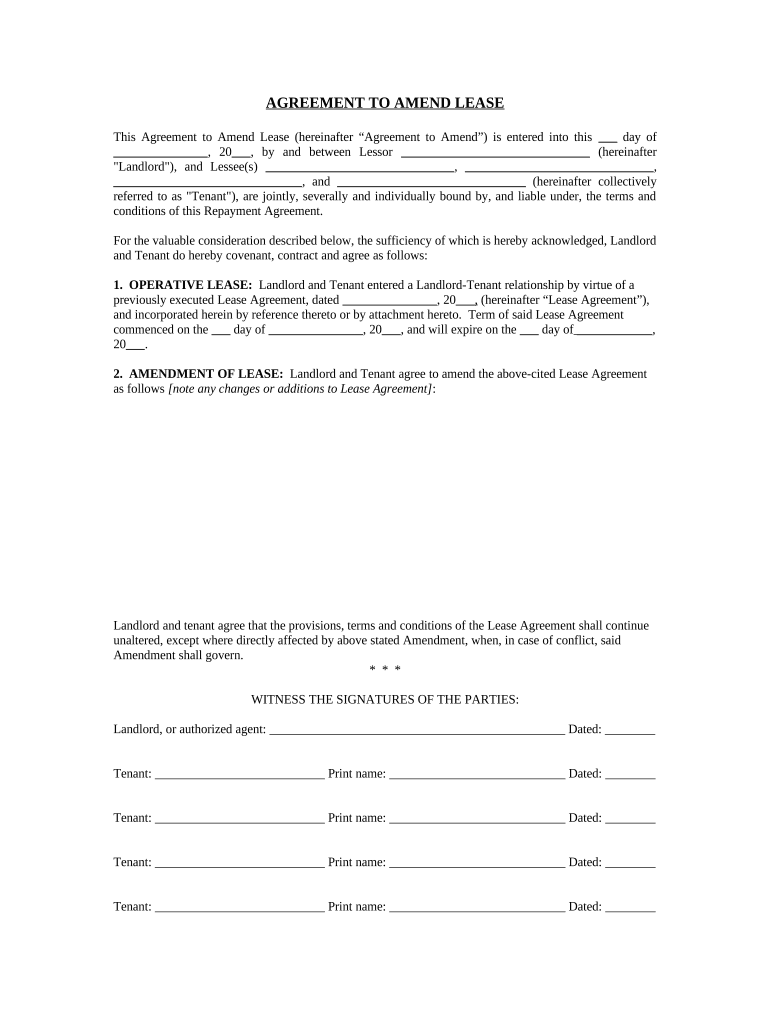
Click ‘Get Form’ to open the Amendment of Residential Lease in the editor.
Begin by entering the date at the top of the form where indicated. This is essential for establishing the timeline of your amendment.
In the first section, fill in the names of both the Landlord and Tenant(s). Ensure all parties are accurately represented as this affects liability under the agreement.
Next, locate the section titled 'Operative Lease.' Here, input details from your original Lease Agreement, including its start and expiration dates. This provides context for your amendment.
In the 'Amendment of Lease' section, clearly outline any changes or additions to the original lease terms. Be specific to avoid confusion later.
Finally, ensure all parties sign and date at the bottom of the form. Each Tenant must print their name next to their signature for clarity.
Start editing your Amendment of Residential Lease today for free on our platform!
Fill out Amendment of Residential Lease - Washington online It's free
Apr 30, 2021 Before the BLM issues a coal lease, the lessee must furnish a bond in an amount determined by the agency to ensure compliance with all leaseRead more
(1) Unless otherwise agreed rental agreements shall be for a term of one year. Any rental agreement of whatever duration shall be automatically renewed forRead more
Cookie consent notice
This site uses cookies to enhance site navigation and personalize your experience.
By using this site you agree to our use of cookies as described in our Privacy Notice.
You can modify your selections by visiting our Cookie and Advertising Notice.