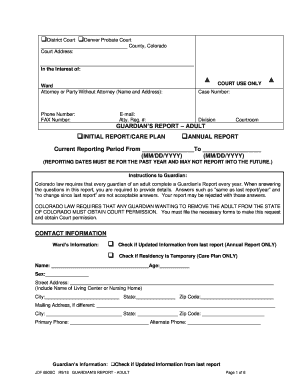
WPF UH-04.0110 - Return of Service - RTS - Washington-2026

Get Form
WPF UH-04.0110 - Return of Service - RTS - Washington Preview on Page 1

Here's how it works

01. Edit your form online
Type text, add images, blackout confidential details, add comments, highlights and more.
02. Sign it in a few clicks
Draw your signature, type it, upload its image, or use your mobile device as a signature pad.
03. Share your form with others
Send it via email, link, or fax. You can also download it, export it or print it out.

How to use or fill out WPF UH-04.0110 - Return of Service - RTS - Washington with DocHub

Form edit decoration
9.5
Ease of Setup
DocHub User Ratings on G2
9.0
Ease of Use
DocHub User Ratings on G2
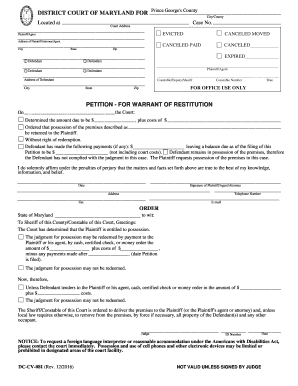
  1. Click ‘Get Form’ to open the WPF UH-04.0110 in our editor.
  2. Begin by filling in your name and age in the 'Identification of server' section, ensuring you are not the petitioner or respondent.
  3. In the 'Able to serve' section, provide the name of the person served, along with the date and time of service, and the address where service occurred.
  4. If personal service was not possible, indicate this in the 'Not able to serve' section. Specify whether you notified the petitioner or respondent and list any attempted service dates.
  5. In paragraph 4, check off all documents that were served, including options like 'Petition for an Order for Protection' or 'Temporary Order for Protection.'
  6. Complete the certification statement by signing and dating it at your location. Include any applicable fees for service and mileage.

Start using our platform today to easily complete your WPF UH-04.0110 form online for free!

be ready to get more

Complete this form in 5 minutes or less

Get form

Got questions?

We have answers to the most popular questions from our customers. If you can't find an answer to your question, please contact us.
Contact us

Log in to your DocHub account and import your WPF UH-04.0110 - Return of Service - RTS - Washington to our editor using one of its upload options - from your device, cloud storage, secure URL, or your DocHub folders if you have already processed your form before. Open our editor, click the Sign button in the top toolbar, and decide on your signing method. You can use an image of your handwritten signature, draw it, enter your name, or use a QR code as an alternative.

Apart from a comprehensive toolset for editing PDFs on mobile devices, DocHub enables you to sign your WPF UH-04.0110 - Return of Service - RTS - Washington along the way. Open our editor in your internet browser, make changes using DocHub’s toolset, and complete your editing by eSigning the completed form.

What is fl all family 135? FL All Family 135 is a court form used in family law cases in some jurisdictions to report and disclose financial information in divorce, separation, or custody cases.
Motions to Enforce: These are filed when a spouse fails to fulfill obligations outlined in the divorce decree, such as paying debts or distributing assets. They serve as reminders of legal duties and are not punitive in nature.
Declaration for Default or Uncontested Dissolution or Legal Separation (Family Law) (FL-170) Tell the court more about your request to enter a judgment based on an agreement or the default of your spouse or domestic partner.

Security and compliance

At DocHub, your data security is our priority. We follow HIPAA, SOC2, GDPR, and other standards, so you can work on your documents with confidence.

Learn more
ccpa2
pci-dss
gdpr-compliance
hipaa
soc-compliance

People also ask

Other tips for writing a declaration letter Before you start writing, create an outline to organize your ideas. Write professionally, but in your own voice dont try to sound like a lawyer. Be specific. Dont ramble or repeat yourself, and dont include irrelevant information.

Related links