Type text, add images, blackout confidential details, add comments, highlights and more.
02. Sign it in a few clicks
Draw your signature, type it, upload its image, or use your mobile device as a signature pad.
03. Share your form with others
Send it via email, link, or fax. You can also download it, export it or print it out.
How to use or fill out Amendment to Living Trust - Vermont with our platform
Ease of Setup
DocHub User Ratings on G2
Ease of Use
DocHub User Ratings on G2
Click ‘Get Form’ to open the Amendment to Living Trust - Vermont in the editor.
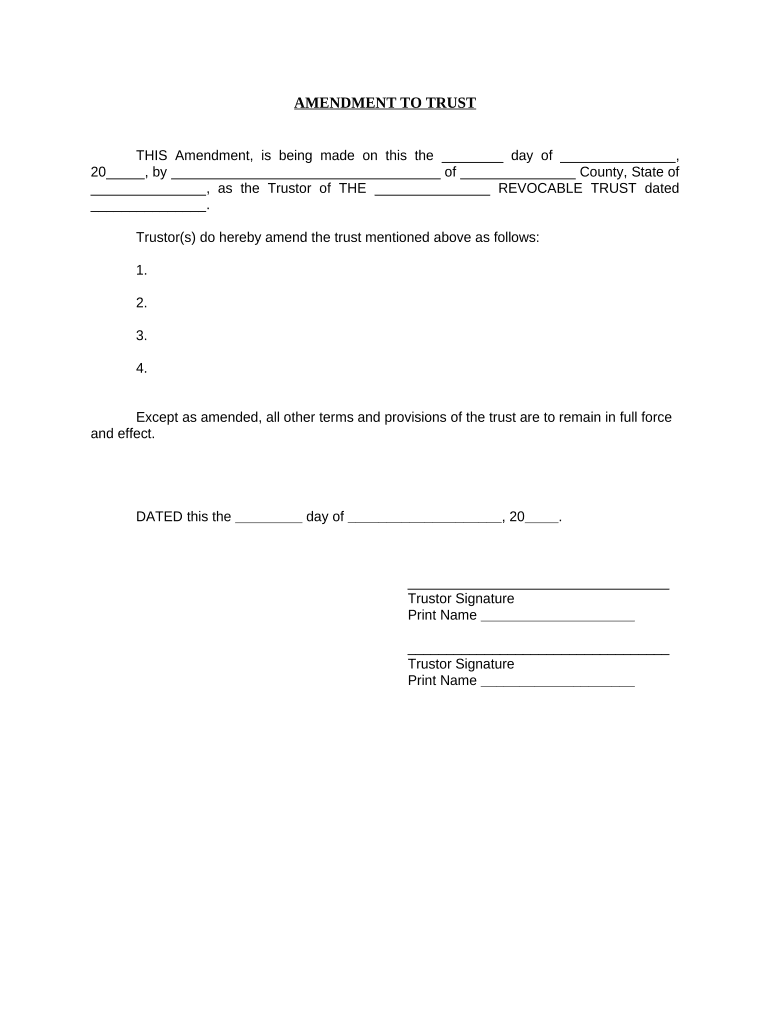
Begin by entering the date of the amendment in the first blank field. This should reflect the day you are completing the document.
Fill in your name as the Trustor, along with your county and state in the designated fields. Ensure accuracy for legal purposes.
In the section labeled 'do hereby amend the trust mentioned above as follows:', list any amendments clearly and concisely. Number each amendment for clarity.
Complete the final date line at the bottom of the document, ensuring it matches your signing date.
Sign and print your name in the provided signature fields. If there are multiple Trustors, ensure all signatures are included.
Lastly, complete the notary section by providing details about your notary public, including their signature and commission expiration date.
Start editing your Amendment to Living Trust - Vermont online for free today!
Fill out Amendment to Living Trust - Vermont online It's free
Amendment to living trust vermont templateAmendment to living trust vermont sampleAmendment to living trust vermont pdfFree amendment to living trust vermontAmendment to living trust vermont formVermont will requirementsWill template vermontVermont estate planning
Security and compliance
At DocHub, your data security is our priority. We follow HIPAA, SOC2, GDPR, and other standards, so you can work on your documents with confidence.
A Decision Framework for Applying Monitored Natural
by CUN Cu 2010 Established in 1995, the Interstate Technology Regulatory Council (ITRC) is a state-led, national coalition of personnel from the environmental regulatoryRead more
A noncharitable irrevocable trust may be modified upon consent of all of the beneficiaries if the Probate Division of the Superior Court concludes thatRead more
by SJ Willbanks Cited by 23 If the decedent has no issue, the surviving spouse or partner receives $25,000 plus half the remaining property and the other relatives receive the remainder.Read more
Cookie consent notice
This site uses cookies to enhance site navigation and personalize your experience.
By using this site you agree to our use of cookies as described in our Privacy Notice.
You can modify your selections by visiting our Cookie and Advertising Notice.