Type text, add images, blackout confidential details, add comments, highlights and more.
02. Sign it in a few clicks
Draw your signature, type it, upload its image, or use your mobile device as a signature pad.
03. Share your form with others
Send it via email, link, or fax. You can also download it, export it or print it out.
How to use or fill out Bill of Sale in Connection with Sale of Business by Individual or Corporate Seller - Vermont
Ease of Setup
DocHub User Ratings on G2
Ease of Use
DocHub User Ratings on G2
Click ‘Get Form’ to open it in the editor.
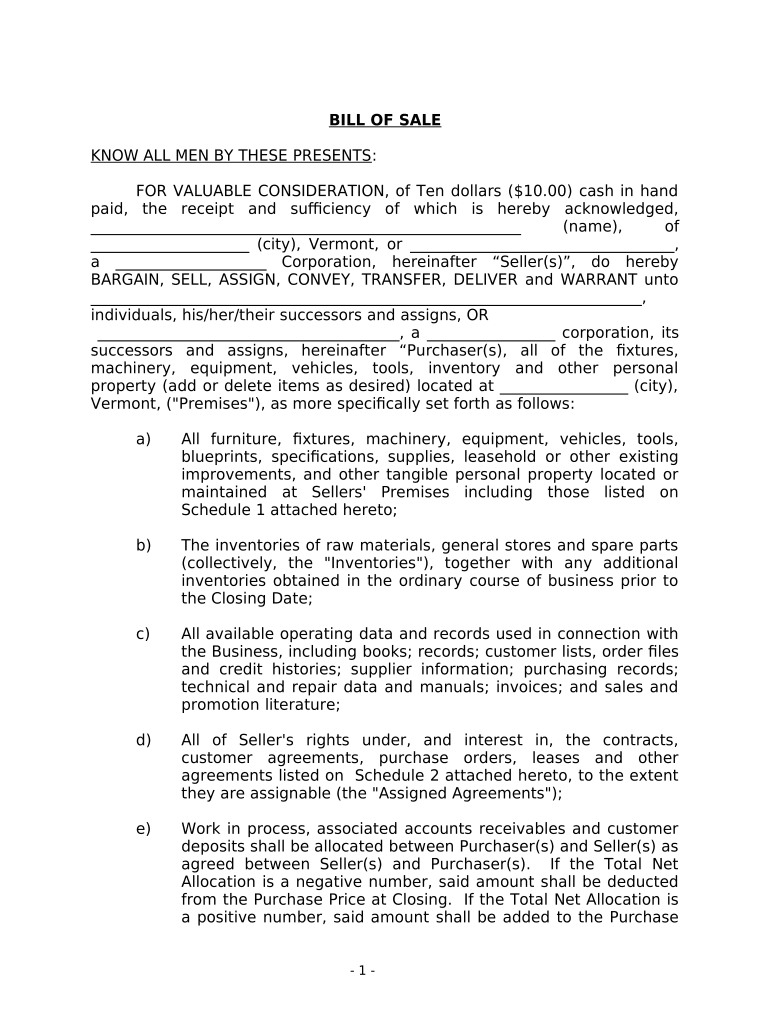
Begin by entering the Seller's name and address at the top of the form. Ensure that you specify whether the seller is an individual or a corporation.
In the Purchaser section, fill in the name and address of the buyer(s). Clearly indicate if they are individuals or a corporate entity.
Detail all items being sold under 'All furniture, fixtures, machinery...' section. You can add or delete items as necessary to accurately reflect what is included in the sale.
Complete Schedules 1 and 2 by listing specific items and agreements being transferred. This ensures clarity on what assets are included in the transaction.
Sign and date the document at the bottom. If applicable, ensure that corporate representatives sign where indicated, including their title.
Start using our platform today to easily complete your Bill of Sale for free!
Fill out Bill of Sale in Connection with Sale of Business by Individual or Corporate Seller - Vermont online It's free
Simple bill of sale in connection with sale of business by individual or corporate seller vermontSample bill of sale in connection with sale of business by individual or corporate seller vermontVt sales and Use Tax loginBurlington vt Sales TaxVermont Sales Tax exemptionSouth burlington vt sales taxBennington vt sales taxForm VT 005
Security and compliance
At DocHub, your data security is our priority. We follow HIPAA, SOC2, GDPR, and other standards, so you can work on your documents with confidence.
The companys board is exploring options, including whether to pursue a sale and open a formal auction. A variety of companies have been reported as havingRead more
10-033 Code Vt. R. 10-060-033-X - SALES AND USE TAX
Sales price for purposes of calculating tax means the total amount of consideration, including cash, credit, property, and services for which personalRead more
Cookie consent notice
This site uses cookies to enhance site navigation and personalize your experience.
By using this site you agree to our use of cookies as described in our Privacy Notice.
You can modify your selections by visiting our Cookie and Advertising Notice.