Easement 2026

Get Form
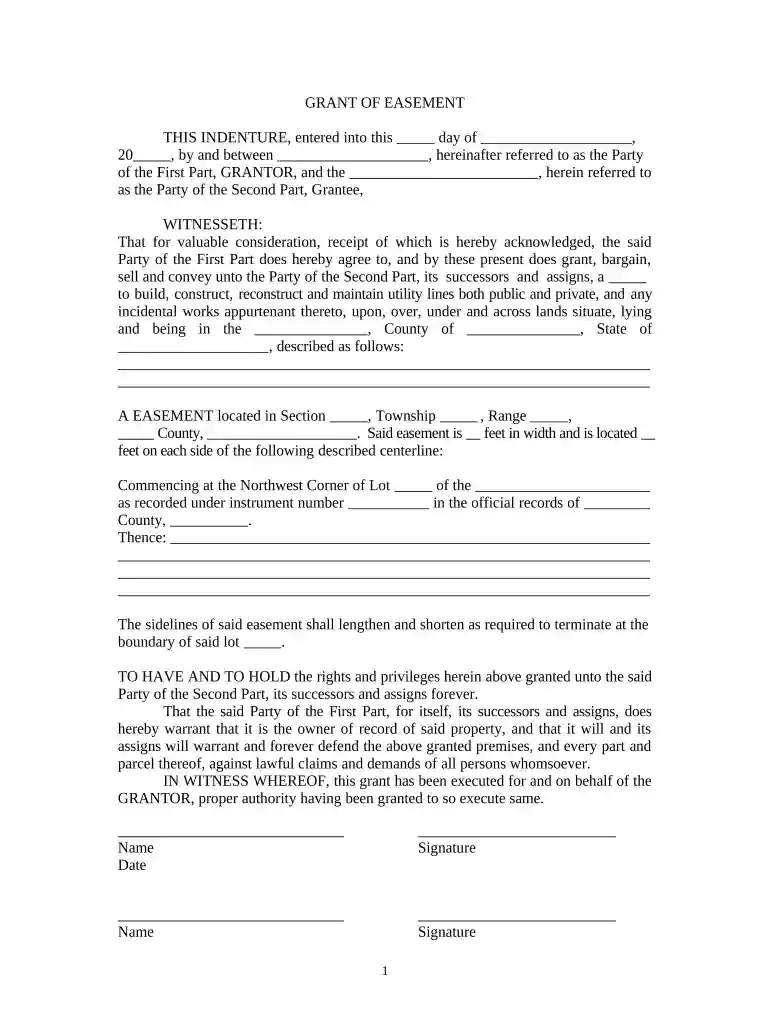
easement Preview on Page 1

Here's how it works

01. Edit your form online
Type text, add images, blackout confidential details, add comments, highlights and more.

02. Sign it in a few clicks
Draw your signature, type it, upload its image, or use your mobile device as a signature pad.

03. Share your form with others
Send it via email, link, or fax. You can also download it, export it or print it out.

How to Use or Fill Out Easement with Our Platform

Form edit decoration
9.5
Ease of Setup
DocHub User Ratings on G2
9.0
Ease of Use
DocHub User Ratings on G2
  1. Click ‘Get Form’ to open the easement document in the editor.
  2. Begin by filling in the date of the agreement at the top of the form. This is crucial for establishing when the easement takes effect.
  3. In the first section, identify the Grantor and Grantee by entering their names and relevant details. Ensure accuracy as these parties are legally bound by this document.
  4. Next, specify the location of the easement. Fill in details such as County, State, and a description of the property involved, including Section and Township numbers.
  5. Indicate the width of the easement on each side of the centerline. This information is essential for defining how much land is affected.
  6. Complete any additional sections regarding rights and privileges granted to ensure clarity on what is permitted under this easement.
  7. Finally, both parties should sign and date at the bottom of the form. If required, arrange for notarization to validate your agreement.

Start using our platform today to fill out your easement form easily and for free!

be ready to get more

Complete this form in 5 minutes or less

Get form

Got questions?

We have answers to the most popular questions from our customers. If you can't find an answer to your question, please contact us.
Contact us
In California, easements are subject to specific rules and regulations, and property owners generally cannot unilaterally block or obstruct established easements. Property owners should seek legal advice to navigate the complexities of easement disputes and to comply with California Law.
An easement grants an individual or entity the right to access your property within certain guidelines. For instance, local utility companies typically hold easements that let them access power lines or cables that cross over your property. If youre the easement holder, you can access a property you dont legally own.
Owners are generally prohibited from building over or too close to an easement or must obtain approval from the authority who owns the easement to do so. If a structure is built over an easement without permission or where permission is denied, then the owner will be legally required to remove the structure.
An easement is a legal right to use someone elses private property for a specific purpose. An easement can be in writing or it can also be implied under the law if certain conditions are met. Easements can be created for many reasons.
In the case of an easement, one property owner allows another entity (jurisdiction, utility, municipality or individual) the right to access their private property with an improvement such as a road or a sewer line. In this case, the private property owner retains ownership of the affected ground.

Security and compliance

At DocHub, your data security is our priority. We follow HIPAA, SOC2, GDPR, and other standards, so you can work on your documents with confidence.
Learn more
ccpa2
pci-dss
gdpr-compliance
hipaa
soc-compliance