Utah trust 2026

Get Form
utah trust Preview on Page 1

Here's how it works

01. Edit your form online
Type text, add images, blackout confidential details, add comments, highlights and more.
02. Sign it in a few clicks
Draw your signature, type it, upload its image, or use your mobile device as a signature pad.
03. Share your form with others
Send it via email, link, or fax. You can also download it, export it or print it out.

How to use or fill out utah trust with our platform

Form edit decoration
9.5
Ease of Setup
DocHub User Ratings on G2
9.0
Ease of Use
DocHub User Ratings on G2
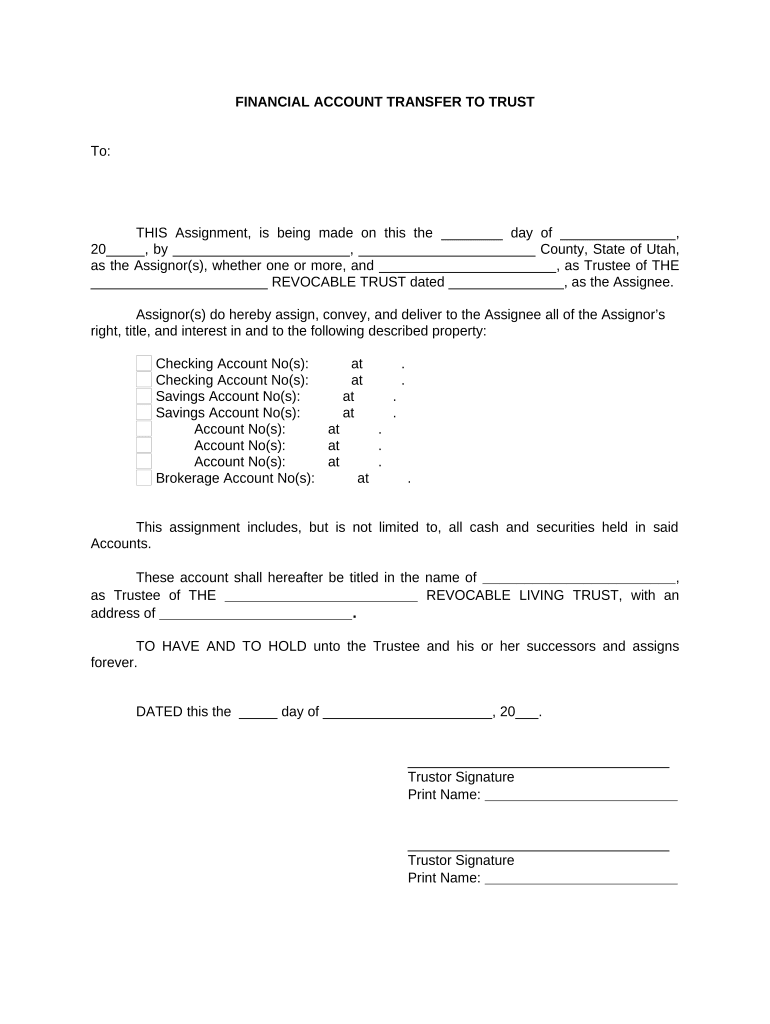
  1. Click ‘Get Form’ to open the Utah Trust document in the editor.
  2. Begin by entering the date of the assignment in the format '___ day of ______, 20__'.
  3. Fill in your name as the Assignor(s) along with your county and state. Ensure all details are accurate.
  4. Specify the Trustee's name and the title of the trust, including the date it was established.
  5. List all relevant account numbers under each category (Checking, Savings, Brokerage) along with their respective institutions.
  6. Complete the section indicating that these accounts will be titled in the name of the Trustee.
  7. Sign and print your name as Trustor at the bottom of the document. Ensure both Assignors sign if applicable.
  8. Finally, have a Notary Public acknowledge your signatures by filling out their section at the end of the document.

Start using our platform today to easily complete your Utah Trust form for free!

be ready to get more

Complete this form in 5 minutes or less

Get form

Got questions?

We have answers to the most popular questions from our customers. If you can't find an answer to your question, please contact us.
Contact us

With DocHub, it’s pretty simple. The service offers users an add-on called DocHub for Gmail, which you can locate in the Google Workspace Marketplace without being charged. Install it and grant it access to your Google account. Open your email with your utah trust attached and click on the add-on button in the right-side panel. Log in to your DocHub account, and import the form to our editor, where you can complete it and sign.

If you store your files in Google Drive, there is no need to download your utah trust on the computer and upload it back to our editor. A significantly easier way is to install a browser extension created by DocHub to simplify this flow. The extension allows editing PDFs right in your browser. Alternatively, you may integrate your DocHub and Gmail accounts for more efficient editing.

Security and compliance

At DocHub, your data security is our priority. We follow HIPAA, SOC2, GDPR, and other standards, so you can work on your documents with confidence.

Learn more
ccpa2
pci-dss
gdpr-compliance
hipaa
soc-compliance