01. Edit your stark drafting contracts website development agreement online
Type text, add images, blackout confidential details, add comments, highlights and more.
02. Sign it in a few clicks
Draw your signature, type it, upload its image, or use your mobile device as a signature pad.
03. Share your form with others
Send contract drafting stark via email, link, or fax. You can also download it, export it or print it out.
How to use or fill out drafting agreement contract with our platform
Ease of Setup
DocHub User Ratings on G2
Ease of Use
DocHub User Ratings on G2
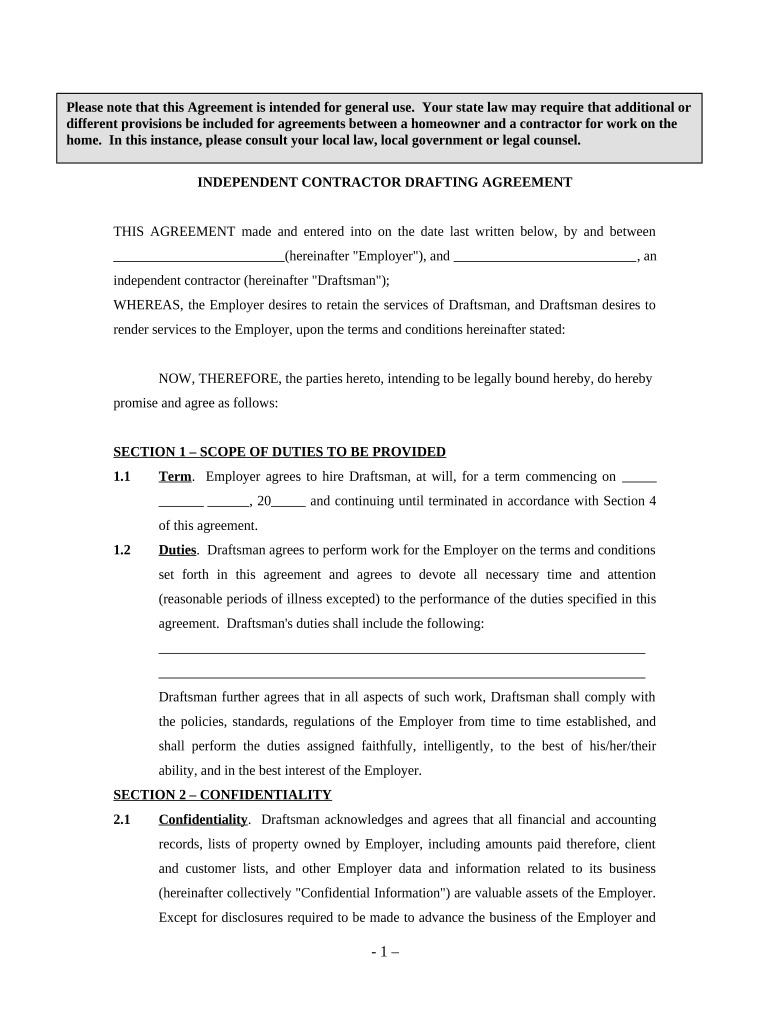
Click ‘Get Form’ to open the drafting agreement contract in the editor.
Begin by filling in the date and names of both parties at the top of the document. Ensure that you accurately identify the Employer and Draftsman.
In Section 1, specify the term of employment and outline the duties expected from the Draftsman. Be clear about any specific tasks or responsibilities.
Proceed to Section 2 to detail confidentiality obligations. Clearly define what constitutes Confidential Information and ensure both parties understand their responsibilities regarding this information.
In Section 3, enter compensation details, including payment amount and frequency. Make sure this aligns with your agreement.
Review Sections 4 through 7 for termination clauses, independent contractor status, and miscellaneous provisions. Adjust any sections as necessary to fit your specific needs.
Finally, have both parties sign at the bottom of the document to finalize the agreement.
Start using our platform today for free to streamline your drafting agreement process!
Fill out drafting agreement contract online It's free
The goal when drafting contracts should be to draft every sentence with precision such that only one possible interpretation followsthe interpretation theRead more
The contract manual is a guide for drafting and reviewing contracts entered into by an agency of the State of North Dakota. It has been written so that aRead more
Cookie consent notice
This site uses cookies to enhance site navigation and personalize your experience.
By using this site you agree to our use of cookies as described in our Privacy Notice.
You can modify your selections by visiting our Cookie and Advertising Notice.