Type text, add images, blackout confidential details, add comments, highlights and more.
02. Sign it in a few clicks
Draw your signature, type it, upload its image, or use your mobile device as a signature pad.
03. Share your form with others
Send it via email, link, or fax. You can also download it, export it or print it out.
How to use or fill out reciprocal license agreement with our platform
Ease of Setup
DocHub User Ratings on G2
Ease of Use
DocHub User Ratings on G2
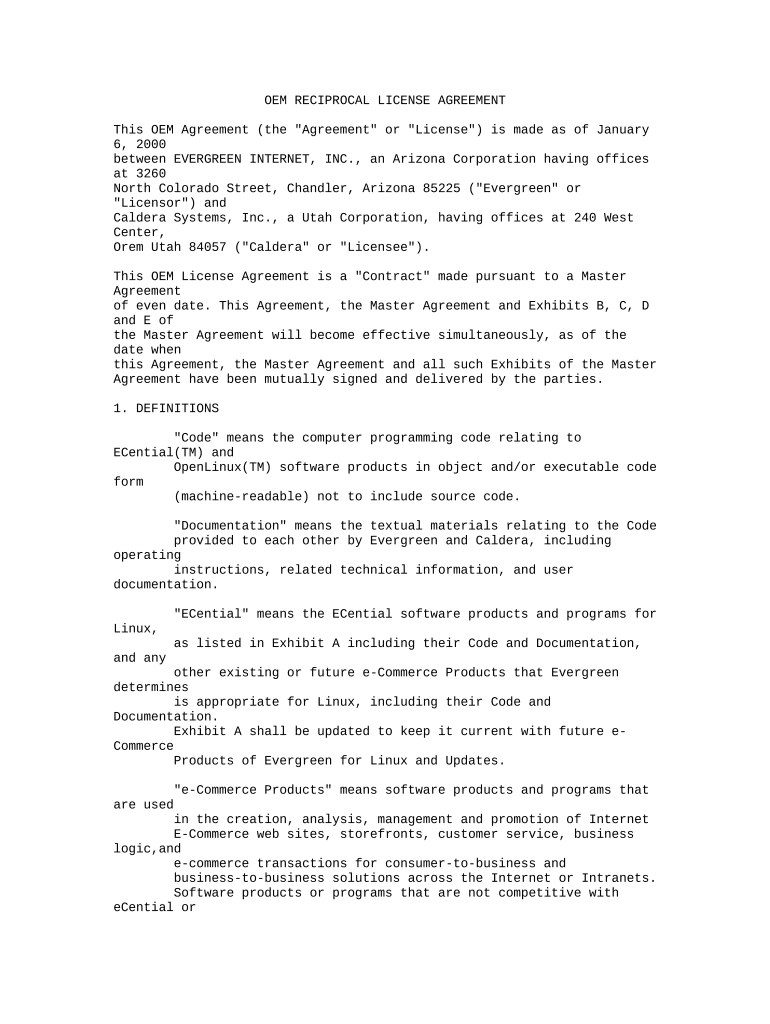
Click 'Get Form' to open the reciprocal license agreement in the editor.
Begin by filling in the date at the top of the document. This is crucial as it marks the effective date of the agreement.
In Section 1, provide definitions for key terms such as 'Code', 'Documentation', and 'Marks'. Ensure clarity to avoid misunderstandings.
Move to Section 2, where you will outline ownership details. Clearly state the ownership rights of both parties regarding proprietary data and software.
In Section 3, detail the licensing terms. Specify what rights are granted, including any limitations on modifications or distribution.
Complete Sections 4 through 12 by entering any necessary fees, warranties, confidentiality clauses, and termination conditions relevant to your agreement.
Finally, ensure both parties sign at the end of the document. Use our platform's signature feature for a seamless signing process.
Start editing your reciprocal license agreement today for free with our platform!
Fill out reciprocal license agreement online It's free
Driving Privilege Reciprocity | Department of Public Safety
Sep 23, 2020 Driving privilege reciprocity allows a person to use a valid, unexpired foreign license to operate a motor vehicle in Texas for up to one year.Read more
Real Estate License Reciprocity: None, California does not have reciprocity agreements with any other states. Further Information: Page 2. California RealRead more
Cookie consent notice
This site uses cookies to enhance site navigation and personalize your experience.
By using this site you agree to our use of cookies as described in our Privacy Notice.
You can modify your selections by visiting our Cookie and Advertising Notice.