Type text, add images, blackout confidential details, add comments, highlights and more.
02. Sign it in a few clicks
Draw your signature, type it, upload its image, or use your mobile device as a signature pad.
03. Share your form with others
Send it via email, link, or fax. You can also download it, export it or print it out.
How to use or fill out amendment agreement form with our platform
Ease of Setup
DocHub User Ratings on G2
Ease of Use
DocHub User Ratings on G2
Click ‘Get Form’ to open the amendment agreement form in the editor.
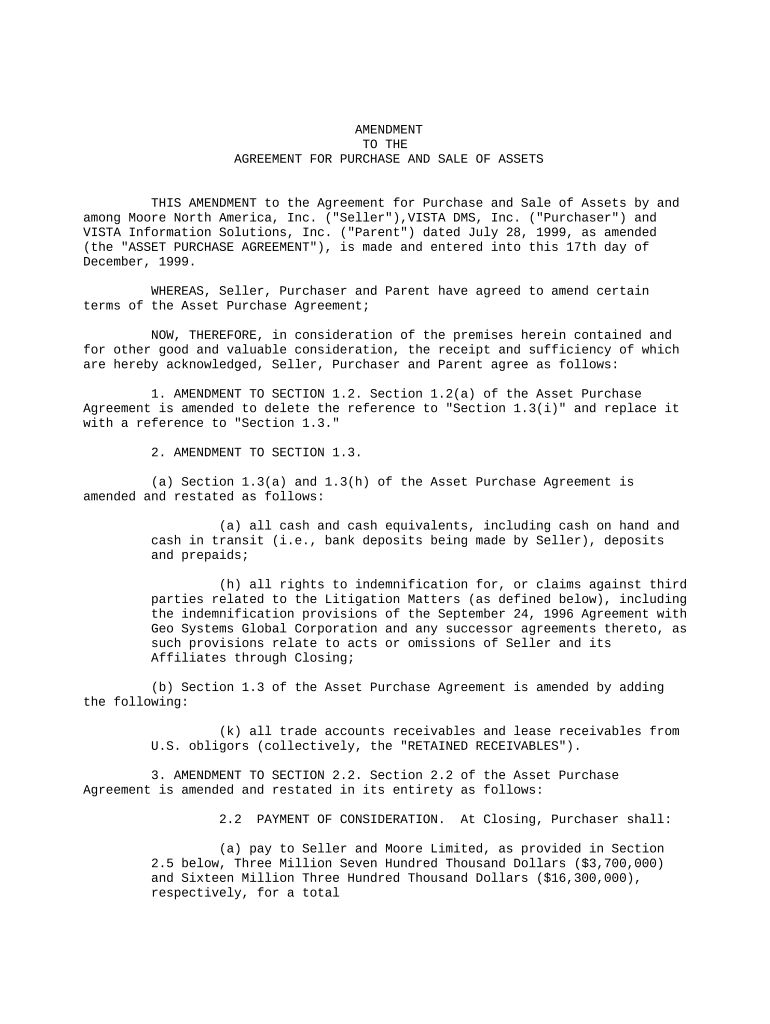
Begin by reviewing the introductory section, which outlines the parties involved and the purpose of the amendment. Ensure all names and dates are accurate.
Proceed to Section 1, where specific amendments to existing sections are detailed. Carefully read each amendment and make any necessary adjustments based on your agreement.
In Section 2, focus on payment details. Fill in the amounts as specified, ensuring clarity on cash considerations and any notes being delivered.
Continue through subsequent sections, making sure to address any additional amendments or deletions as indicated. Use our platform’s tools to highlight or comment for clarity.
Finally, review all entries for accuracy before signing. Utilize our platform's signature feature to securely sign the document electronically.
Start editing your amendment agreement form online for free today!
Fill out amendment agreement form online It's free
What is the difference between an addendum and an amendment to a purchase agreement?
Key takeaways: A contract amendment is a formal alteration or modification made to an already signed contract. A contract addendum is an additional document that is attached to the original contract. The decision to use an addendum or an amendment depends on the nature of the changes being made.
How do I initial an amendment?
Execute Contract Amendment: Once all parties have consented to the changes, and depending on the method of amendment required, (a) the deed or agreement of variation should be drafted, approved and validly executed by all relevant parties; or (b) the manuscript amendments should be executed by each party signing and
How to do an amendment to an agreement?
How to create a contract amendment Pinpoint what you want to change or add. Look at your contract and write down the parts you need to change. Date and title the new amendment. Next, add the current date and the title and date of the original agreement to the document. Draft and describe the changes. Finalize the changes.
How do you write an amendment to a purchase agreement?
How to Write Step 1: Identify Parties and Property. Step 2: Reference the Original Agreement. Step 3: Detail the Amendment Terms. Step 4: Preserve Original Agreement Language. Step 5: Collect Necessary Signatures. Step 6: Define Delivery and Acknowledgment. Step 7: Consider Legal Review.
How do you write an amendment letter?
Completing the Amendment Introductory paragraph. Type your name or the name of your company and the other sides name (an individual or a company). Describe the amendment(s). Effective date of the amendment. The concluding paragraph. Proofread and sign your amendment.
Related Searches
Amendment agreement form pdfSimple amendment agreement formFree amendment agreement formAmendment Agreement pdfContract amendment template WordAmendment Agreement secAmendment Service Agreement templateHow to write an amendment to the Constitution
Security and compliance
At DocHub, your data security is our priority. We follow HIPAA, SOC2, GDPR, and other standards, so you can work on your documents with confidence.
Nov 19, 2017 2 The amendment gives the Minister the power to renew and extend a funding agreement for up to 12 months at the request of any of theRead more
If the only amendment that you intend to make is to extend the term of the contract beyond its existing end date, see the prototype template Amendment toRead more
Cookie consent notice
This site uses cookies to enhance site navigation and personalize your experience.
By using this site you agree to our use of cookies as described in our Privacy Notice.
You can modify your selections by visiting our Cookie and Advertising Notice.