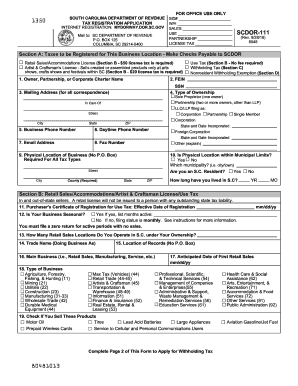
Type text, add images, blackout confidential details, add comments, highlights and more.
02. Sign it in a few clicks
Draw your signature, type it, upload its image, or use your mobile device as a signature pad.
03. Share your form with others
Send it via email, link, or fax. You can also download it, export it or print it out.
How to use or fill out plan component with our platform
Ease of Setup
DocHub User Ratings on G2
Ease of Use
DocHub User Ratings on G2
Click ‘Get Form’ to open it in the editor.
Begin by reviewing the introductory section of the plan component, which outlines the purpose and parties involved in the agreement. Ensure you understand the context before proceeding.
Fill in any required fields, such as names and dates, ensuring accuracy to avoid future discrepancies. Use our platform's text tools for easy editing.
Navigate through each article and section of the form. Pay special attention to sections detailing obligations and representations, as these are crucial for compliance.
Utilize checkboxes or dropdown menus where applicable to select options that pertain to your specific situation within the agreement.
Once all fields are completed, review your entries for accuracy. Our platform allows you to save drafts if you need more time.
Finally, submit your completed form for processing or download it directly from our editor for your records.
Start using our platform today to streamline your document editing and signing process!
Plan component examplePlan component pdfPlan component in business planPlan component in managementPlan component templateWhat are the 12 components of a business planComponents of planning pdfProject management plan components
Security and compliance
At DocHub, your data security is our priority. We follow HIPAA, SOC2, GDPR, and other standards, so you can work on your documents with confidence.
by S Planning Cited by 2 Planning and budgeting are interactive. The assessment component of the strategic planning process is valuable in identifying trends, demand factors andRead more
Nov 13, 2025 Your business plan is the foundation of your business. Learn how to write a business plan quickly and efficiently with a business plan template.Read more
Typical Performance Monitoring Plan components include: Clearly defined data needs and objectives (including measurements for contingency assessment).Read more
Cookie consent notice
This site uses cookies to enhance site navigation and personalize your experience.
By using this site you agree to our use of cookies as described in our Privacy Notice.
You can modify your selections by visiting our Cookie and Advertising Notice.