01. Edit your limitation of liability agreement pdf or docx sec gov lawinsider com online
Type text, add images, blackout confidential details, add comments, highlights and more.
02. Sign it in a few clicks
Draw your signature, type it, upload its image, or use your mobile device as a signature pad.
03. Share your form with others
Send it via email, link, or fax. You can also download it, export it or print it out.
How to use or fill out limitation agreement with our platform
Ease of Setup
DocHub User Ratings on G2
Ease of Use
DocHub User Ratings on G2
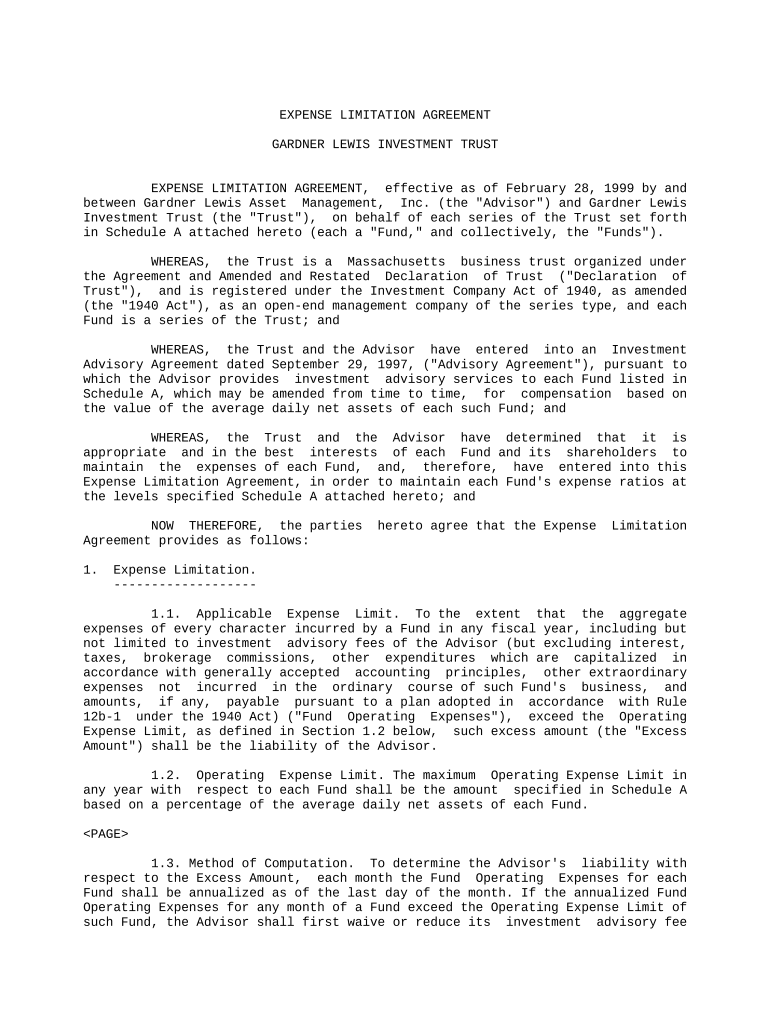
Click ‘Get Form’ to open the Expense Limitation Agreement in the editor.
Begin by reviewing the introductory section, which outlines the parties involved and the purpose of the agreement. Ensure that all names and dates are accurate.
Move to Section 1, where you will find details about applicable expense limits. Fill in any required fields regarding the Operating Expense Limit as specified in Schedule A.
In Section 2, provide information regarding reimbursement terms. Make sure to check if quarterly approvals are needed from the Trust's Board of Trustees.
Review Section 3 for terms related to the duration and termination of the agreement. Confirm that all parties understand their rights regarding termination notice.
Finally, ensure that all signatures are collected at the end of the document. Use our platform’s signature feature for a seamless signing process.
Start editing your limitation agreement online for free today!
Limitation clause contract lawLimitation of liability clause in Service AgreementLimitation of liability clause exampleLimitation clause exampleLimitation of liability clause in procurement contractLimitation of liability clause in construction contractStandard limitation of liability clauseChapter 313 agreements
Security and compliance
At DocHub, your data security is our priority. We follow HIPAA, SOC2, GDPR, and other standards, so you can work on your documents with confidence.
If the parties wish to mediate an existing dispute, they may enter into the following agreement, independent of any contract: The parties hereby submit theRead more
2-725. Statute of Limitations in Contracts for Sale.
(1) An action for bDocHub of any contract for sale must be commenced within four years after the cause of action has accrued. By the original agreement theRead more
Cookie consent notice
This site uses cookies to enhance site navigation and personalize your experience.
By using this site you agree to our use of cookies as described in our Privacy Notice.
You can modify your selections by visiting our Cookie and Advertising Notice.