01. Edit your site usefind ai what is the website of mci online
Type text, add images, blackout confidential details, add comments, highlights and more.
02. Sign it in a few clicks
Draw your signature, type it, upload its image, or use your mobile device as a signature pad.
03. Share your form with others
Send mci form via email, link, or fax. You can also download it, export it or print it out.
How to use or fill out mci form with our platform
Ease of Setup
DocHub User Ratings on G2
Ease of Use
DocHub User Ratings on G2
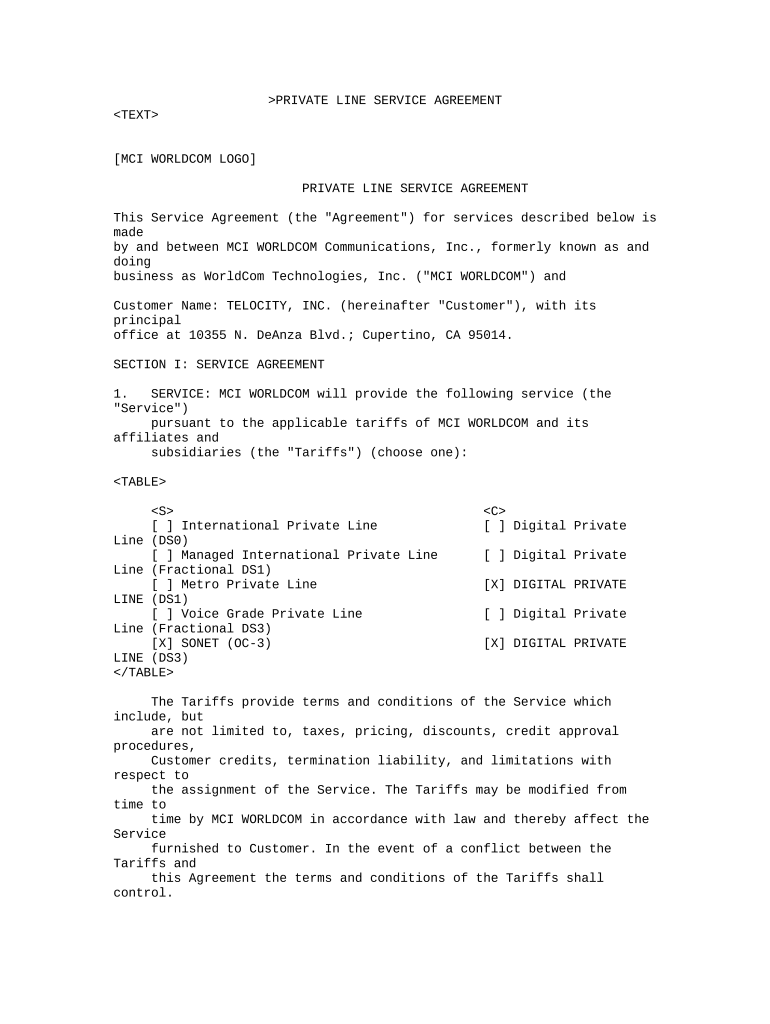
Click ‘Get Form’ to open the mci form in the editor.
Begin by filling in the 'Customer Name' field with your company's name, ensuring accuracy for identification.
In the 'Service' section, select the type of service you require by checking the appropriate box. Options include International Private Line, Managed International Private Line, and others.
Specify the 'Effective Date' based on whether you have an existing agreement. Follow the instructions provided to determine this date accurately.
Complete the 'Circuits and Connections' section by selecting your desired circuit types and any additional specifications as required.
Review and fill out the 'Revenue Commitment' details, ensuring that you understand your minimum monthly revenue obligations.
Finally, sign and date the document in the 'Signature Authorization' section to validate your agreement.
Start using our platform today for free to streamline your mci form completion!
As you requested, I am enclosing a copy of the Memory Controllability Inventory (MCI) short form. There are four subscales: Present Ability, PotentialRead more
The QML model will be made an open source physician resource.The prophylactic synthetic biotic will be delivered in the form of capsules at the MCI stage. TeamRead more
Cookie consent notice
This site uses cookies to enhance site navigation and personalize your experience.
By using this site you agree to our use of cookies as described in our Privacy Notice.
You can modify your selections by visiting our Cookie and Advertising Notice.